On this page
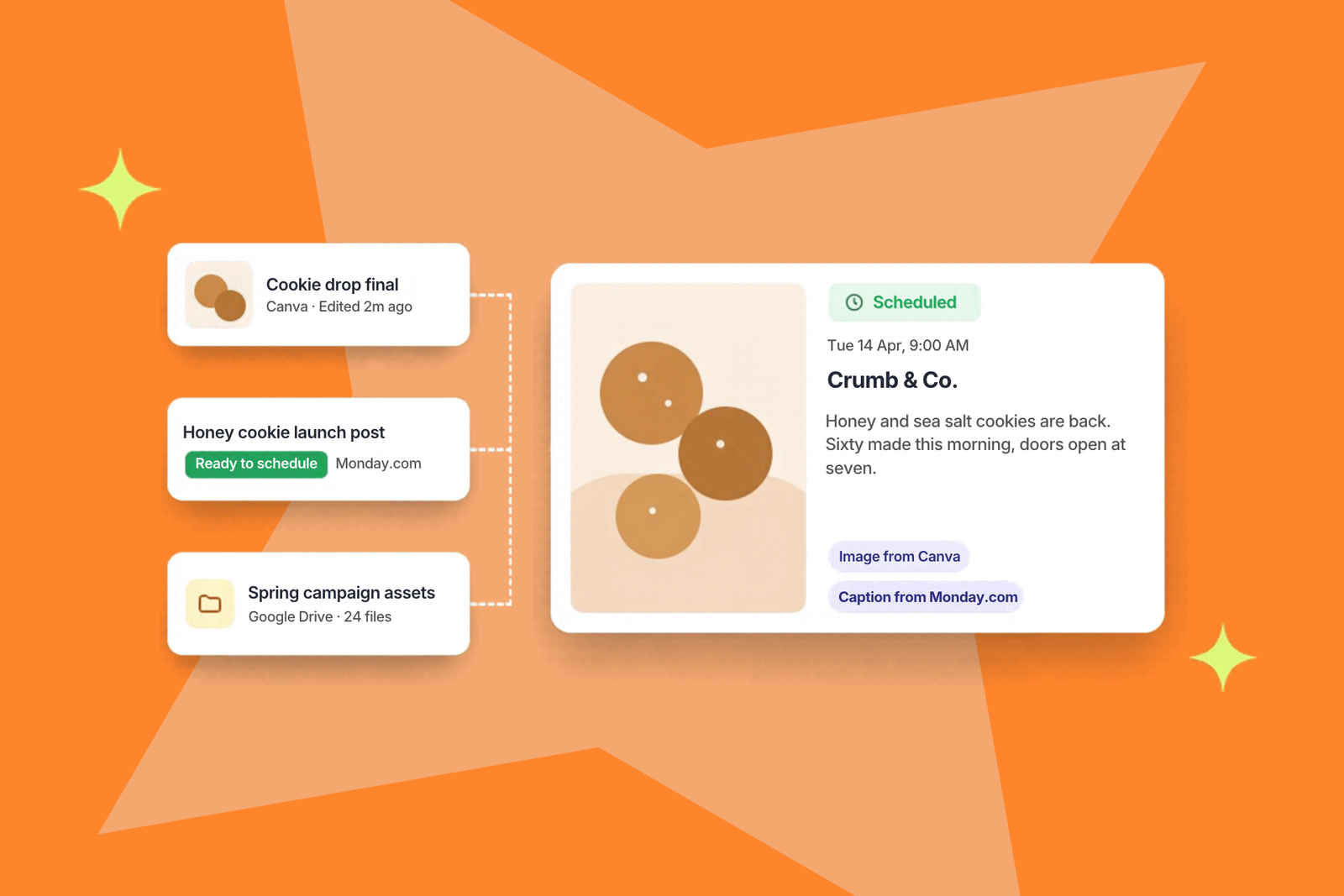
The design is finished in Canva. The caption is approved in a Monday.com item, and the photos are sitting in a shared Drive folder. The person scheduling the post is about to spend the next 10 minutes downloading, copying, pasting, and re-uploading all of it into a scheduler that didn’t know any of it existed.
Most social teams don’t think of this as a problem, because it’s just how content gets made. That’s exactly why it’s worth a closer look.
What copy-paste actually costs
Time is the obvious cost. Say building one post involves three minutes of downloading, uploading, and retyping, and five people on your team each build 10 posts a week. That works out to two and a half hours every week spent moving content between tabs. It’s invisible because it’s spread across everyone in small pieces.
The bigger cost is mistakes. Every time something gets copied by hand, there’s a chance to copy the wrong thing. An earlier version of a design goes live because the final one was still in someone’s Downloads folder, or a caption picks up a typo when it’s retyped from a planning board. A brief loses its context somewhere between the task and the post, and the copywriter ends up guessing at what the client asked for.
None of these are dramatic on their own. Together they’re why content production feels slower and more fragile than it should.
Why Zapier bridges don’t fully fix it
Plenty of teams have tried to automate the gap with Zapier or a similar tool. It can work, but these bridges need someone to build them and someone to notice when they quietly stop running. Often they only carry part of the job across. One nonprofit team told us their bridge from Asana moved the text of a task into their scheduler but left the images behind, so they were still downloading creative by hand.
Another team we spoke with, an entertainment company, kept assets in Google Drive, collected captions in Google Sheets, and posted natively on each platform. Every tool did its job well, but nothing talked to anything else.
The fix that lasts is a set of habits that keep content in one predictable place, plus tools that connect directly so nobody has to carry it between them.
Five ways to take the manual work out
1. Pull finished designs from where they’re made
The most common version problem starts with an export. Once a design leaves Canva as a file, there are two copies, and only one of them gets updated when the client asks for a change. The fix is to skip the export and pull the design straight from Canva when you build the post.
Sked Social’s post creator lets you load a design directly from Canva while you’re creating a post, so nobody downloads or re-uploads anything. You’re pulling from Canva itself rather than from someone’s Downloads folder, so the design that lands in the post is the one your designer last worked on.
2. Give every campaign one approved asset folder
When approved assets live in several places, such as email attachments, a chat thread, and a half-organized shared drive, someone always spends time hunting for the right file. Agree on one approved folder per campaign or client, and treat anything outside it as a draft.
Once that folder exists, you can connect it to Sked Social from Settings and choose which Library collection it syncs into. The first sync brings across every image and video already in the folder, and anything added after that shows up in your media library within about an hour, without anyone uploading it.
3. Keep approval status in one place
If “approved” lives in a planning board, a Slack message, and someone’s memory, the person scheduling has to check all three. Pick one tool as the home of approval status and add a single clear “ready to schedule” column there.
For teams planning in Monday.com, that column can do the work. Each board item becomes an idea in Sked Social, with columns mapped to fields like caption, scheduled date, labels, and creative brief. Only items marked yes in the sync column come across, so the team keeps running approvals in Monday.com and nothing half-finished reaches the scheduler. Content pillars carry over as labels when their names match.
4. Don’t migrate a filing system that works
If your team already has a folder structure everyone understands, moving it into a new tool usually creates more problems than it solves. The goal is to make that existing system feed your scheduler directly.
That’s how Sked Social’s Dropbox connection works. You point Sked Social at the Dropbox folders your team already uses, and the images and video inside them sync into your media library, ready to schedule. Your folder structure stays as it is, and the person scheduling never has to download a file to get it into a post.
5. Keep the brief and the creative together
Context gets lost when the brief lives in one place and the finished creative lives in another. Give each campaign task a matching asset folder, and put the folder link in the task so the brief always points to the right files.
For teams using Asana, the brief side takes care of itself. The tasks in the projects you choose arrive in Sked Social as ideas, with the caption, creative brief, and due date mapped to where they belong and tags mapped to labels. Pair that with a synced Drive or Dropbox folder for the creative, and the person writing the post finds the brief and deadline on the idea and the finished files in the media library.
What changes when the tools are connected
None of these fixes ask anyone to change where they work. The designer still lives in Canva, the project manager still lives in Monday.com or Asana, and the assets still sit in Drive or Dropbox. What goes away is the hand-carrying between them, along with the version mix-ups and retyping errors that come with it.
Sked Social also connects to ClickUp, Trello, Notion, Google Sheets, OneDrive, and RSS feeds, so most teams can connect the tools they already use instead of replacing them.
See it with your own tools
If your team’s content passes through three or four tools before it’s scheduled, book a demo. We’ll connect the ones you already use so you can see exactly what arrives in Sked Social and how much manual work comes out of your week. Not ready for a demo yet? Browse the full list of Sked Social integrations to see what connects to your setup.