On this page
The hard truth about client approval tools: your client will not log into them. They did not buy software, they bought an agency. Every portal password you send is a future 'can you just email it to me', and every emailed deck restarts the version-control chaos the tool was meant to fix.
The fix is to stop requiring a login at all.
How link-based approval works
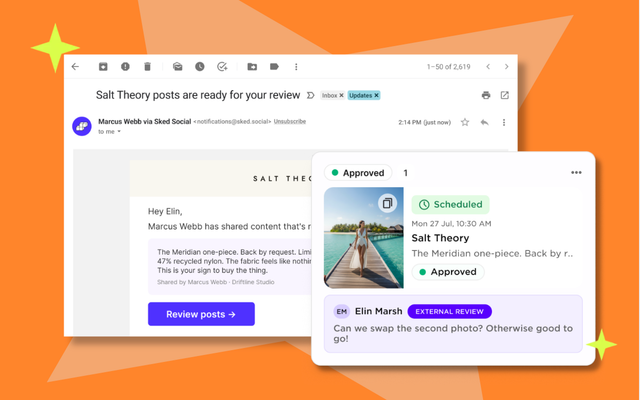
Instead of an account, the client gets a branded link. It opens on their phone, shows each post exactly as it will publish, and gives them two moves: approve, or leave feedback. That is the entire experience on their side. No password reset, no onboarding call, no software to learn.
Why it changes the approval cycle
When approval takes a client thirty seconds from a phone, it stops being the slowest step in your process. Feedback lands on the post itself rather than in a screenshot, so your team revises in the same thread and resubmits. The full history of who approved what, and when, is recorded, which quietly ends the 'we never signed off on that' conversation.
What to look for in an approval workflow
- No client-side account or login required.
- Posts previewed as they will actually appear on each platform.
- Feedback attached to the post, not floating in email.
- An audit trail of approvals for when it matters.
This is the workflow Sked builds for agencies: branded, link-based client approval on top of scheduling, reporting, and a shared inbox.
Common questions
Good questions.
Can clients approve social media posts without a login?
Yes. Sked sends clients a branded link. They open it, see the post exactly as it will publish, and approve or leave feedback from their phone. There is no account to create and nothing to install.
What happens when a client wants changes?
Feedback lands on the post itself, next to the content, so your team edits and resubmits in the same thread. No screenshots, no version-five-final email chains.