On this page
You've sent the review link. The posts are ready. Then you wait.
A day passes. You send a message. Another day. Another message. The posts go live late, or don't go live at all. It wasn't a content problem. It was a notification problem.
That's fixed.
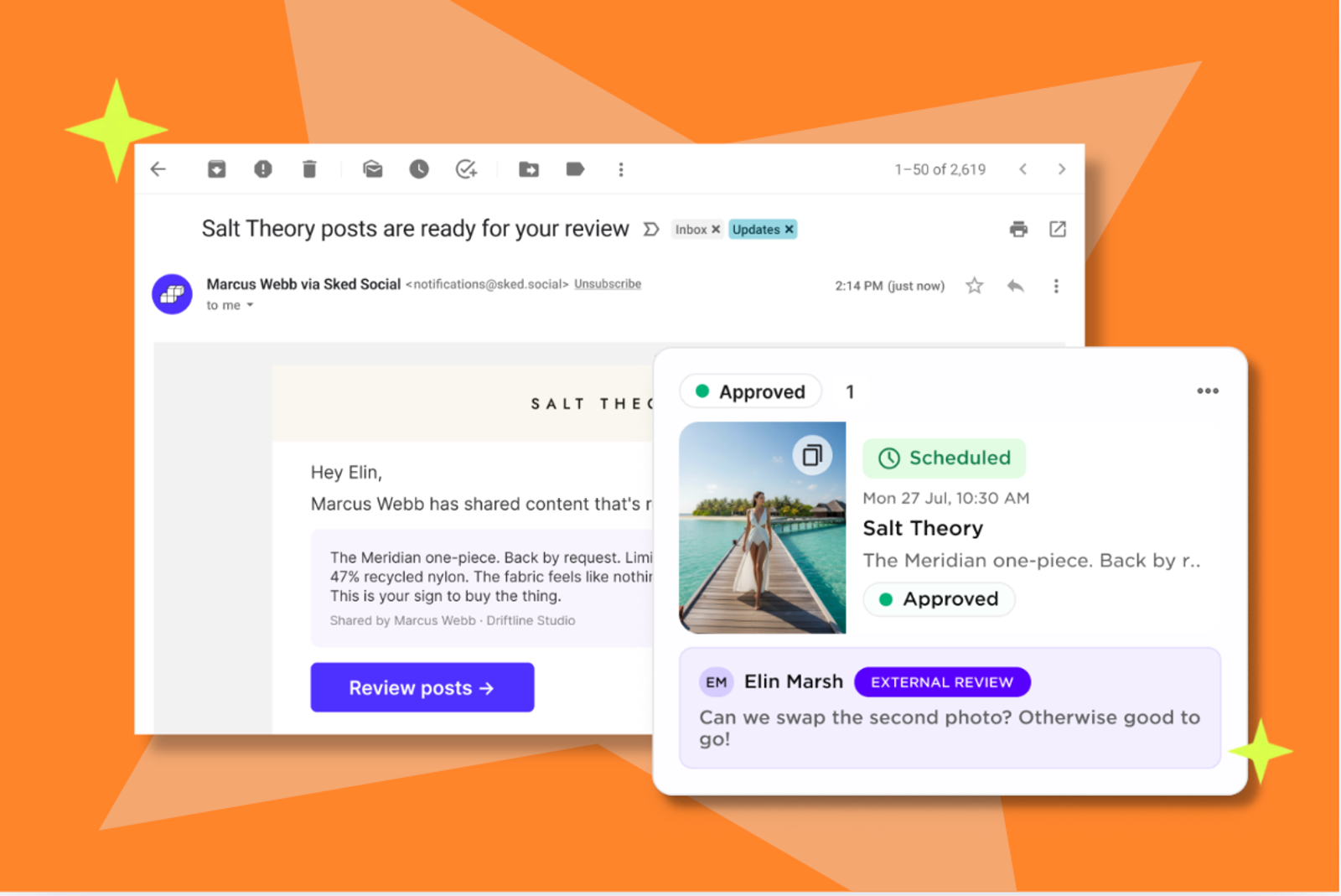
Sked Social now emails your reviewers automatically when posts hit Ready to Review status on your External Review Link. And if they haven't acted, it sends them a reminder – daily or weekly, at a time and in a timezone you choose. Reviews come back. You stop being the reason they do.
What's new
Automatic review notification
The moment posts reach Ready to Review status, Sked Social sends an email to every address you've added under "Send an email to notify" in the Edit Link slideout. Your reviewer gets a direct link to the review. No Sked Social account required. They click, they review.
Per-reviewer reminders
If a reviewer hasn't acted, Sked Social sends a reminder on a schedule you configure – per reviewer. Set it to daily or weekly, pick a time, set the timezone. Reminders only fire while that reviewer still has posts waiting at Ready to Review status. Once the review is done, they stop.
This isn't a global setting. You configure it per reviewer, inside the same Edit Link panel you've always used.
How to set it up
- Open your External Review Link and click Edit Link
- Under Status Configuration > Posts to review, find the "Send an email to notify" field
- Add your reviewer's email address – accepts multiple, comma-separated
- To add reminders, toggle on Review reminders below the email field
- Click the gear icon next to a reviewer to set Frequency (Daily or Weekly), Time, and Timezone
- Save your changes
From that point on, Sked Social handles the notification. You don't.
No Sked Social account needed
You need one. Your reviewers don't. They get a link in their inbox, they click it, and they review. The fewer steps between a reviewer and an approval, the more likely it actually happens.
Plan eligibility
Review Notifications and Reminders are included on Accelerate plans and available as an add-on on Grow. Select Legacy plans are also eligible.
Not sure whether your plan includes External Review Links? Check your plan page or reach out to our support team – available 24/7.
The bigger picture
External Review Links were already the cleanest way to get content reviewed outside your organization. This closes the last gap – the one that lived in your Slack messages and your sent folder.
Your approval process gets more reliable. It doesn't get more complicated.
To get started, open any External Review Link, click Edit Link, and look for "Send an email to notify" under Status Configuration.