On this page
The photo you want for Thursday's post is sitting in someone else's camera roll. Maybe it belongs to the client who just wrapped a shoot, or the venue manager who snapped a dozen great shots on a quiet Tuesday. Getting it from their phone into your calendar usually takes a few emails, a drive link that expires, and an awkward question about whether you're allowed to post it.
Content Collect fixes the getting part. You share one link or QR code, anyone can send photos and video straight into your Sked Social Library, and nobody needs an account to do it.
Your best content is often made by someone else
For brand, franchise, and agency teams, a lot of the good stuff comes from people outside the social team. Clients, location staff, customers, and event guests are usually happy to share. The hard part has always been the handoff.
Files arrive across email, texts, and shared drives. Someone downloads them, renames them, and works out who sent what, then chases permission before anything can go live. It's slow, and it's the part of the job nobody really owns.
How Content Collect works
You create a collection link inside your Library in Sked Social and share it as a link or a QR code. Contributors open it on their phone or laptop and send their files without logging in.
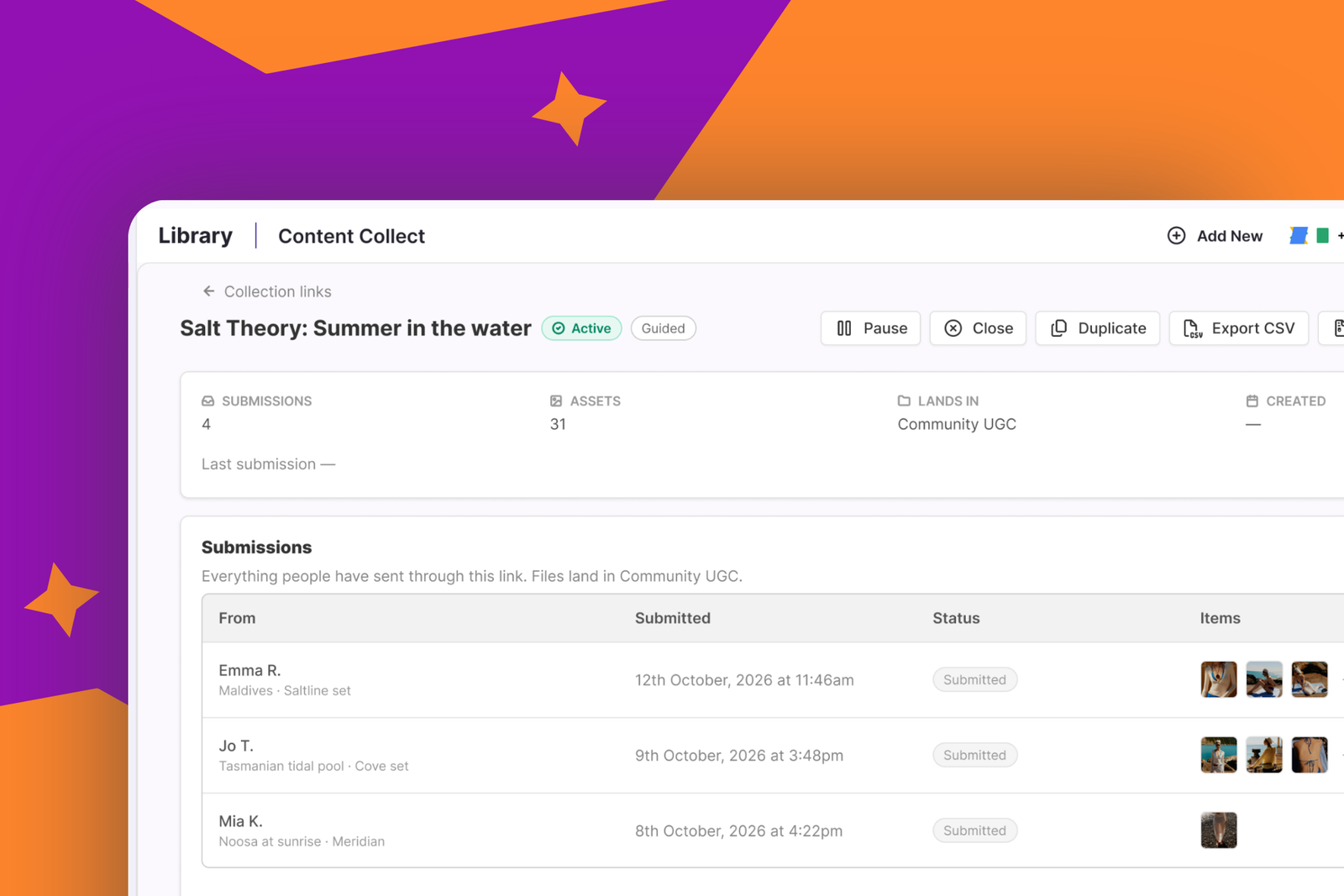
Everything lands in the Library collection you choose, tagged Content Collect, with the sender's details attached. When you sit down to plan, it's already sitting next to the rest of your content.
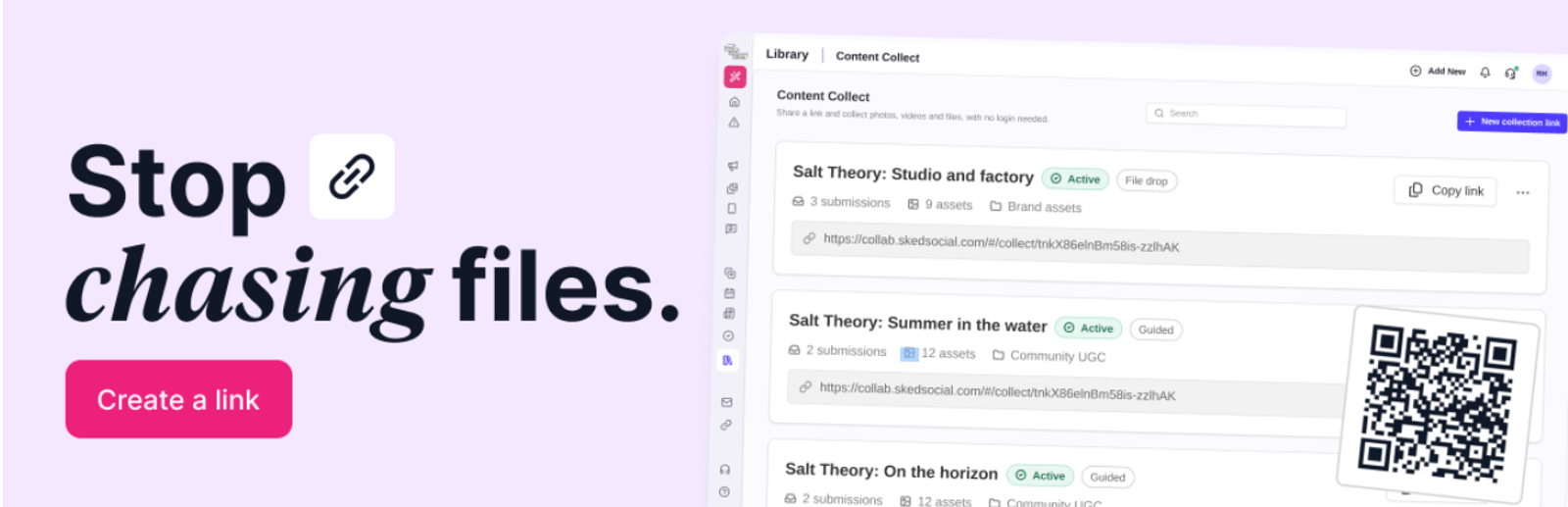
There are two ways to set up a link, depending on what you need from people:
- File drop gives contributors one page and one drop zone. It's the quickest option when you just want people to send what they have.
- Guided walks contributors through up to 10 prompts, one at a time. You can ask for video, images, PDFs, or written answers, and contributors can record video right in the browser.
You can also add your logo, brand color, instructions, and a thank-you message. That way the page your contributors see looks like your brand rather than a generic upload form.
Where Content Collect fits
Brands with lots of locations
You run marketing for a brand with a dozen locations, and the best local content lives on venue teams' phones. Giving every location a Sked Social login isn't realistic, and it shouldn't be the price of a few good photos.
With Content Collect, you create one link per location and name each one, so you always know where a file came from. Venue teams scan the QR code or open the link and send. You can also ask for extra details like a venue name, city, or product, which contributors fill in as they send.
Everything ends up in one Library collection. You plan next week's calendar from what came in, not from what you had to chase.
Events and activations
Launch nights, festival stalls, and conferences produce more content than your team can capture alone. Put a QR code on the poster, the table, or the screen, and guests can send their photos and video from the night.
Set an expiry date and the link closes when the event does. If you want it shut off right away, rotate the link with the grace period set to zero and the old QR code stops accepting files. Anything already collected stays in your Library.
Customer content you can actually post
A customer sends a great photo, and before you repost it you want to know exactly what they agreed to.
Content Collect lets you ask contributors to agree to your terms before they send. You write the terms yourself, list each permitted use as a checkbox, and mark any use as required so nobody can send without agreeing to it. If the permission has an end date, you can set a rights expiry too.
You also decide whether names and emails are required, optional, or not asked for at all. Later, open any asset in your Library to see who sent it and which uses they agreed to.
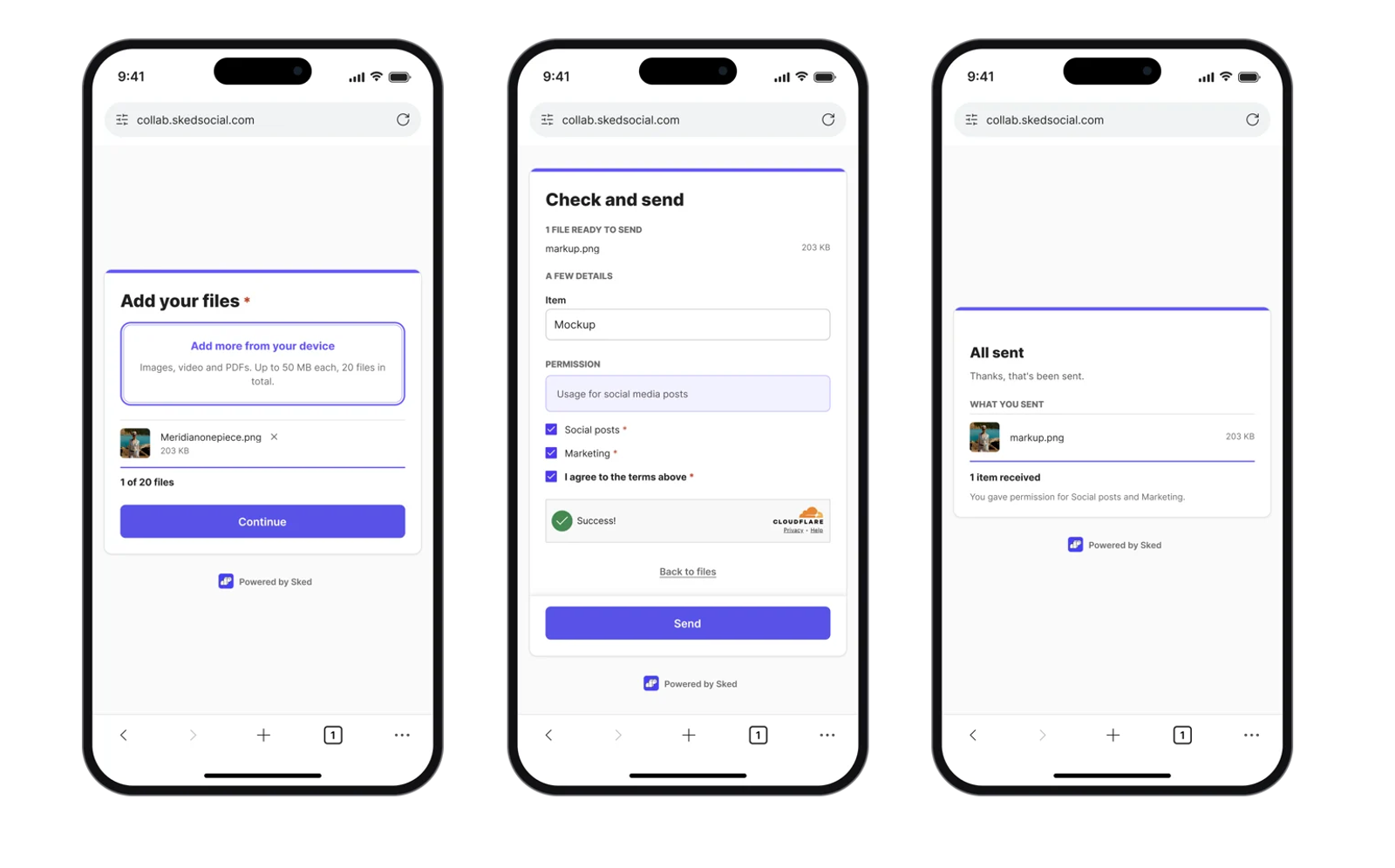
You stay in control of every link
You can get an email whenever files arrive and choose who on your team receives it. Every submission shows up in one list, ready to review or download. When a link has done its job, rotate it for a fresh one or delete it, and everything you've collected stays put.
Setting up your first link
Open your Library in Sked Social, select Content Collect, and create a new collection link. Give it a name, choose File drop or Guided, pick the Library collection that should receive files, and set an expiry.
Then decide what you'll ask contributors for, like their name and email, your terms, and permitted uses. Create the link and share it as a URL, or download the QR code as a PNG for posters, tables, and screens.
Why this matters
Collecting content has always been the slowest part of social, and the part with no clear owner. Content Collect turns it into something you set up once and share. Files arrive in your Library already tagged, with a record of who sent them and what they agreed to, so your time goes into making posts instead of chasing them.
Try Content Collect
Content Collect is available on every Sked Social plan. If you're already a customer, open your Library and select Content Collect to create your first link. New to Sked Social? Start your 14-day free trial, no card needed.