On this page
- Key Takeaways
- Set up a fair evaluation before the first demo
- Criteria 1 and 2: grouping locations and controlling access
- Criterion 3: approvals that work in both directions
- Criterion 4: shared content that locations can adapt
- Criterion 5: reporting for each location and for the whole network
- Criterion 6: Google Business Profile and local reviews
- Criteria 7 and 8: onboarding, support, and pricing as you grow
- What to ask vendors, and the red flags to watch for
- Test Sked Social against this checklist
Key Takeaways
- Choose franchise social media management software by testing it, not by reading feature lists. Run a trial with real locations, real posts and real reviewers, and score every tool on the same eight criteria.
- The eight criteria: grouping accounts by location, permissions and access, approvals in both directions, shared content that locations adapt, reporting by location and for the network, Google Business Profile, onboarding and support, and pricing as you grow.
- Weight the criteria in a scorecard before the first demo, so a polished demo doesn't reset your priorities.
- Ask every vendor for a written quote at today's size and at your size in two years. Count everyone who will post or review, because some pricing models grow with every user you add.
- Sked Social is one option to test against this checklist. Approvals are on the Accelerate and Custom plans, and the 14-day free trial needs no credit card.
To choose franchise social media management software, head office should test each shortlisted tool against the way the network actually works. Run a trial with a few real locations and score every tool on the same eight criteria: location grouping, permissions, approvals in both directions, shared content, reporting, Google Business Profile, support, and pricing as you grow. Ask each vendor the same questions and watch for the same red flags. The tool that wins the trial, not the demo, is the one to buy.
This checklist is for the head office social lead who signs posts off with each location. It works for any multi-location social media management software, not just tools sold to franchises. If you still need a shortlist, start with our list of social media management tools for franchises, then come back here to test them.
Set up a fair evaluation before the first demo
A demo shows you the vendor's best day. Your network has a different day: a franchisee who posts twice a week, a regional manager approving from a phone, and a new location opening next month. Set up the evaluation so every tool meets that day.
It's worth the effort. In Capterra's 2026 Software Buying Trends Report, a survey of 3,385 software decision-makers in 11 countries, 66% of buyers ran into unexpected disruption, regret, or both after a purchase. Poor trial experiences were one of the top reasons successful buyers removed a vendor from their shortlist.
Start with four steps:
- Write down how posts move today. Who drafts, who signs off, how long sign-off takes, and where posts stall. Count your social accounts by platform and by location, and add the locations you plan to open in the next two years.
- Pick the panel. You own the decision, but include one or two location managers or franchisees who will use the tool every week, someone who manages access and security, and whoever signs the contract.
- Weight the criteria. Agree how much each criterion matters before anyone sees a tool. A network with strict brand rules will weight approvals higher. A network that is opening locations quickly will weight onboarding and pricing higher.
- Plan the trial. Connect three to five real locations, schedule real posts for two weeks, and send them through your real sign-off steps. Use the same locations and the same posts for every tool, so the scores compare like with like.
Then score each tool after the trial, not after the demo, with the same scorecard template. Give each criterion a score from one to five, multiply by the weight, and add it up. Any criterion that is a deal breaker for you, such as approvals or Google Business Profile, gets a pass or fail before the scores count.
| Criterion | Suggested weight | What to test in the trial | Tool A (1-5) | Tool B (1-5) | Tool C (1-5) |
|---|---|---|---|---|---|
| 1. Grouping accounts by location | 10% | Group locations by region, filter the calendar and reports, add a new location | |||
| 2. Permissions and access | 10% | Log in as a location user, try to post to another location, remove a user | |||
| 3. Approvals in both directions | 20% | Send posts from head office to locations and from locations to head office | |||
| 4. Shared content locations can adapt | 15% | Send one campaign post to five locations with a local line each | |||
| 5. Reporting by location and for the network | 15% | Build last month's report for three locations and for the network | |||
| 6. Google Business Profile | 10% | Schedule a post to three profiles and reply to a real review | |||
| 7. Onboarding and support | 10% | Have a franchisee post with no training, and contact support twice | |||
| 8. Pricing as you grow | 10% | Get written quotes at today's size and in two years |
Copy this scorecard template into a spreadsheet and add a column for each tool. Change the weights to fit your network, but keep them fixed once the trials start.
Criteria 1 and 2: grouping locations and controlling access
These two criteria decide whether the tool matches the shape of your network. Get them wrong and every other feature is harder to use.
1. Grouping accounts by location
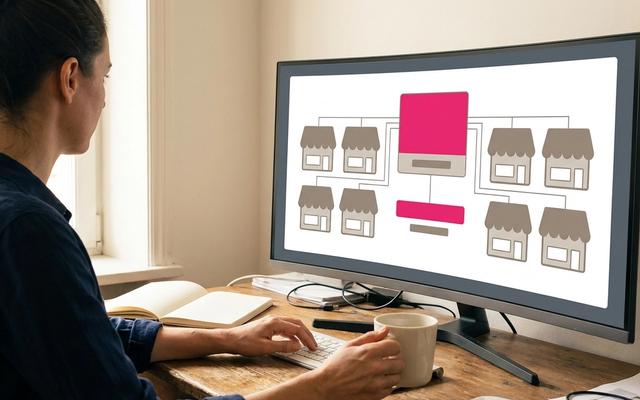
A franchise with 40 locations might have more than 100 social accounts once you count Facebook, Instagram, Google Business Profile and the rest. Head office needs to see them by location, by region and as a whole network, and switch between those views in a click.
What good looks like: you can put accounts into groups, the calendar and reports filter by group, and adding a new location takes minutes, not a support ticket.
How to test it in a trial:
- Connect accounts for three locations in two regions, and group them by region.
- Schedule a post to one region only, then check that the calendar and reports filter cleanly.
- Add a fourth location halfway through the trial and time how long it takes.
- Ask what happens to a location's posts and history when it closes or changes owner.
In Sked Social, you organize accounts into groups, for example by region, and switching groups filters the content, calendar, and analytics you see.
2. Permissions and access
The right access is narrow by default. A location manager should see and post to their own accounts, a regional manager to their region, and head office to everything. When a franchisee leaves, you should be able to remove their access the same day.
How to test it in a trial:
- Create a test user for one location and log in as them. Try to post to a different location's account. The tool should stop you.
- Remove that user and confirm their access is gone right away.
- Check who connects each social account. Head office should own the business assets, such as Facebook Pages and Google Business Profiles, and give locations access to them. Our franchisee social media policy guide covers how to write that down.
- Ask about two-factor authentication and any single sign-on requirements your IT team has.
In Sked Social, you choose which accounts each team member can access, and two-factor authentication is available on every plan.
Criterion 3: approvals that work in both directions
Approvals are where franchise social media software earns its place. Many tools can approve a post. The question is whether they handle sign-off in both directions your network needs.
Head office to location. Head office drafts a campaign post, and the location checks it before it goes out. Is the offer valid at that store? Are the opening hours right? Is the team in the photo still on staff?
Location to head office. A location drafts its own post, and head office checks it against brand rules, legal wording and national campaigns before it publishes.
What good looks like: posts can't publish until they're approved, reviewers can approve, reject or ask for changes, and there's a record of who approved what. Franchisees and owners who only review posts shouldn't need full access to the tool, and reminders should chase reviewers so nothing waits for days.
How to test it in a trial:
- Send ten real posts through each direction. Time each one from submission to approval.
- Ask a franchise owner to review a post on their phone, with no training, and note where they get stuck.
- Try to publish a post that hasn't been approved. It should be blocked.
- Reject a post with feedback, fix it, and check that the history records both the rejection and the approval.
- Check how many approval steps you can add, for example location first, then region, then head office.
Speed matters as much as control. If approvals take three days, locations stop sending posts and start posting directly on the platforms. Agree a turnaround time with locations and measure every tool against it.
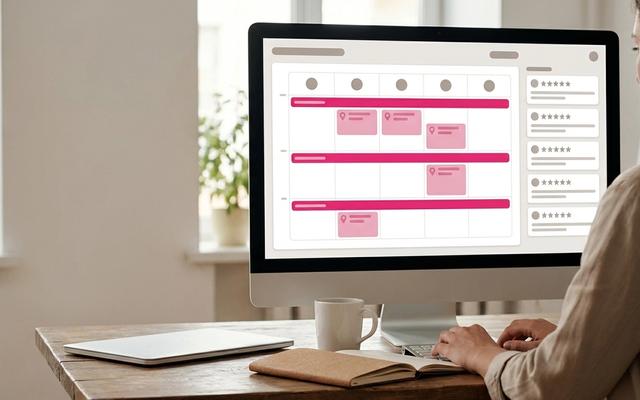
In Sked Social, approvals are included on the Accelerate and Custom plans. Posts move through an Approvals board, reviewers can approve, reject or request changes, and franchise owners can review through a link without a Sked Social login. You can switch on daily or weekly reminders for each reviewer, and posts publish only after they're approved.
Criterion 4: shared content that locations can adapt
Many franchise networks run on a hub-and-spoke model. Head office supplies campaign content, and each location makes it local with its own offer, team, and neighborhood. The tool should make the local version faster to produce than a post from scratch, or locations won't use it.
What good looks like:
- A shared library of approved images, videos and logos, organized by campaign.
- Templates with captions and hashtags already filled in, so locations change only the local parts.
- One post that can go to many locations at once, with each location's details added.
- Bulk scheduling, so head office can load a month of campaign posts in one sitting.
- Location tags, so each post shows where it was taken.
- AI caption help that writes in your brand voice, not a generic one.
How to test it in a trial:
- Take one national campaign post and send it to five locations, each with a local line. Time it from start to scheduled.
- Ask a location manager to build a post from a template and the shared library, then review what they changed.
- Load two weeks of campaign posts in bulk and check them on the calendar.
- Ask the AI caption tool for three captions and compare them with your brand voice guidelines.
The 80/20 franchise social media playbook covers how to split national and local content. This test checks whether the tool supports that split in practice.
In Sked Social, Library collections and post templates are shared across your team, Bulk Create prepares many posts at once, and you can add the location tag when you create the post. Brand Kit stores your brand voice and description on every plan, and the AI caption tools use them when they draft posts.
Criterion 5: reporting for each location and for the whole network
Head office needs two views of the same data: how each location is doing, and how the network is doing overall. Locations need a third, simpler view of their own numbers. A tool that only gives you account-by-account reports leaves someone exporting spreadsheets every month.
That gap is common. In Franchise Update Media's 2025 Annual Franchise Marketing Report, 85% of surveyed franchise executives said they recommend or require franchisees to invest in local marketing spend, yet 48% leave franchisees to track and manage it on their own.
What good looks like: a combined view across a group of accounts, a view for each account, side-by-side comparison of locations, reports that go to franchisees on a schedule, and enough history to compare this quarter with last year.
How to test it in a trial:
- Build last month's report for three locations and for the network. Time it, and check that each location's numbers are easy to find.
- Compare a few numbers with the platform's own insights. Small differences are normal, but ask the vendor to explain how each metric is counted.
- Check how much history you get on the plan you would actually buy.
- Send a report to a franchisee and ask them what it tells them. If they can't say, the report is wrong for them.
- Check whether you can tag posts by campaign or content type and report on those tags.
In Sked Social, Insights gives each account its own view, and the Brand Summary combines performance across the accounts in a group. Weekly and monthly email summaries are on every plan. On Accelerate and Custom, you can compare periods in Insights and build custom reports with PDF export and an AI summary you can edit before the report goes to franchisees.
Criterion 6: Google Business Profile and local reviews
For a franchise, the Google Business Profile is often the first thing a local customer sees. Posts, offers and reviews there sit next to the map and the opening hours. If your social tool leaves Google Business Profile out, someone at each location is managing it by hand, or nobody is.
Reviews raise the stakes. BrightLocal's Local Consumer Review Survey 2026 of 1,002 US adults found that 89% of consumers expect business owners to respond to reviews, and 81% expect a response within a week. Each location's reviews also shape the whole brand. In BrightLocal's 2024 survey of 1,141 US consumers, 91% said local reviews of chains and franchises affect their overall perception of the brand.
Be clear about which Google Business Profile jobs you need, because tools cover different ones. Posting puts updates and offers on each profile. Review management brings reviews into one place to read and answer. Listings management keeps names, addresses and opening hours correct on Google and other directories, and it is often a separate product.
What good looks like: you can schedule Google Business Profile posts for many locations, reviews arrive in the same inbox as comments and messages, someone can be assigned to each one, and reply drafts can be suggested and edited before they're sent.
How to test it in a trial:
- Connect the Google Business Profiles for three locations and schedule one post to all three.
- Reply to a real review from the tool's inbox, and check it on Google.
- Check who needs access to each profile in Google itself, and whether the tool works with the access your locations already have.
- Ask whether the tool also manages listing details, such as hours and addresses, or only posts and reviews.
- Ask whether Google Business Profile is included on the plan you'd buy, or priced separately.
In Sked Social, you can schedule Google Business Profile posts, reviews come into the Inbox with your comments and messages, and Sked Social can suggest an AI reply to a review that you edit before you send it.
Criteria 7 and 8: onboarding, support, and pricing as you grow
The last two criteria decide whether the tool still works for you in two years. Both are easy to skip in a demo and expensive to get wrong.
7. Onboarding and support
Your franchisees run businesses. Social media is one job among many, and some locations will post only a few times a week. If they need a long training session to schedule a post, adoption will stall and head office will end up posting for them.
How to test it in a trial:
- Ask a franchisee to schedule a post with no training and watch where they get stuck.
- Contact support twice during the trial, once at a busy time and once outside business hours. Time the first response and judge the answer.
- Look at the help center for the tasks locations do most: scheduling, replying, and finding their reports.
- Ask who connects each location's social accounts and who trains franchisees: the vendor, head office, or the locations themselves.
- Ask who your contact is after you sign, and what onboarding head office and the locations get.
Sked Social has 24/7 human support with a 90-second average first response.
8. Pricing as accounts and users grow
Social media software is priced in a few common ways: by user, by social account or profile, by location, by plan with set limits, or by a custom contract. The same network can cost very different amounts under each one. Under per-user pricing, the cost rises with every franchisee and location manager who needs a login, so count them before you compare quotes.
How to test it:
- Build one sheet with your numbers today and in two years: locations, social accounts per location, people who post, and people who only review.
- Find the billable unit for each vendor: users, social accounts, locations, or a plan with set limits.
- Ask whether reviewers, read-only users and franchisees who only approve posts count as paid users.
- Ask every vendor for a written quote at both sizes, on the plan that includes the features you scored. Add a third quote at twice your current locations if you're growing fast.
- Check which of your eight criteria sit on which plan. Approvals, Google Business Profile, and advanced reporting are sometimes on higher plans or sold as add-ons.
- Ask about onboarding fees, minimum terms, and what happens to the price at renewal.
For Sked Social, the plans and what each one includes are on our pricing page. Custom is the sales-led plan for larger multi-location brands, with users and accounts set in your contract.
What to ask vendors, and the red flags to watch for
The trial tells you how a tool works. Vendor conversations tell you how the company will work with you. Ask every vendor the same questions, in writing, so you can compare the answers side by side.
Questions to put to every vendor
- How do we group 40 or more locations, and how long does it take to add a new one?
- Can a location user be limited to their own accounts? How do we remove someone the day they leave?
- Can approvals run from head office to locations and from locations to head office? How many approval steps can we set?
- Do franchise owners who only review posts need a paid login?
- Can one campaign post go to many locations, with local details for each?
- Can we see every location side by side and the whole network in one report? How much history do we get?
- Is Google Business Profile included, and are reviews in the same inbox as comments?
- What does the price look like at our size today, and at our size in two years? Which features are add-ons?
- What support do our locations get, at what hours, and how fast is the first response?
- Who owns the connection to each social account, and what happens to our data if we leave?
Red flags
- The demo uses a sample account, and the trial is short or limited. If you can't test with your own locations, you're buying the demo.
- Approvals only run one way. A tool built for agencies approving client posts may not handle locations sending posts up to head office.
- Reviewers need full paid logins. That cost grows with every franchise owner you add.
- Reporting means exporting. If the network view is a spreadsheet someone builds each month, it won't last.
- Google Business Profile is missing or separate. Locations will manage it by hand, and reviews will slip.
- The price list stops at your current size. Ask for the two-year quote. A vendor that won't give one in writing is telling you something.
- The tool assumes franchisees will do the work. If every location has to write, design and schedule its own posts, many won't. Check how much head office can prepare for them.
- Support is email only, in one time zone. Your locations post on weekends and evenings.
- Locations log in to the social platforms directly to post. If the tool is harder to use than the native apps, approvals stop working on day one.
Common questions
Questions about choosing franchise social media management software
What should a franchise look for in social media management software?
Look for eight things: grouping accounts by location, narrow permissions for each user, approvals that run from head office to locations and back, shared content that locations can adapt, reporting for each location and the whole network, Google Business Profile posts and reviews, onboarding and support that franchisees will actually use, and pricing that stays workable as you add locations and users.
How do you evaluate a social media management tool for a franchise?
Weight your criteria first, then trial each shortlisted tool with three to five real locations for about two weeks. Send real posts through your real approval steps, build last month's report, and ask a franchisee to schedule a post with no training. Score each tool from one to five on every criterion, multiply by the weights, and compare the totals.
What questions should you ask a social media software vendor?
Ask how locations are grouped and added, whether location users can be limited to their own accounts, whether approvals run in both directions, whether reviewers need paid logins, how reporting works for each location and the network, whether Google Business Profile is included, what support locations get, and what the price will be at your size today and in two years.
How is franchise social media management software priced?
Vendors usually price by user, by social account or location, by plan with set limits, or by a custom contract for larger networks. Ask each vendor for a written quote at today's size and at your size in two years, and check which features are add-ons. Approvals and reporting often decide which plan you need.
Can one tool manage Google Business Profile and social media for every location?
Yes, if the tool supports Google Business Profile. Check that you can schedule Google posts for many locations at once, that reviews arrive in the same inbox as comments and messages, and that Google Business Profile is on the plan you'd buy rather than sold separately.
Test Sked Social against this checklist
Franchise social media management software goes wrong in predictable places: approvals that only run one way, reports someone rebuilds by hand every month, and pricing that stops making sense as the network grows. Franchise and multi-location brands use Sked Social to sign posts off with each location. Put it through the same trial as every other tool on your shortlist.
- Location groups and access. Group accounts by region or location, and choose which accounts each person can access.
- Approvals. An Approvals board, no-login review links for franchise owners, and reminders for each reviewer, on Accelerate and Custom.
- Shared content. Shared Library collections and templates, Bulk Create, and Brand Kit for your brand voice.
- Reporting. Insights for each account and a combined Brand Summary, with custom reports on Accelerate and Custom.
- Google Business Profile. Scheduled posts, and reviews in the same Inbox as your comments and messages.
One franchise customer saves 300 hours a month running social across its locations in Sked Social. More than 10,000 marketers use Sked Social, it's rated 4.6/5 on G2, and 24/7 human support has a 90-second average first response.
See how it works for multi-location brands, or start your free trial and run your evaluation on it. 14 days, no credit card required.