On this page
- Key takeaways
- Can you schedule TikTok photo carousels? The short answer for 2026
- Should you use TikTok Studio or a third-party scheduler for photo carousels?
- What are the TikTok photo carousel specs and sizes for 2026?
- How do you schedule a TikTok photo carousel, step by step?
- Do scheduled TikTok carousels auto-publish? Direct post vs "finish it in TikTok"
- What makes a TikTok carousel work? Tips and common mistakes for 2026
- Schedule TikTok photo carousels with Sked Social
Yes, you can schedule TikTok photo carousels with a scheduler that publishes photo posts through TikTok's API. The catch is what happens at publish time. Some tools post the carousel directly. Others drop it in your TikTok inbox and wait for someone to finish it by hand. This guide covers the specs, the steps, and how to make sure your carousel goes live on time.
Key takeaways
- You can schedule TikTok photo carousels. TikTok calls them photo posts, and its posting API accepts up to 35 images in a single photo post.
- TikTok's own scheduler queues posts 15 minutes to 10 days ahead, and you can't edit a post once it's scheduled. You delete it and upload it again.
- Upload JPEG or WebP images, no bigger than 1080p and 20 MB each. Convert PNGs before you upload.
- A scheduled carousel only goes live on its own if your tool uses TikTok's direct post mode. In upload (inbox) mode, someone finishes the post by hand in the TikTok app, and TikTok allows at most five pending inbox shares in any 24 hours.
- A swipeable carousel and a slideshow are not the same post. If your images are exported as a video first, TikTok publishes a timed video that nobody can swipe.
- Sked Social schedules TikTok videos and Photo Mode carousels on the same calendar as your other channels and auto-publishes both natively. On Accelerate and Custom, clients sign off on the Approvals board or through a no-login review link.
Can you schedule TikTok photo carousels? The short answer for 2026
Yes. What changes from tool to tool is whether the carousel goes live on its own or waits for a person to finish it in the TikTok app. That difference matters more than any feature list. First, here is what you're actually scheduling.
What does TikTok call a carousel?
- Photo Mode post: TikTok's in-app name.
- Photo post: what TikTok's Content Posting API calls it (media type PHOTO).
- Carousel, multi-photo post, swipe post: what marketers, clients, and scheduling tools call it.
A TikTok photo carousel is a single post of up to 35 still images that viewers swipe through by hand, with one caption, one cover image, and optional sound.
Is a swipeable carousel the same as a slideshow video?
No, and this is the source of a common complaint: "Why did my carousel post as a video?"
A Photo Mode post keeps every image as a separate slide. Viewers swipe at their own pace. A slideshow built from a template, or exported from a video editor, is a video. The images play on a timer, and nobody can swipe back.
If you want the swipe, the post has to reach TikTok as a photo post. If your tool turns the images into an MP4 first, TikTok treats it as a video every time.
Who this guide is for
Agency social leads running several client TikTok accounts, and growing brands where one person plans, posts, and replies. Picture a café client that posts the week's menu as a carousel every Monday. The content barely changes. The deadline never does. That carousel should be built once, approved once, and scheduled once, not posted by hand from someone's phone at 7am.
Should you use TikTok Studio or a third-party scheduler for photo carousels?
Use TikTok Studio if you run one account and plan no more than 10 days ahead. Use a third-party scheduler if you run several accounts, plan campaigns further out, or need client approval before anything goes live.
Here is how they compare. The native column uses TikTok's own documentation only.
| TikTok Studio (native) | Third-party scheduler | |
|---|---|---|
| How far ahead | 15 minutes to 10 days, per TikTok's scheduler announcement | Set by the tool, not TikTok's 10-day window |
| Edit after scheduling | Not possible. You delete and re-upload | Depends on the tool. Most let you edit until publish time |
| Photo carousels | Not documented by TikTok; check in TikTok Studio | Possible when the tool publishes photo posts through TikTok's API |
| Account type | TikTok ties scheduling to account type; check yours | Depends on the tool |
| Several accounts | One account at a time | One calendar across accounts and clients |
| Client approvals | None built in | Available in many tools |
| How it goes live | Posts from TikTok directly | Direct post or inbox handoff, depending on the tool |
When is TikTok Studio enough?
If you run one TikTok account and plan a week ahead, TikTok Studio is fine. It's free, and it sits inside the platform you're posting to.
One honest gap: TikTok's scheduler announcement talks about videos and doesn't mention photo posts. Before you build a plan around native scheduling for carousels, open TikTok Studio and check that the schedule option appears for a photo post on your account.
When does a third-party scheduler earn its place?
The native limits show up fast once you run more than one account.
Take an agency with a three-week campaign for a skincare client, all shot and approved in week one. In TikTok Studio, only the first 10 days fit in the queue. Someone logs back in, twice, to load the rest. Multiply that by six client accounts.
A third-party scheduler fixes three things:
- A longer planning horizon. The tool holds the post until publish time, so you can load the whole campaign at once.
- One calendar across accounts. You see every client's TikTok next to their Instagram, LinkedIn, and Facebook posts.
- Approvals before publishing. The client signs off on the carousel before it's scheduled, not after it's live.
Sked Social's calendar puts every connected account in one view, and you drag a post to a new slot to reschedule it. The calendar also highlights the best day and time to post, using Instagram and TikTok audience activity data, so you're not guessing where the Monday carousel goes. Here's how the rebuilt Sked Social calendar works, including where those best-time highlights appear.
Several schedulers advertise TikTok photo carousel auto-publish, and "supports carousels" can mean very different things at publish time. Our roundup of the best TikTok schedulers compared is a good place to start. For agencies, our guide to social media management tools for agencies widens the comparison.
What are the TikTok photo carousel specs and sizes for 2026?
A TikTok photo post takes up to 35 JPEG or WebP images, each no larger than 1080p and 20 MB, plus a required cover image, a title of up to 90 characters, and a description of up to 4,000 characters.
Get the files right and most "carousel not working" problems never happen. These are the photo-post limits TikTok sets for publishing tools.
| Spec | TikTok's limit | Source |
|---|---|---|
| Images per post | Up to 35 | Photo post API reference |
| File formats | JPEG or WebP | Media transfer guide |
| Resolution | Maximum 1080p | Media transfer guide |
| File size | Maximum 20 MB per image | Media transfer guide |
| Cover image | Required. You pick which slide is the cover | Photo post API reference |
| Title | Up to 90 characters | Photo post API reference |
| Description | Up to 4,000 characters | Photo post API reference |
These limits were checked against TikTok's developer documentation in October 2026. TikTok counts title and description limits in UTF-16 units, so emoji and some non-Latin characters use up more than one character each.
What aspect ratio and how many slides should you use?
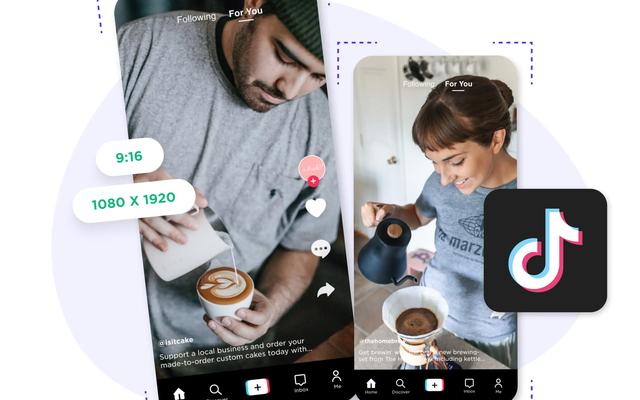
The common recommendation is a 9:16 vertical image at 1080 x 1920 pixels, which fills the phone screen. TikTok doesn't publish it as a requirement, so treat it as best practice rather than a rule.
The minimum number of images is murkier. Some guides say two, others say four, and TikTok's API documentation sets none. If a very short carousel won't upload, add a few slides before you blame the tool.
How should you prep carousel images?
- Export at 1080 wide. Anything larger gets scaled down anyway, and it can push files past the size limit.
- Keep text inside a safe zone. The caption, buttons, and username sit over the bottom and right edge of the screen. Keep headlines and prices well clear of them.
- Pick the cover on purpose. The cover is the thumbnail people see on your profile grid. It's the slide that earns the tap.
- Use one visual system across slides. Same fonts, same margins, same color palette. A carousel should read as one post, not seven.
- Convert PNGs before you upload. TikTok lists JPEG and WebP only. A PNG straight from a design tool is a common reason a scheduled carousel fails to upload.
If you prep visuals inside Sked Social, the media library and image editor keeps your carousel images in one place and lets you crop and resize them before you schedule.
How do you schedule a TikTok photo carousel, step by step?
In short: connect the account, create a photo post, upload the images in swipe order, choose the cover, write the caption, set sound and privacy, get sign-off, then schedule for your audience's time zone.
The exact buttons differ between tools. The steps don't.
- Connect the TikTok account. Connect the account you're posting to, and check its type. TikTok ties some features, including native scheduling, to account type.
- Create a new post and choose TikTok. If your tool lets you pick a post type, choose photo, not video.
- Upload the images in swipe order. The order you upload is the order people swipe. A menu carousel with dessert before mains looks careless.
- Choose the cover. TikTok requires a cover slide for photo posts. If your tool doesn't ask, find out which slide it uses by default.
- Write the caption and hashtags. Front-load the words people search for. The first line does the most work.
- Set sound and post settings. Decide on music, privacy, and whether comments are on. Some of these only apply when the tool posts directly (more on that below).
- Send it for approval. If a client or manager needs to sign off, do it now, before the post is locked into a time slot.
- Pick the date, time, and time zone, then schedule. Schedule for the audience's time zone, not yours.
Doing the same thing for four clients at once
It's Friday afternoon, and you're queuing next week's carousels for four clients: the café's menu, a gym's timetable, a real estate agent's new listings, and a boutique's weekend sale. You build the four carousels and send them all for review. On Accelerate and Custom, review in Sked Social happens on the Approvals board. Each post is a card that moves across status columns from draft to approved. Clients review through an external approval link without logging in. Sked Social sends each reviewer reminder emails, daily or weekly, until they've reviewed.
Once everything is approved, each post goes into its slot on the calendar. For the bigger picture, here's how Sked Social handles social media scheduling across channels.
Scheduling is only half the job, though. The other half is what happens at the scheduled time.
Do scheduled TikTok carousels auto-publish? Direct post vs "finish it in TikTok"
Only if the tool uses TikTok's direct post mode. In upload mode, the carousel lands in the account owner's TikTok inbox, and nothing goes live until someone finishes it in the app.
This part decides whether your carousel posts on time. When a scheduling tool sends a photo post to TikTok, TikTok's Content Posting API gives it two options.
- Direct post (DIRECT_POST). The tool publishes the carousel straight to the account. Nobody has to touch a phone.
- Upload for the user to finish (MEDIA_UPLOAD). The tool uploads the images, and the account owner gets an inbox notification. Someone then opens the TikTok app, goes through TikTok's editing screens, and posts it by hand. TikTok says this mode needs app version 31.8 or later.
Both get called "scheduling." Only one is publishing.
What changes with each publishing mode?
Per TikTok's documentation:
- Auto-added music only works with direct post. TikTok can add recommended music to photos automatically, but only when the tool posts directly. Inbox-mode carousels need sound added by hand.
- Inbox uploads are capped. TikTok allows at most five pending shares in any 24-hour period. Batch a week of carousels through inbox mode and you'll hit that limit fast.
- Unaudited tools post privately. Content from API clients TikTok hasn't audited is restricted to private viewing. If your carousel went live but nobody can see it, this is a likely reason.
- Privacy has to match the account. The privacy level a tool sets must be one TikTok allows for that creator's account.
A launch-day example
A fashion brand plans a product drop for 9am Thursday. The carousel is approved on Tuesday and scheduled in a tool that uses upload mode. At 9am, the post lands in the social manager's TikTok inbox. Her phone is on do-not-disturb on the train. The carousel goes live at 9:48, with no music, after the launch email has already gone out.
Nothing failed, technically. The tool did what it was built to do. The team just didn't know which mode it used.
What should you ask a scheduler before trusting it with carousels?
- Does it direct-post TikTok photo carousels, or send them to the TikTok inbox?
- Does it let you choose the cover slide?
- Can you choose the privacy setting, and does it show the options your account allows?
- Can it add sound, or will you need to do that in the app?
- What happens if a post fails? Who gets told, and how?
Sked Social auto-publishes TikTok videos and Photo Mode carousels natively, so there's no phone reminder and no last step in the app. For the post settings you can set before publish, see how Sked Social schedules TikTok videos and carousels, and ask the same five questions of any tool you test.
What makes a TikTok carousel work? Tips and common mistakes for 2026
A good carousel is planned like a short story: a hook, a middle, and an ending that asks for something.
Tips that hold up
- Treat the cover as the headline. Big text and one clear promise.
- One idea per slide. If a slide needs a paragraph, split it in two.
- End with a call to action. Ask people to save it, follow, or answer a question in the comments.
- Build a template per client. One layout and one color palette per brand, so nobody starts from zero every Monday.
- Batch the week. Build and schedule a week of carousels in one sitting.
How many slides should you use? There's no reliable public data on the ideal number, so this is judgment, not science. Use as many as the story needs. A menu might need seven. A before-and-after needs two. Then check your own results. Sked Social's Insights include TikTok, so you can see how your posts perform on your own account. That's a better guide than any industry benchmark.
Common mistakes and how to fix them
- PNG or oversized files. Convert to JPEG or WebP and keep each image under 20 MB.
- Wrong time zone. Schedule for the client's audience, not your office. A Sydney café's menu shouldn't go out at 7am London time.
- Trying to edit a natively scheduled post. TikTok doesn't allow it. Delete the scheduled post and upload it again.
- Assuming it auto-published. If the tool uses upload mode, the carousel waits in the TikTok inbox. Check the mode before launch day.
Then watch the replies. Sked Social's social inbox brings TikTok comments into the same place as your other channels, so a question on Monday's menu carousel doesn't sit unanswered until Wednesday.
Schedule TikTok photo carousels with Sked Social
Scheduling a TikTok carousel isn't hard. Making sure it goes out on time, looks right, has client sign-off, and gets a reply is the actual job. Sked Social is the social media workspace for growing teams. From first idea to final report, everything happens in one place.
- One calendar. Every channel. TikTok sits next to Instagram, Facebook, and LinkedIn, with best-time highlights for Instagram and TikTok.
- TikTok carousels that publish themselves. Sked Social auto-publishes TikTok videos and Photo Mode carousels natively, and its Insights include TikTok.
- Approvals clients actually use. On Accelerate and Custom, posts move across the Approvals board, clients review through a no-login link, and reminder emails go to reviewers until they respond.
- Real humans. 24/7. A 94% CSAT rating and a 90-second average first response. When something looks off at 9pm before a launch, a person answers.
More than 10,000 marketers use Sked Social. Ready to plan your TikTok calendar properly? Start your free trial. 14 days, no credit card required.
FAQs
Questions we get all the time.
Can Sked Social schedule TikTok photo carousels?
Yes. Sked Social schedules TikTok Photo Mode carousels and TikTok videos on the same calendar as your other channels, and auto-publishes both natively at the scheduled time. Nobody has to finish the post in the TikTok app. On Accelerate and Custom plans, clients can review and approve each carousel before it goes out, through the Approvals board or a review link that needs no login.
How many photos can a TikTok carousel have?
TikTok's posting API allows up to 35 images in a single photo post. TikTok's developer documentation sets no minimum, although some guides say you need at least two or four images. If a short carousel won't upload, add a couple of slides and try again before you assume the scheduling tool is broken.
Can TikTok's built-in scheduler schedule photo carousels?
TikTok doesn't document it either way. Its scheduler announcement covers videos and says nothing about photo posts. Open TikTok Studio and check whether the schedule option appears when you create a photo post on your account. If it doesn't, use a scheduling tool that publishes photo posts through TikTok's Content Posting API instead.
How far ahead can you schedule TikTok posts?
TikTok's own scheduler lets you schedule a post from 15 minutes to 10 days in advance. Third-party scheduling tools hold the post themselves until publish time, so the planning window depends on the tool rather than on TikTok. That makes them a better fit for campaigns you plan weeks or months ahead.
What size should TikTok carousel images be?
The common recommendation is 1080 x 1920 pixels, a 9:16 vertical ratio, though TikTok doesn't publish this as a requirement. TikTok's developer documentation does set firm limits for publishing tools: JPEG or WebP files only, a maximum resolution of 1080p, and no more than 20 MB per image. Convert PNG files before you upload them.
Why is my TikTok photo carousel not working?
The most common causes are file problems. TikTok accepts JPEG and WebP only, so convert PNGs first. Keep each image under 20 MB and no larger than 1080p. If the post went live but nobody can see it, the tool may not be audited by TikTok, which restricts its posts to private viewing until the audit is done.
Can you edit a scheduled TikTok post?
Not in TikTok's native scheduler. TikTok says you can't change the content, caption, or scheduled time once a post is scheduled, so you delete it and upload it again. Third-party scheduling tools usually let you edit a scheduled post up until publish time. Check how your tool handles edits before you rely on it.
Can you add music to a scheduled TikTok carousel?
It depends on how the carousel is posted. TikTok can add recommended music to photo posts automatically, but only when a tool uses direct post mode. If your carousel arrives in the TikTok inbox instead, add the sound yourself in the app before you post it. You can change auto-added music later in TikTok.