On this page
The calendar is the view you probably open more than any other in Sked Social. And it's just been rebuilt with image thumbnails on every post, a preview sheet that opens without losing your place, an agenda pane for what's coming next, and a distribution view showing how your content is actually spread across channels.
The old calendar could tell you something was scheduled. Finding out what it actually was, and whether your month looked balanced across channels, took clicking into individual posts one at a time. The rebuilt calendar puts that information on the surface.
What's new
Image-rich cells
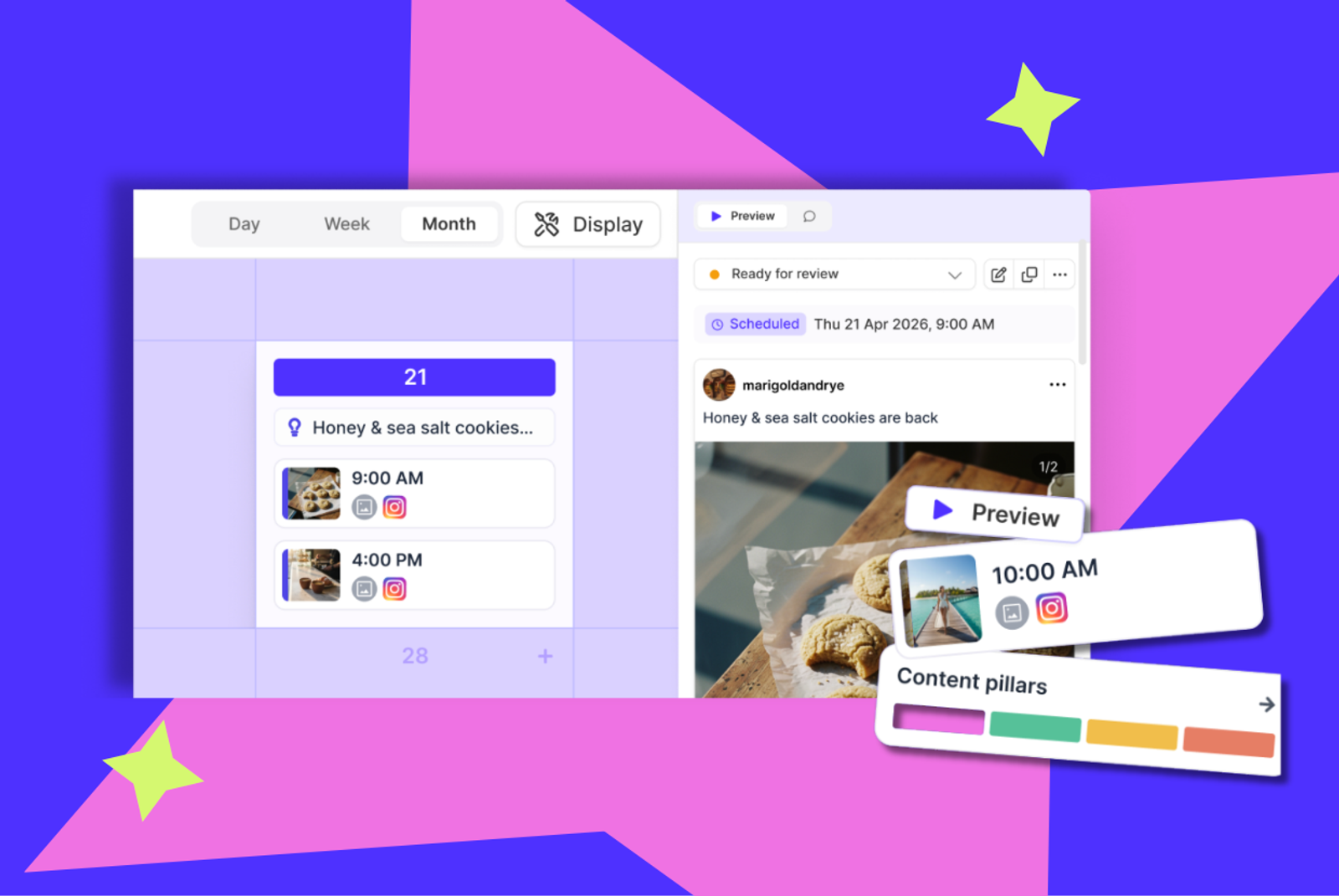
Every scheduled post shows a thumbnail directly in its calendar cell. You can see what's going out across the month without opening a single post.
Post preview sheet
Click any post and a preview sheet opens alongside the calendar, content, time, channel, status, and comments all in one place. Review it, act on it, and close it without losing your scroll position or navigating away.
Agenda pane
A chronological list of upcoming posts sits alongside the month view, so you can see what's coming next without leaving the visual calendar behind.
Content distribution
See how your posts are actually spread across channels and labels, right on the calendar. Gaps and imbalances show up before the week starts, not after.
Filters and Grid Preview
Filter the calendar by channel, label, or account, your filter selections persist for the session. And the Grid Preview pane shows your Instagram grid updating in real time as you schedule, so you can see how a new post fits before it's live.
Best time to post highlights
See your best time to post highlighted directly on the day, week, and month views, without switching to a separate report.
See your whole month before you touch a post
For agencies and teams juggling multiple accounts, the rebuilt calendar means understanding what's going out everywhere doesn't require opening individual posts one by one. Image thumbnails, content distribution, and the agenda pane together give you the whole picture at a glance.
Who it's for
Agency and multi-account managers get the clearest read on their month. Content distribution shows channel and label balance across every account at once, and image-rich cells mean you can spot what's scheduled without clicking in.
Content teams doing daily reviews get the post preview sheet. Click a post, review or edit it, and get straight back to where you were, no lost scroll position, no separate tab.
Solo managers and weekly planners get the agenda pane, a straightforward chronological view of what's coming next, sitting right alongside the calendar they already use.
Where to find it
The rebuilt calendar is available now on every plan, and it's opt-in while the transition runs. Turn it on from your calendar view, and you can switch back at any time during the transition period. Once the transition ends, every account moves over automatically.
Full detail on every feature is in our Help Center.
The bigger picture
The calendar didn't need new capability so much as it needed to actually show you what's happening in your month without extra clicks to get there. That's what this rebuild does: the information was already in Sked Social, it just wasn't visible until you went looking for it.
Open your calendar and turn on the rebuilt version to see it for yourself.
If you have questions, our support team is available 24/7.