Using AI for captions used to mean leaving the post you were building. You'd go somewhere else to think, come back with a block of text that didn't quite fit, then rewrite it anyway.
That changes today.
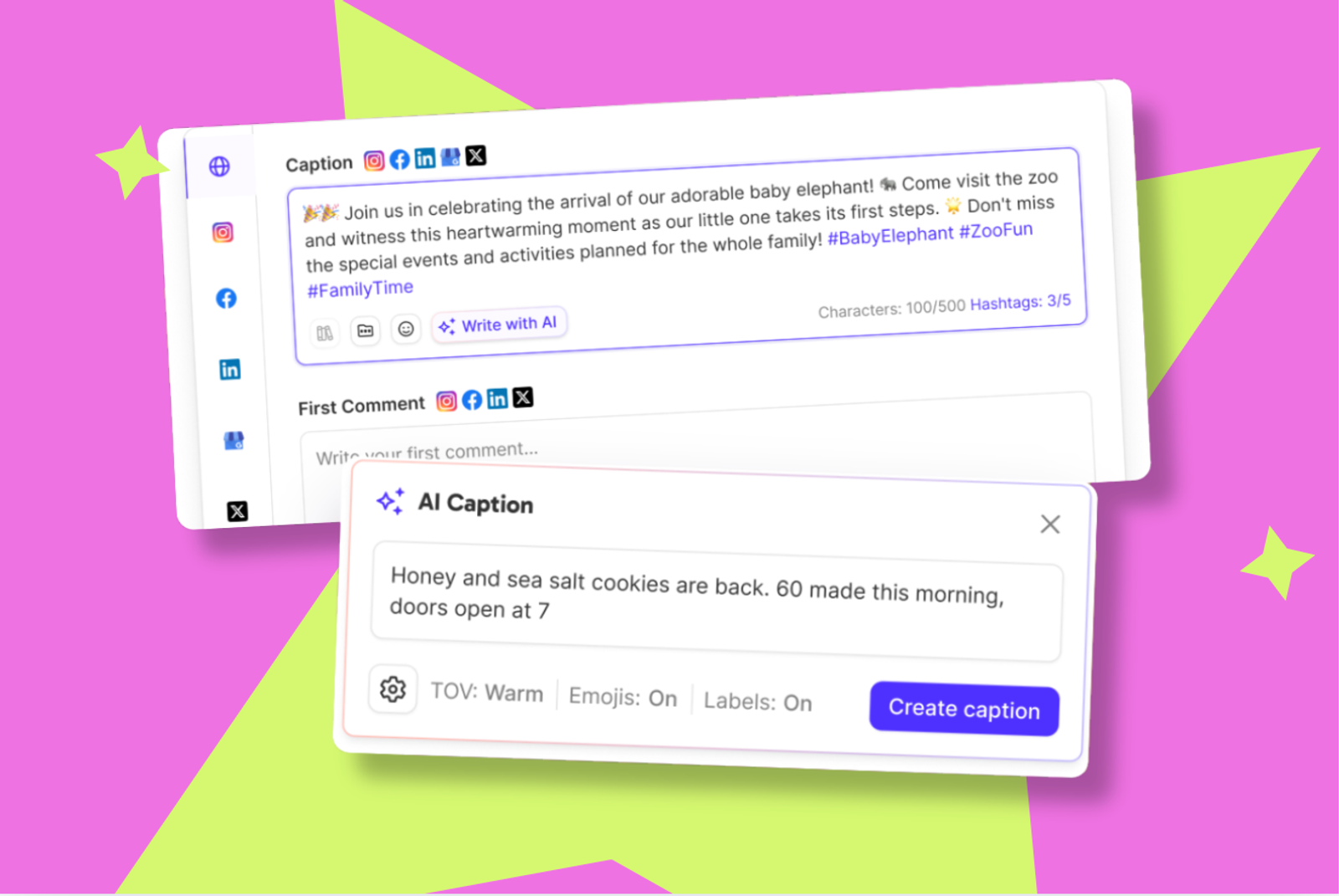
AI caption writing now lives inside the caption field itself. You start typing where you always type. When you want a hand, it's already there. No second tool. No second tab.
Because it's inline, the AI has your real context. Your brand kit tone. Your content pillar. The draft in front of you, not a description of it typed into an empty box somewhere else.
What's new
Generate where you already write
Give it a prompt, an idea, or a rough first line. It writes a caption. One at a time, with retry and undo. Changed your mind completely? Start fresh resets the flow and keeps what you'd already put in.
Quick-tap refinement
Sharpen it, shorten it, change the angle. Choosing a refinement option loads the result into the field for you to review. Nothing changes until you say so.
Tone of voice, on tap
Tone defaults to your brand kit, so the voice switches when the account does. Adjust it any time from the settings panel.
Translate in place
Take a finished caption into another language without leaving the post. Second market, same three minutes.
Content labels that steer, quietly
Your content pillar labels guide the direction of the output. They don't show up in the caption itself.
One voice, every account, every platform
Caption writing works better as a conversation with the draft in front of you. Write a rough line. Ask for a sharper version. Nudge the tone. Translate it. Every step happens in the same field, so the post you're looking at is always the post you're shipping.
The hard part has always been holding the voice steady while you do it. Agency managers switch between eight brands before lunch, each with its own rules about what it does and doesn't say. In-house teams run a dozen locations that are all meant to sound like one company. And every brand shifts register across platforms, because what works on LinkedIn dies on TikTok.
Inline AI pulls from the brand kit of the account you're in, so the voice switches when you do. Content pillar labels keep the angle on-strategy. Tone of voice sits in the settings panel for when a platform calls for something different. Nobody has to police a style guide, and nothing drifts just because the volume went up.
Where to find it
- Open the create post modal and start a caption
- Use the inline AI options in the caption field to generate or refine
- Adjust tone of voice in the settings panel if you want something different from your brand kit default
- Translate from the same field when you're ready
Set your brand kit tone of voice first. That's what the AI leans on when it writes.
The bigger picture
This is the same brand kit that already drives the rest of Sked Social. The tone of voice you set, the content pillars you defined, the accounts you grouped. Inline AI reads all of it, so the setup work you already did pays off every time you write a caption.
It's on every plan. Nothing to switch on, nothing gated. If you're publishing through Sked Social, it's in the caption field waiting for you.
If you have questions, our support team is available 24/7.