On this page
A single inbox stream works fine at a small scale. It stops working the moment you're covering 15 client accounts, 20 store locations, or just more DMs than one queue can hold. Everything sits in one pile, and finding what actually needs a reply becomes its own job.
The Sked Social inbox now gives you a structure to build instead of a pile to sort through.
What's new
Boards
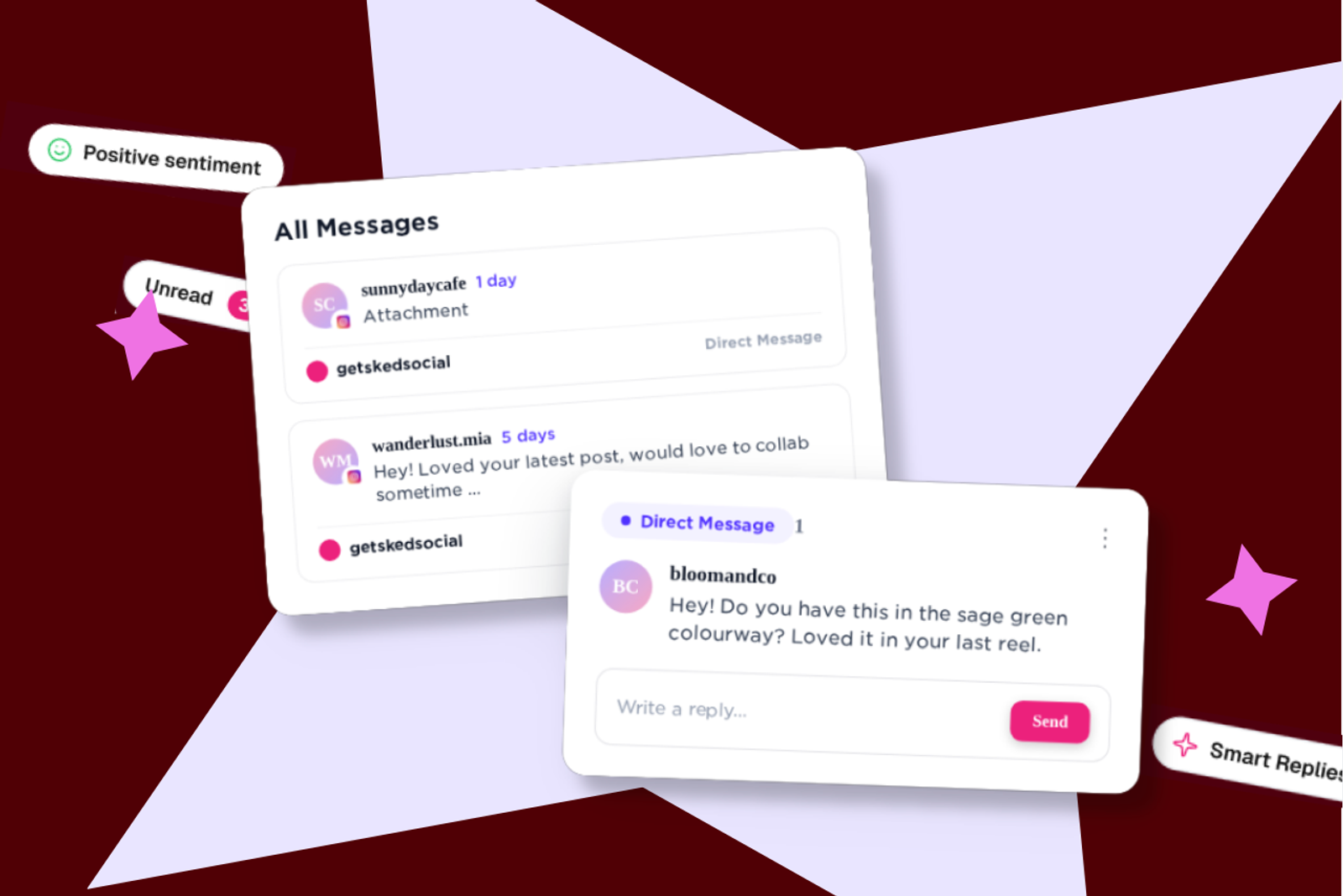
Create as many Boards as you need, and name them however makes sense for your team. Agencies build one per client. Multi-location brands build one per region. Each Board is a persistent, user-configured queue, not a temporary filter you have to rebuild every time you open the inbox.
Feeds
Inside any Board, save a Feed to filter by status (unread, unanswered) or by sentiment (positive, negative). A negative-sentiment Feed on a client's Board surfaces the comment that needs a response before it becomes a visible problem, without you scanning past everything that doesn't.
Custom conversation tags
Tag every conversation by type as you handle it, complaint, compliment, enquiry, whatever categories your team actually uses. It's a running record you build as you work, not something you reconstruct at the end of the month.
Smart Replies
Set up a Smart Reply template once, and it generates a response grounded in your account's Brand Kit, tone of voice and brand description included, so it reads like your brand instead of a generic AI draft. Trigger it from the sparkle icon next to any template, right inside the conversation.
Static templates
For the fixed-text answers you send often, a static template inserts the same response in one click. No Brand Kit generation involved, just your saved wording, ready when you need it.
Collaboration permissions
Admins set inbox access per user: read-only, personal, or full access. New team members start with the right level of access already set, no separate setup conversation required.
Reply like your brand, without switching tools
Plenty of community managers already write replies with the help of an AI writing tool, then copy the result back into Sked Social. That round trip costs real time, and the reply doesn't always sound like the brand once it lands.
Smart Replies close that loop. The generation happens inside the conversation, grounded in the Brand Kit your team already set up, so there's no separate app, no copying, and no rewriting to make it sound right.
Who it's for
Agencies managing multiple client accounts get a Board per client and Feeds for what's unread or carrying negative sentiment, so nothing gets missed across a large account list, and tagging conversations as you go means the monthly client report is already sitting in the data instead of being rebuilt from memory.
Multi-location brands get the same structure applied by region or territory. A negative-sentiment Feed on each Board means an unhappy comment at any one location surfaces immediately, without needing to watch every location's feed individually.
Solo community managers and small teams get the AI reply workflow without needing the account structure. If replies currently happen through a separate AI tool and a lot of copy-pasting, Smart Replies removes both steps.
Where to find it
This update reaches every account with inbox access automatically. Nothing to install, connect, or turn on.
The inbox opens as an empty canvas after the update, so the first thing to do is build your own structure:
- Create your first Board, named however makes sense for your team.
- Add a Feed inside it to filter by status or sentiment.
- Set up a Smart Reply template under your Brand Kit settings, or add a static template for your most common answer.
Full setup detail for each is in our Help Center.
The bigger picture
A unified inbox isn't a new idea, most social tools promise one. What's different here is the structure on top of it. Boards, Feeds, and tags mean an agency or multi-location team can actually use one inbox instead of splitting the work across spreadsheets and side notes to keep track of who's covering what.
It's included on every plan with existing inbox access, at no additional cost, and there's nothing to set up beyond building your first Board.
Open your inbox and create your first Board.
If you have questions, our support team is available 24/7.