On this page
Key takeaways
Social media for salons works when it shows your work and makes booking effortless. Post the transformations clients want to see, on the platforms where they look for a stylist, and keep a booking link one tap away. Then check every month which posts actually filled chairs.
- Lead with Instagram, add TikTok for trend-led video and Facebook for community, and keep your Google Business Profile current.
- Post before-and-afters, stylist behind-the-scenes, and short how-tos, tagged with your city and specialty.
- Put one booking link in your bio and a clear call to action in your captions.
- Once a month, check which posts drove profile visits and link clicks, then make more of those.
This one is for salon owners and stylists who want social media to bring in bookings, not just likes. You'll get a four-step playbook you can run this month, plus five salons doing it well and the exact move to copy from each.
How to use social media for your salon (quick playbook)
Salon social media comes down to four moves. Pick the platforms your clients actually use. Post what they want to see. Make booking one tap away. Then measure what fills chairs, not what collects hearts.
None of this needs a content team. It needs a plan. Before you post anything, take an hour to plan a month of salon content: which days get a transformation, which get a stylist, which get a tip. A salon that plans the month ahead posts better work than a salon that posts when it remembers.
Pick the right platforms
Instagram comes first. Hair, nails, brows, and skin are visual services, and Instagram is built for exactly that. Use feed posts for finished looks, Reels for the transformation in motion, and Stories for the daily stuff: open slots, new color, what's on the cart today. If you only run one channel, run this one.
TikTok is the second pick, for trend-led short video. It rewards personality and process more than polish, so it suits the stylist who likes talking to camera. Facebook earns its place for local community: events, promotions, and the regulars who still message the salon page to ask about parking.
Then keep your Google Business Profile current. It's what near-me searchers see first, with your hours, photos, and reviews in one panel. Fresh photos and posts there do quiet, steady work.
Our advice: start with two channels you can sustain, not five you'll abandon by March. Instagram plus Google Business Profile covers discovery and local search for most salons. Add TikTok when someone on the team actually enjoys making video, because forced video shows.
What to post: 8 salon content ideas
Clients follow a salon to see the work, meet the people, and learn something they can use between appointments. These eight ideas cover all three. Tag each post with your city and specialty using hashtags and location tags, so the local looking for a balayage specialist actually finds you.
- Before-and-after reveals. The format salon social is built on. Shoot both in the same light and spot, and open the Reel on the after.
- Stylist takeovers. Hand one stylist the Stories for a day. Clients book people, not buildings. Edwards & Co does this well.
- Client testimonials. A short quote or clip from a happy client, always shared with their permission. Pair it with the look they're talking about.
- Product education. Explain what you used, why, and what the client should use at home. Spoke & Weal's captions are the model here.
- "POV: your appointment" Reels. Walk viewers through a visit, from arrival to the final mirror check. It answers a nervous first-timer's questions before they ask.
- Last-minute openings. A Story the moment a slot frees up, with the booking link attached. Done quickly, these posts can fill a chair the same day.
- Team spotlights. Introduce a stylist, their specialty, and the work they love doing. New clients want to know who they're booking.
- Reshared client posts. When clients tag the salon, ask permission and share them. Reshared client posts are social proof you didn't have to shoot.
One more that hides in plain sight: the consultation. Filming the chat before the chair is how Sarah Emilia built her following, and we'll get to her below.
Turn followers into bookings
Followers don't pay the rent. Bookings do. The fix is simple: one clear booking link in your bio, and a call to action in your captions that tells people exactly where to tap.
Think about where a new client is when they decide. They've just watched a Reel of a copper melt and they want that color. If the next step is hunting for a phone number, the moment passes.
- Put one booking link in your bio. Not three links and a discount code. One place to book.
- End captions with a specific ask. "Book with Mia through the link in our bio" beats "DM us."
- Share the booking link in Stories when a last-minute slot opens.
- Add a "Book" Story highlight, so the link lives on your profile permanently.
- Reply to DMs fast. A booking question left overnight can easily become a booking somewhere else.
- Pin a post that shows your services and prices, if you publish them.
Measure what fills chairs
Likes feel good. They don't tell you whether a post filled a chair. Once a month, look at which posts drove profile visits, link clicks, and DMs that turned into appointments. Each platform's own insights show most of this, or you can use a tool to compare post performance across all your accounts in one place.
Keep the loop simple. Note your top three posts each month. Make more of that format next month. Drop the formats that never move bookings, however pretty they look.
Ask new clients how they found you, too. A quick question at the front desk fills the gaps the numbers can't, like the client who watched three Reels and then booked by phone.
Three common mistakes to avoid:
- Posting only finished looks. The process is what makes people trust you with their hair. Show it.
- No booking link, or a buried one. Every extra tap between the post and the booking page loses someone.
- Chasing follower counts instead of bookings. A small local audience that books beats a big one that scrolls past.
5 salons that nail their social media (and what to copy)
The playbook is the theory. These five salons and stylists are the proof, and each one is strong at something you can borrow. None of them does anything a small salon can't copy.
Edwards & Co: stylist takeovers and behind-the-scenes Stories
Edwards & Co has mastered social media storytelling. They give followers a behind-the-scenes look, from stylist takeovers on their IG Stories to videos detailing their creative process. Their feed blends before-and-after transformations, client testimonials, and educational hair-care content. That mix has grown their followers and built a renowned reputation across their multiple salon locations.
What to copy: Blending authenticity, education, and aspirational content can set your brand apart. Start with the stylist takeover idea from the playbook: one stylist, one day of Stories.
Fox & Jane Salon: trend-led, playful short video
Fox & Jane Salon uses social to show off its vibrant salon culture. Their content is fun, fast-paced video: stylist transformations, hair tutorials, and day-in-the-life snippets. By jumping on pop-culture moments and trending sounds, they've reached a younger audience. Several viral moments have lifted their engagement and brand awareness.
What to copy: Embrace platform-specific trends and showcase the human side of your brand. This is the trend-led short-video lane from the platforms section, and a "POV: your appointment" Reel is an easy way in.
Spoke & Weal: polished visuals and educational captions
Spoke & Weal's Instagram strategy pairs high-quality visuals with educational content. They post professional photos and videos of their work, with sleek, chic, sophisticated branding. Detailed tutorials and captions explain the techniques used and the products recommended. That positions them as experts and has built trust and loyalty among their followers.
What to copy: Posting informative, sophisticated content can establish your brand as a respected authority in the industry. Use it for the product education idea: every finished look gets a caption that explains how it was done.
Alchemy Salon: community built on inclusivity and sustainability
Alchemy Salon has built a strong community on Instagram around inclusivity and sustainability. Featuring a diverse range of looks and clients tells every potential client they're welcome. The feed mixes eclectic client shots, Reels of the creative process, and behind-the-scenes content, tied together by a bright, bold, cohesive aesthetic. Leaning into their values has brought increased engagement, a loyal client base, and word-of-mouth.
What to copy: Be authentic to your values and let the loyalty of your existing clients build credibility and community. Reshared client posts and testimonials are the fastest way to put that loyalty on your feed.
Sarah Emilia: show the full process, consultation to finish
Sarah Emilia is a hairstylist and content creator who takes viewers inside her client consultations and shows her full styling process. She has built a large following on TikTok and Instagram. Her videos often start with a breakdown of the client's hair goals and concerns, then follow every step from color mixing to styling. Authentic, transparent, and educational, her content has built real trust with her followers.
What to copy: Social media loves a bit of realness, so don't be afraid to show your process, show your true (hair) colors, and educate your audience along the way. It's the consultation idea from the content list: film the chat before the chair, with your client's permission.
Common questions
Social media for salons: FAQs
Which social media platform is best for a salon?
Instagram is the best starting platform for most salons, because hair, nails, and beauty are visual services and Instagram suits transformations, Reels, and Stories. Add TikTok if your team enjoys short video and Facebook for local community. Keep your Google Business Profile current, since it's what near-me searchers see first.
What should a salon post on social media?
Post the work, the people, and useful tips. Before-and-after reveals, stylist takeovers, client testimonials shared with permission, product education, and last-minute openings cover most of what clients want to see. Tag each post with your city and specialty so local searchers find you, and end captions with a clear way to book.
How often should a salon post on social media?
Post as often as you can keep the work good. For most salons, three or four feed posts or Reels a week plus regular Stories is a rhythm a busy team can sustain. Consistency matters more than volume, so plan the month ahead and batch-shoot content on quieter days. To choose your posting slots, use Sked Social's best time to post view, which shows when your Instagram and TikTok followers are most active.
How do salons get bookings from Instagram?
Put one booking link in your bio, add a call to action to every caption, and share the link in Stories when a slot opens. Add a "Book" highlight and reply to DMs quickly. Then check monthly which posts drove profile visits and link clicks, and make more of what works.
What are the best social media tools for hair salons?
A hair salon needs tools for three jobs: planning and scheduling posts across channels, a link-in-bio page for bookings, and analytics that show which posts drive clicks. A single-chair salon can start with the native apps. Salons with several stylists or locations usually find a shared content calendar, like Sked Social's, easier to run.
Managing salon social across stylists and locations
Once more than one person posts for the salon, the hard part stops being ideas. It becomes coordination: who's posting what, whether the caption is on brand, and whether the booking link in the bio is still the right one.
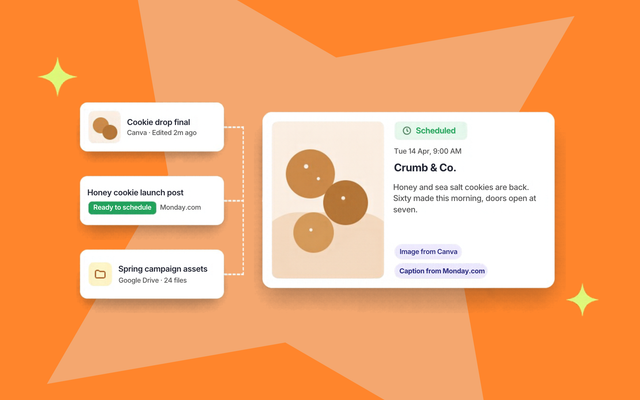
Sked Social gives the team one shared content calendar across Instagram, TikTok, Facebook, and Google Business Profile, so stylists can draft posts and the owner sees the whole month at a glance.
On Accelerate and Custom plans, approvals mean nothing publishes until the right person signs off, and reviewers outside your team can approve from a link without logging in. Sked Link gives you a customizable link-in-bio page for your booking link, with click tracking built in.
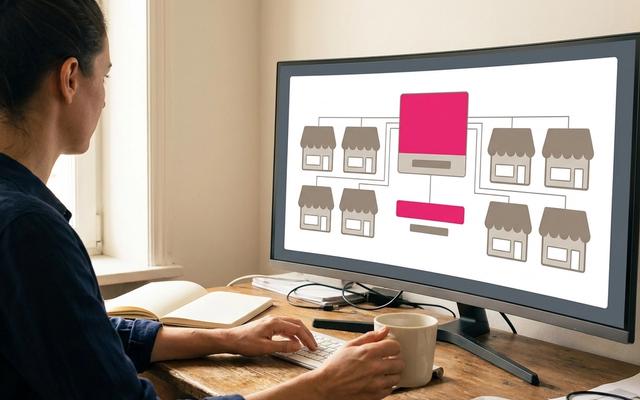
Plans include three users on Grow and six on Accelerate, so size the plan to the people who actually post. Running a salon group or franchise? Start with our guide to social media strategy for local franchises, then see how Sked Social works for franchise and multi-site groups.
See how Sked Social handles social media for salons and spas, from batching treatment showcases to keeping your booking link one tap away.