On this page
- Key takeaways
- Which platforms support first comment scheduling?
- How do you schedule a first comment on Instagram?
- Should hashtags go in the caption or the first comment?
- How do you schedule a first comment on Facebook and LinkedIn?
- What should you put in your first comment? Templates you can copy
- First comment scheduling best practices
- Why didn't my first comment post?
- Schedule your first comments with Sked Social
Key takeaways
- First comment scheduling means writing a post's first comment when you schedule the post, so the comment publishes automatically right after the post goes live.
- As of October 2026, Instagram's in-app scheduler, Meta Business Suite, and LinkedIn's native scheduler don't offer a first-comment field. You need a third-party tool, or you comment by hand.
- Instagram began limiting hashtags in a post or Reel caption to five in December 2025. Put three to five descriptive tags in the caption and use the first comment for credits, links, and questions.
- Sked Social posts an automatic first comment on Instagram posts and Reels, Facebook Pages, and LinkedIn. It doesn't cover TikTok, YouTube, X, Instagram Stories, or live video.
- The post and the first comment publish as two separate steps. If the comment fails, the post stays live without it, so check your first few posts by hand.
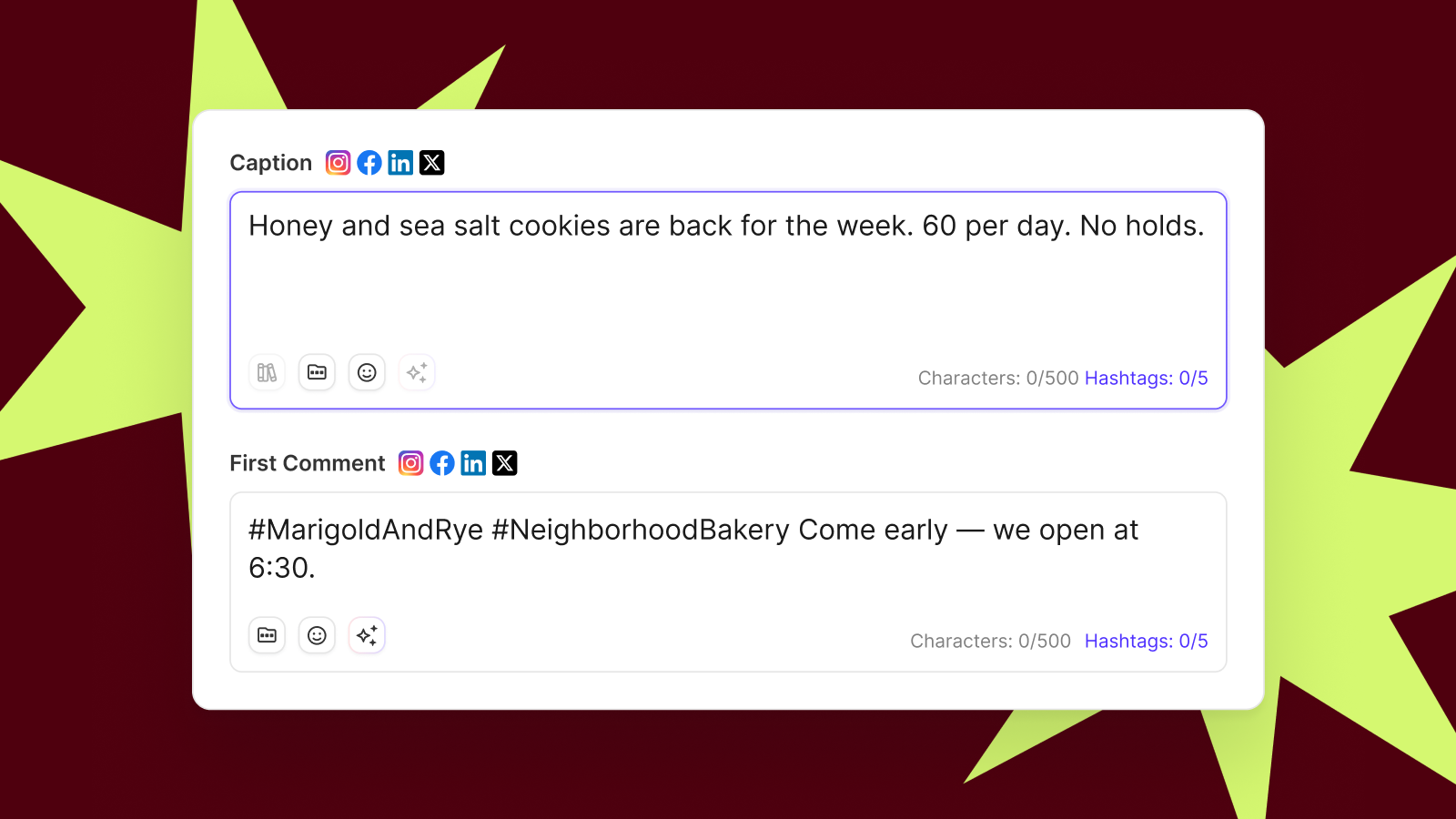
First comment scheduling means writing a post's first comment at the same time you schedule the post, so it publishes automatically the moment the post goes live. On Instagram, Facebook, and LinkedIn you need a third-party scheduler to do it, because the native tools don't offer a first-comment field. The caption stays short, and the hashtags, credits, terms, and links get a home of their own.
Which platforms support first comment scheduling?
Here's where it works as of October 2026.
| Platform | Native first-comment scheduling | Sked Social auto first comment | Notes |
|---|---|---|---|
| Instagram posts and Reels | No | Yes | The comment publishes right after the post |
| Instagram Stories | No | No | Stories have no comment thread |
| Facebook Pages | No | Yes | Links in comments are clickable |
| No | Yes | Links in comments are clickable | |
| TikTok | No | No | Not supported, so add any comment by hand in the TikTok app |
| YouTube | No | No | Not supported |
| X | No | No | Not supported |
A few more quick answers:
- What can a first comment contain? Text only: words, hashtags, @mentions, and links. No images or video.
- Are links in the comment clickable? On Facebook and LinkedIn, yes. On Instagram, no.
- What if someone else comments first? Pin your comment to the top of the post.
How does an automatic first comment work?
A scheduler publishes your post first, then posts the comment on it through the platform's API. Meta's Instagram API, for example, includes an endpoint that creates a comment on a published media object. The same documentation notes that comments on live video aren't supported.
That two-step sequence matters. The post and the comment are separate actions. If the comment fails for any reason, the post is still live without it. The troubleshooting section below covers what to do.
Without a third-party tool, someone pastes the comment in by hand after the post goes live. If they're in a meeting or asleep in another time zone, it goes up late or not at all. (If you're weighing up Meta's free tool, see how Meta Business Suite compares with Sked Social.)
What do you need before you schedule a first comment?
- An Instagram professional account. Third-party publishing needs a Business or Creator account. Not sure which you have? Here's the difference between the three Instagram profile types.
- Auto-publish switched on. The first comment only posts when the scheduler publishes the post for you.
- Text, not media. A first comment carries words, hashtags, @mentions, and links.
- A caption that stands on its own. Instagram captions max out at 2,200 characters. The first comment is for supporting detail, not overflow.
How do you schedule a first comment on Instagram?
Connect a Business or Creator account to a scheduler, write the caption and the first comment together, set the post to auto-publish, and check the comment once the post is live. Here's the full process.
- Connect an Instagram Business or Creator account. Personal accounts can't auto-publish through third-party tools, so the comment has nothing to attach to.
- Create a post or Reel and add your media. First comments work on feed posts, carousels, and Reels.
- Write the caption. Lead with the hook. Keep your three to five essential hashtags here.
- Fill in the first-comment field. Add the supporting material: niche hashtags, a credit, link text, a question, or terms and conditions.
- Preview the grid. Check how the post sits next to what's already on your profile.
- Pick a date and time, and confirm the post will auto-publish. If it's set to a notification or manual publish, the comment won't post automatically.
- Check it once it's live. Open the post on Instagram and confirm the comment appeared.
In Sked Social, steps two to six happen on one Create post screen. The Instagram scheduler handles posts, Reels, carousels, and the first comment together, and the visual planner shows how the post will look in your grid before it publishes.
Where can't you schedule a first comment on Instagram?
- Stories. There's no comment thread to post into.
- Live video. Meta's API doesn't support comments on live video.
- Notification publishing. If you publish the post yourself from a phone reminder, add the comment yourself too.
A worked example: a café Reel
Picture a café in Melbourne posting a 12-second Reel of its new seasonal brunch.
Caption: "Autumn menu lands Thursday. Which one are you ordering first? #MelbourneBrunch #MelbourneCafe"
First comment: "Shot by @localphotographer. #FitzroyEats #BrunchMelbourne #SeasonalMenu"
The caption does one job: say what's new and ask a question. The comment handles credit and discovery. Nobody at the café has to remember to comment on a busy Thursday morning.
How can you write the first comment faster?
Sked Social's AI tools can draft caption ideas in your brand voice, which you can then trim into comment copy. AI caption writing is included on all plans. If you're scheduling a week of content at once, bulk upload lets you prepare a batch of posts in one pass.
Can you move the first comment to the top?
You can't reorder comments on Instagram, but you can pin comments to the top of a post. An auto first comment usually lands first anyway, because it posts right after the media. If an early reply jumps in, pin yours.
Should hashtags go in the caption or the first comment?
Our view: put your three to five most descriptive hashtags in the caption by default. Use the first comment for credits, links, and conversation starters, not a block of 30 tags. That's a change from advice you'll still find on plenty of blogs, so here's why.
What changed for Instagram hashtags?
In December 2025, Instagram said it would gradually update the number of hashtags you can include in a caption for a Reel or post to five, as reported by Social Media Today. The rollout was staged, so not every account saw the limit on the same day.
Adam Mosseri had already reset expectations. Earlier in 2025 he said hashtags don't increase reach, and later described them as a way to tell people what a post is about, as Social Media Today reported. Put those together and a hashtag is a label, not a reach booster. A small set of accurate labels beats a wall of loosely related ones.
Do hashtags in the first comment count toward the limit?
Nobody has confirmed it either way. Instagram's wording on the five-hashtag limit covers captions. Some third-party sites say comment hashtags count too. Treat that as unconfirmed until Instagram says so.
Our practical rule
- Caption: three to five hashtags that describe the post. A brand tag, a topic tag, and a location tag if it matters.
- First comment: credits, a question, links (where they're clickable), and terms.
- Prefer a clean caption? Move your tags to the comment and test it for a few weeks. Compare reach and profile visits against your caption-tag posts. Your own data is the evidence that counts.
For more on how tags work across formats, read our guide to hashtags for Instagram Stories and posts.
How do you schedule a first comment on Facebook and LinkedIn?
The steps mirror Instagram: connect the page to a scheduler, write the caption and first comment together, set the post to auto-publish, and check the comment once it's live. Meta Business Suite and LinkedIn's native scheduler don't offer a first-comment field, so without a third-party tool you add the comment by hand after the post publishes.
Facebook Pages
- Connect your Facebook Page.
- Create the post and add media.
- Write the caption.
- Fill in the first-comment field.
- Pick a date and time, and confirm the post will auto-publish.
- Check the comment appeared once the post is live.
Links in Facebook comments are clickable. That makes the first comment a natural home for a booking link, a product page, or a longer read. In Sked Social, the Facebook scheduler puts the first-comment field in the same Create post screen as the caption.
The steps are the same: connect, compose, add the comment, schedule, check. See LinkedIn scheduling in Sked Social for the formats it covers.
Should LinkedIn links go in the post or the first comment?
The evidence is mixed. LinkedIn has never confirmed a link penalty, and most of the big datasets come from vendors with a product to sell. So test it on your own page:
- Alternate link-in-post and link-in-comment for four to six weeks.
- Use similar content for both, so you're comparing like with like.
- Compare impressions, clicks, and engagement for each group.
- Add UTM parameters to every link, so your analytics show which placement drove visits.
Here's what that looks like in practice. A B2B agency shares a client case study on its company page. The post is a two-line hook: the result, and who it was for. The first comment holds the UTM-tagged link. After a month, the agency compares clicks against its previous link-in-post posts.
What should you put in your first comment? Templates you can copy
A first comment is only useful if it adds something. Here are seven jobs it does well, each with a template.
1. Hashtags. Three to five niche tags the caption didn't cover.
#FitzroyEats #BrunchMelbourne #SeasonalMenu
2. A tracked link. Clickable on Facebook and LinkedIn. On Instagram, point to your bio link instead.
Read the full breakdown here: [your UTM-tagged link]
The full guide is at the link in our bio.
3. Creator or UGC credit. Give credit without burying the hook.
Photo by @handle. Thanks for sharing this with us.
4. Promo code and terms. Keep the caption about the offer and the comment about the fine print.
Use code AUTUMN15 at checkout. Valid until 30 November. Online only. One use per customer.
5. Competition terms and client T&Cs. Clients often need terms published with the post.
Full terms and conditions: [link]. Entries close Friday at 5 pm AEDT. Winner drawn Monday.
A note on paid partnerships: keep disclosures like #ad, or the platform's paid partnership label, in the caption. Disclosures need to be obvious, and a comment is too easy to miss.
6. A conversation starter. A question gives people an easy first reply.
Which would you order first: the pancakes or the shakshuka?
7. Extra context. A translation, a description of the image, or background the caption didn't have room for.
En español: Nuestro menú de otoño llega el jueves.
Playbooks by team type
- Agencies: credits, client disclaimers, and client-approved calls to action. Get the first comment signed off with the caption so nothing goes live unchecked.
- Multi-location brands and franchises: keep the caption national and put a local promo code or address in each location's first comment. Head office owns the message. Each location gets its own details.
- Retail and hospitality brands: offer codes and booking links. On Instagram, pair the comment with a link-in-bio page. Sked Link gives you a customizable bio page with click analytics.
Common first comment mistakes
- Too many hashtags. A block of 30 tags reads as spam and works against the five-tag caption limit.
- Repeating the caption. If the comment says what the caption said, it adds nothing.
- "Link in bio" with no reason to click. Tell people what they'll find there.
- Identical comments on every post. The same text over and over can look automated. Vary it.
- Long comments. A comment that needs scrolling won't get read.
First comment scheduling best practices
Treat the first comment as part of the post. Write it with the caption, send it through the same review, track its links, and check your first few posts by hand.
Make the comment part of approvals
If clients or legal review your posts, the first comment needs the same review. Terms, codes, and credits are exactly the details that cause problems when they're wrong. Write the comment before the post goes into approvals, which are included on Sked Social's Accelerate and Custom plans, and ask reviewers to check it as part of the post. A comment written after approval is a comment nobody approved.
Use the comment to start the conversation
A question in the first comment gives followers an easy way in, and gives your community team a thread to reply to. For what to do once the replies arrive, read why your comment strategy is probably backwards.
Track your links
On Facebook and LinkedIn, the first comment is often where the click happens. Add UTM parameters to every link you put there so the traffic lands under the right campaign. Sked Social offers automatic UTM tagging. Check that your setup tags links in the comment as well as the post, and if it doesn't, build the UTM into the link before you paste it in. Our guide to tracking Instagram traffic in Google Analytics walks through building a tagged link.
Check the first few posts
Confirm the comment posted, the hashtags rendered, and the @mentions linked to the right accounts. Once you trust it, spot-check weekly.
Why didn't my first comment post?
The usual reason is that something blocked the second step. The post and the comment publish separately, so the post can go live while the comment fails. Here are the common cases and fixes.
- The post published but the comment didn't. Common causes are an expired account connection, missing publishing permissions, or comment text the platform rejects. Add the comment by hand straight away, then reconnect the account and check permissions. If it keeps happening, look at the comment itself. Long hashtag lists and repeated text are the usual suspects.
- The first comment option is missing. Check the post is an Instagram post or Reel, a Facebook Page post, or a LinkedIn post, and that it's set to auto-publish. Stories, live video, TikTok, YouTube, and X don't support it.
- Someone else commented first. Pin your comment to the top of the post.
- The link in the comment isn't clickable. Instagram doesn't make links in comments clickable. Point to your bio link and keep that page up to date.
Schedule your first comments with Sked Social
You didn't get into social media to paste hashtags into a comment box at 8:01 on a Thursday. Or to find out a day later that the credit never went up.
- Caption and comment, together. The first-comment field sits next to your caption in the Create post screen. Write both, schedule both, and Sked Social publishes both on Instagram posts and Reels, Facebook Pages, and LinkedIn.
- Plan the look. The grid preview shows how your Instagram profile will look before anything goes live.
- Write faster. Sked Social's AI tools draft caption ideas in your brand voice.
- Approvals before anything publishes. On Accelerate and Custom, send the post and its comment for review so terms, codes, and credits get a second look.
- Links that earn their place. Sked Link gives you a link-in-bio page with click analytics for the links Instagram won't make clickable.
Plans are sized for the team you have. Grow includes three users and six social accounts, and Accelerate includes six users and 10 social accounts. Real humans are on hand 24/7, at no extra charge.
Great social media is made, not posted. The first comment is part of the craft.
Start your free trial. 14 days. No credit card required.
FAQs
Questions we get all the time.
What is first comment scheduling?
First comment scheduling means writing a post's first comment at the same time you schedule the post. The comment then publishes automatically right after the post goes live. Teams use it to keep captions short and readable, and to move hashtags, links, creator credits, promo terms, and calls to action into the comment without anyone needing to paste them in by hand.
Can you schedule a first comment on Instagram without a third-party tool?
No. As of October 2026, Instagram's in-app scheduler doesn't offer a first-comment field. Without a third-party scheduler, you publish the post and then add the comment by hand in the app. That works for a single post, but it means someone has to be available the moment the post goes live, which gets harder across time zones and busy days.
Can you schedule a first comment in Meta Business Suite?
Meta Business Suite lets you schedule Facebook and Instagram posts, but as of October 2026 it doesn't offer a first-comment field. If you schedule there, you add the comment manually after the post publishes. A third-party scheduler that supports first comments lets you write the comment alongside the caption so both go out on time.
Can you schedule a first comment on TikTok?
Not with Sked Social. Its automatic first comment covers Instagram posts and Reels, Facebook Pages, and LinkedIn. It doesn't cover TikTok, YouTube, or X. On TikTok, keep the essential details in the caption and add any comment by hand in the TikTok app once the video is live, then pin it if you want it to stay at the top.
Why didn't my scheduled first comment post?
The post and the comment publish as two separate steps, so the post can go live while the comment fails. Common causes are an expired account connection, missing permissions, a post set to notification publishing instead of auto-publish, or an unsupported post type such as a Story. Add the comment by hand straight away, then reconnect the account and check its permissions.
Can a first comment include an image or video?
No. A first comment carries text only, which means words, hashtags, @mentions, and links. Put any images, carousels, or video in the post itself and use the comment for supporting detail such as credits, terms, a question, or a tracked link on platforms where links in comments are clickable, like Facebook and LinkedIn.
Do links in Instagram comments work?
No. Instagram doesn't make links in comments clickable, so a URL in your first comment shows as plain text. Point people to the link in your bio instead and tell them what they'll find there. On Facebook and LinkedIn, links in comments are clickable, so the first comment can hold a booking link, product page, or tracked link.
Can you change the order of comments on Instagram?
You can't reorder comments on Instagram, but you can pin comments to the top of a post. An automatic first comment usually lands first anyway because it posts right after the media publishes. If a follower replies before it appears, pin your own comment so the credit, terms, or question stays visible above the replies.