On this page
- Key Takeaways
- Should each franchise location have its own Instagram account?
- Who owns the accounts: set up head office ownership in Meta
- Naming and profile standards for every location account
- The content mix: head office campaigns and local posts
- Reels, Stories, carousels, and collabs: what each format does for a franchise
- UGC: collect and reshare customer content from each location
- Sign-off: who approves what before it goes live
- Measuring Instagram for each location
- Transform your social media management with Sked Social
Key Takeaways
- Should each franchise location have its own Instagram account? Only if someone local can keep it active. Most networks run a hybrid: one brand account, plus location accounts where a store can post regularly.
- Head office should own every location account in its Meta business portfolio and give franchisees access, so the account, its followers, and its history stay with the brand when a franchisee leaves.
- Instagram reaches a large share of your customers. In Pew Research Center's 2026 survey, 59% of adults in Australia, 52% in the UK, and 51% in the US said they use it.
- Split the work: head office supplies campaigns, templates, and standards, and each location adds the local posts, Stories, and customer content that make its account worth following.
- Sked Social lets head office schedule Reels, Stories, and carousels to its location accounts from one calendar. On the Accelerate and Custom plans, location managers can review and approve posts through a link, without a login.
Should a franchise location have its own Instagram account? Only if someone at that location can post and reply regularly. If they can't, feature the store on the brand account instead. Most franchise networks end up with a hybrid: a brand account run by head office, plus location accounts that head office owns and franchisees help run.
That answer is the easy part. The hard part is everything after it.
Who holds the login when a franchisee sells? What should 40 accounts be called? Which posts come from head office, and which come from the store? Who signs off a Reel before it goes out on a location's account, and how do you know which locations are working?
It's worth getting right, because Instagram reaches a lot of your customers. In a 2026 Pew Research Center survey, 59% of adults in Australia, 52% in the UK, and 51% in the US said they use it.
This guide answers those questions for the head office team that runs Instagram across a franchise or multi-location network. It's Instagram-specific. For the wider strategy across every channel, start with our franchise social media guide.
Should each franchise location have its own Instagram account?
There are three ways to set up Instagram for a franchise. Each one works for some networks and fails for others. The deciding question is simple: who will post on each account every week, and who will answer its comments and messages?
The three account models
| Model | How it works | Works best when | Watch out for |
|---|---|---|---|
| One brand account | Head office runs a single account and rotates between locations, campaigns, and brand content | A small network, the same offer everywhere, or locations with no one to post | Local news gets crowded out, and each store's place page fills with other people's posts |
| One account per location | Every location has its own account, run locally within brand rules | Stores with their own events, menus, staff, or community | Accounts that go quiet, drift off brand, or leave with a franchisee |
| Hybrid | A brand account run by head office, plus location accounts that head office owns and locations help run | Most franchise and multi-location networks | Needs clear rules on who posts what, and on which account |
How to choose for each location
You don't have to pick one model for the whole network. Decide location by location, with three checks:
- Someone local can post. A named person at the store can post at least weekly and reply to comments and messages within a working day.
- There's something local to say. The store has its own events, specials, team, or community ties. If every post would be a copy of the brand account, a local account adds little.
- Head office can see it. The account sits in head office's business portfolio, follows the naming standard, and shows up in your reporting.
A location that passes all three gets its own account. A location that fails the first check gets featured on the brand account until it's ready. That's better than opening 40 accounts and watching half of them go quiet. Our multi-location social media playbook covers the same decision for every channel, not just Instagram.
A hypothetical example
Picture a cafe franchise with 40 locations. Head office runs the brand account. Of the 40, the 12 locations with busy local teams run their own accounts, and head office owns all 12.
The other 28 appear in a weekly "store of the week" post on the brand account and get their own Google Business Profile. When one of them hires a manager who loves Instagram, it gets an account, built to the same standard as the other 12. The model grows one location at a time, and nothing is created that no one will run.
Who owns the accounts: set up head office ownership in Meta
The most expensive Instagram mistake a franchise makes isn't a bad post. It's a location account created on a franchisee's personal email, with a password nobody at head office knows. When that franchisee sells the store, the account, its followers, and years of posts can go with them.
The fix is to own every location account in your Meta business portfolio from day one. A business portfolio lets an organization bring its Facebook Pages, Instagram accounts, and ad accounts together, and manage the people who can access them, in one place.
How to set it up
- Use professional accounts. Set up every location account as an Instagram Business account. Instagram says business accounts are best for retailers, local businesses, and brands, and they come with a Contact button, a category label, and Insights. Professional accounts can't be set to private, which is what you want for a store.
- Add each account to your portfolio. Someone with full access to the portfolio adds each Instagram account in Meta Business Suite settings, under Instagram accounts. Meta notes that each Instagram account can only be added to one business portfolio, so do this before a franchisee or an agency adds it to theirs.
- Give people the access they need, not more. Meta has two levels of access, full and partial. Partial access covers specific tasks, such as creating content or responding to messages. A franchisee who posts and replies needs partial access to their own location's account, not full access to the portfolio.
- Connect each account to its location's Facebook Page. The Page holds the store's address, which is what makes the location taggable on Instagram. Our guide to Instagram location tags for multi-location brands covers that setup step by step.
When a franchisee leaves
Write account ownership into the franchise agreement and your social media policy. Then, when a store changes hands, head office removes the outgoing franchisee's access.
Meta says removing a person revokes their access to the portfolio and to every asset they could reach, including Instagram accounts. You then give the new owner partial access to the same account. The followers, the posts, and the place page stay with the store.
Our guide to writing a social media policy for franchisees covers the policy side, including what happens to accounts at the end of an agreement.
Naming and profile standards for every location account
Customers should be able to tell an official location account from a fan page in one glance. That comes down to a written standard for every profile, applied the same way at every location.
A naming pattern for handles and names
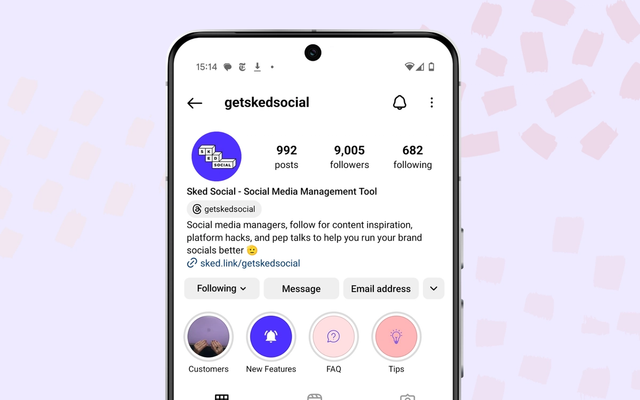
Pick one pattern and use it everywhere. A common pattern is the brand name plus the suburb or city, such as @brandname.fitzroy or @brandname_fitzroy. Instagram lets you use periods, numbers, and underscores in a username, so choose one separator and stick to it.
Put the place in the name field too, such as "Brand Name Fitzroy". Then a customer searching for your brand sees which store each account belongs to.
Don't count on the blue badge to mark official accounts. If you apply for a verified badge as a notable brand, Instagram says only one account per person or business may be verified. Your naming pattern, and a link from the brand account to each location, do that job instead.
One profile standard, written on one page
Write the standard down once, then check every account against it. It should cover:
- Profile photo. The current brand mark, the same file on every account.
- Bio. A template with one local line, such as opening hours or a local event.
- Category and contact options. The same business category everywhere, with the store's own phone, email, and directions in the Contact button.
- Link. Each location's own page, not the brand home page.
- Highlights. A standard set, such as menu, offers, and find us, with the local version of each.
Our Instagram profile audit for multi-location brands turns this standard into an eight-step check you can run across every location. It also covers how often to run it, and who fixes what.
Keep a location register
Head office should keep one register of every account: the handle, the location it belongs to, who has access, the connected Facebook Page, and the date of the last profile check. When a store opens, closes, or changes hands, the register is the first thing to update. It's also how you spot an unofficial account that a well-meaning staff member opened last year.
The content mix: head office campaigns and local posts
A location account that only reposts the brand account gives followers no reason to follow it. One that only posts local content drifts off brand. The answer is a planned split between the two.
Our franchise social media guide explains the 80/20 model in full: head office creates about 80% of each location's posts, and the location adds about 20%. On Instagram, the split usually falls by format and by subject.
What head office supplies
- Campaigns. Seasonal promotions, product launches, and brand stories, with the Reel, the graphics, and a caption that each location can localize.
- Templates. Story templates for offers, opening hours, new staff, and events, so a location can post in two minutes and stay on brand.
- A calendar. One network calendar, so every location knows what's coming and when. Campaign posts are scheduled to each location's account, with the local details filled in.
- The rules. The brand voice, what needs sign-off, and what never gets posted. Our guide to social media voice guidelines for a franchise covers the voice side.
What each location adds
- People. The team, a new hire, the manager's pick of the week.
- Place. What's happening in the store today, local events, the community groups the store supports.
- Customers. Reshared customer posts, with permission (more on that below).
- Replies. Answers to the comments and messages on its own account.
Boosting local posts
Some posts are worth putting money behind, such as a store opening or a local offer. Keep paid activity in the same plan as organic, so a boosted post looks like the rest of the account. Our guide to paid and organic social for franchises covers how to split that budget between head office and locations.
Reels, Stories, carousels, and collabs: what each format does for a franchise
Each Instagram format does a different job for a location account. Planning the mix by format stops every location from posting the same kind of thing.
Reels for reach
Reels are how a location account reaches people who don't follow it yet. Instagram says reels from public accounts can appear in places like feed, the Reels viewer, and Explore, to anyone on Instagram. You can record reels of up to 20 minutes, but Instagram notes that reels over three minutes won't be recommended to new audiences. For a location account, short is the rule.
Professional accounts can also try trial reels. A trial reel goes to accounts that don't follow you first, and your followers don't see it in feed. Instagram can share it to everyone automatically if it gets a lot of views in the first 72 hours. That's a low-risk way for a location to test a format before head office rolls it out across the network.
Stories for the day-to-day
Stories suit the local, everyday posts: today's special, a queue at opening, a staff birthday. They disappear after 24 hours unless you add them to a highlight.
Stickers do a lot of work for a store. The link sticker sends people to a booking page, the location sticker opens the store's place page, and the mention sticker tags a local partner. Give each location a small set of Story templates and the stickers to use with them.
Carousels for the detail
Carousels suit content people save: a menu, a how-to, a before-and-after, or a store opening in 10 photos. They're a good fit for head office campaign content that each location can localize with its own photos.
Collabs between the brand and its locations
A collab post appears on more than one profile. In the Instagram app, you can invite up to five collaborators to a post through Tag people. Once they accept, the post shows on each profile and is shared with each account's followers, and every collaborator can see all its likes and comments. The original creator keeps control: if they delete the post, it's removed from every collaborator's profile.
For a franchise, that makes collabs useful in two directions. The brand account can invite a location to a campaign post, so the post reaches local followers too. A location can invite the brand account to a store opening, so it reaches the brand's audience. Note that you can't add collaborators to Stories.
When you plan formats in Sked Social, you can schedule Reels, Stories, and carousels to your location accounts from one calendar. In Sked Social Insights, Instagram posts your accounts collaborate on show in their own Collaborator posts section, kept apart from each account's own posts.
UGC: collect and reshare customer content from each location
Customers post about your stores every day. For a location account, those posts are the most believable content it can share. The job for head office is to make collecting them easy and resharing them safe.
Where location UGC comes from
- Tags and mentions. Customers tag the store's account in posts and mention it in Stories.
- The place page. Posts tagged at the store's location, which anyone can browse by tapping the location. Our location tags guide covers how to make sure every store has a correct place.
- Branded hashtags. A network hashtag, plus a local one for stores with an active community.
- Prompts. An Add yours sticker or a post asking customers to share their favorite order.
Reshare with permission
Instagram has native ways to share other people's content, and they keep the credit visible. You can repost public reels and posts if the creator allows reposts, and share a public post to your Story if the account allows resharing. These features may not be available to everyone.
Re-uploading a customer's photo or video to a location account is different. Instagram's copyright guidance says it's generally a good idea to get written permission from the author before posting their content, and that giving credit alone doesn't protect you. Give every location a short permission message to send, and keep a record of who agreed and how the content may be used.
Keep the best UGC for the network
Head office should pick the strongest location UGC for the brand account and for campaigns. Sked Social helps with the curation side. Its UGC tools let you curate content from hashtags and from posts your accounts are tagged in, and save it to the Media Library with attribution intact, on the Grow plan and above. Then head office can find it when it's time to post, for the brand account or for any location's account.
Sign-off: who approves what before it goes live
Every franchise needs a sign-off rule for Instagram, and approving everything isn't a rule. If every Story needs head office approval, locations stop posting. The answer is sign-off by risk.
Approve by risk
- No sign-off: posts built from approved templates, team photos, and everyday store moments.
- Location sign-off: posts head office writes for a location, so the store can check the local details before they go out.
- Head office sign-off: offers and prices, claims about products, partnerships, anything about a complaint, and any new creative that isn't from a template.
Sign-off can run in either direction. Head office may write the post and the location approves it, or the location proposes the post and head office approves it. Our franchise social media guide covers how to set these levels across every channel.
An Instagram check before every post
Whoever signs off should check the things that are specific to Instagram, not just the caption:
- The right account. The post is scheduled to the right location's account, not the store across town.
- The right location tag. The place matches the store in the location register.
- Collaborators. Any collab invite goes to the right account, and the other side knows it's coming.
- The first frame and cover. The Reel's cover works in the profile grid.
- Audio and music. The track is one the account is allowed to use.
- Links. Link stickers and the bio link go to the right location's page.
- Permission. Any customer content has a recorded permission.
How sign-off runs in Sked Social
In Sked Social, you can add the location tag when you create the post. On the Accelerate and Custom plans, approvals let you send posts to location managers through a branded review link. They can check the post, comment, and approve or request changes without a Sked Social login.
You can switch on daily or weekly reminders, which stop once they've reviewed. The Approvals Board groups posts by approval status, so head office can see what's approved and what's still waiting.
Measuring Instagram for each location
Total followers across the network is a vanity number. Head office needs to know which locations are working, which need help, and what content to share across the network.
What to track for each location
Every professional account has Instagram Insights, with views, interactions, new followers, and the content you shared. You can pick a preset or custom date range within the past 90 days. For each location, track:
- Views and viewers. How many times the account's content was seen, and by how many accounts.
- Interactions. Likes, comments, saves, and shares on each post.
- Followers. Growth over the month, not the total.
- Clicks. Visits to each location's page from tracked links in the bio and in Stories, which are the closest sign of a booking or a visit.
- Activity. Posts published against the plan, and how fast comments and messages got answers.
Compare fairly
A city-center store with 8,000 followers will beat a regional store with 900 on almost every raw number. Compare rates instead, such as interactions per post or views per follower. Then compare similar stores with each other, and each store with its own last quarter.
Report monthly to head office and to each franchisee. A simple league table, with the top three posts in the network, gives locations something to aim for and gives head office content worth sharing again.
Pull every location into one view
Insights in the Instagram app shows one account at a time. With 10 or 40 accounts, that's a lot of tapping, and Instagram lets you stay logged in to up to 10 accounts at once.
In Sked Social, you can organize accounts into groups, such as by region or by franchisee, and switch between groups to filter the calendar and analytics. Brand Summary shows performance across your accounts in one view. On the Accelerate and Custom plans, label analytics compare performance by content label, and the custom report builder lets you send each franchisee a report on a schedule.
Common questions
Instagram for franchises: common questions
Should each franchise location have its own Instagram account?
Only if someone at the location can post and reply regularly. A location account works when the store has its own events, team, or community to show, and a named person to run it. If not, feature the location on the brand account until it's ready. Most franchises run a hybrid: one brand account plus location accounts that head office owns.
Who should own a franchise location's Instagram account?
Head office. Add every location account to the brand's Meta business portfolio and give each franchisee partial access to their own account. When a franchisee leaves, head office removes their access and gives it to the new owner. The account, its followers, and its posts stay with the location.
How should franchise Instagram accounts be named?
Use one pattern everywhere, such as the brand name plus the suburb or city, with the same separator on every handle. Put the place in the name field too. Then use the same profile photo, bio template, and highlights on every account, so customers can tell official accounts from unofficial ones.
Can head office post to every location's Instagram account?
Yes, if head office has access to each account. In the Instagram app you can switch between accounts, but a social media management tool lets you schedule one campaign to every location account from one calendar, with local details for each. Locations can then add their own posts around it.
How do you measure Instagram results for each location?
Use each account's Insights for views, interactions, and follower growth, then compare rates, not totals. Interactions per post and views per follower are fairer across big and small stores. Report monthly, compare similar stores with each other, and share the best posts across the network.
Can a franchise brand and its locations post together on Instagram?
Yes, with collab posts. The brand account invites a location account as a collaborator, or the other way round. Once it's accepted, the post appears on both profiles and reaches both sets of followers. You can't add collaborators to Stories.
Transform your social media management with Sked Social
Running Instagram for a franchise is a head office job with a local face. Somebody has to own 40 accounts, keep them on brand, feed them content, check what goes out, and show franchisees what's working.
Sked Social for franchises helps with each part:
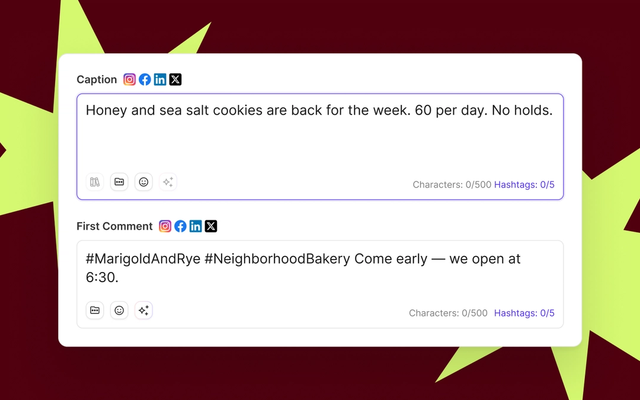
- One calendar for your locations. Schedule Reels, Stories, and carousels to your location accounts. When you create an Instagram post, you can add the location tag, hashtags, and a first comment.
- Sign-off from the people who know each store. On the Accelerate and Custom plans, approvals send posts to location managers through a no-login review link. You can add optional reminders, and the Approvals Board groups posts by status.
- Customer content, kept organized. Curate UGC from hashtags and tagged posts, and save it to the Media Library with attribution intact, on Grow and above.
- Instagram conversations in one inbox. Comments and DMs from your location accounts come into one inbox, where you can bring in a teammate with an @-mention.
- Results by location and by group. Group accounts by region or franchisee, see performance across them in Brand Summary, and send scheduled custom reports on Accelerate and Custom.
Sked Social is used by 10,000+ marketers, holds a 4.6/5 rating on G2, and is backed by 24/7 human support rated 94% CSAT. One franchise customer saves 300 hours a month.
Ready to run Instagram for every location from one place? Start your free trial today. 14-day free trial, no credit card required.