On this page
- 9 Instagram feed ideas to make your profile shine
- Instagram feed idea #1: Determine your Instagram aesthetic
- Instagram feed idea #2: Choose your brand's core colors
- Instagram feed idea #3: Highlight your brand's identity
- Instagram feed idea #4: Experiment with cohesive grid layouts
- Instagram feed idea #5: Play with words
- Instagram feed idea #6: Use great fonts and typography
- Instagram feed idea #7: Use illustrations
- Instagram feed idea #8: Create videos that tell stories
- Instagram feed idea #9: Choose a border and stick to it
- Running feed ideas for a brand or for clients
- Preview your feed with Sked Social
- Recap: Instagram feed ideas for business
Your Instagram feed is the grid of posts on your profile, and it's the first thing a new follower, customer, or client sees. For brands and agencies, finding a feed idea is the easy part. Keeping it consistent across every post, every designer, and every account you run is the hard part.
Below are nine Instagram feed ideas, each with aesthetic examples from real accounts and what a brand team can take from them. After the ideas, we cover how to run a feed idea for a brand or for clients, and how to preview the grid before anything goes live.
9 Instagram feed ideas to make your profile shine
Start with a plan. Pick one or two of these ideas per account, write them down, and give them a few weeks, so the grid has time to show the pattern.
Instagram feed idea #1: Determine your Instagram aesthetic
All great Instagram feeds have one thing in common: consistent themes and filters.
Strong brand feeds stick to one or two filters and edit every photo the same way, with the same brightness, contrast, saturation, and exposure. Some teams use stock photos picked to match. (Here are some tips for taking and editing the best photos for Instagram.)
These edits aren't random. The team decides on the ideal look and feel of the feed first, then picks filters and colors that match the brand's identity. Write the settings down, so every designer and account manager applies the same look.
Sked Social's built-in image editor can crop, resize, add text, and apply filters, so the look gets applied in the same place the post is scheduled. No separate editing app needed.
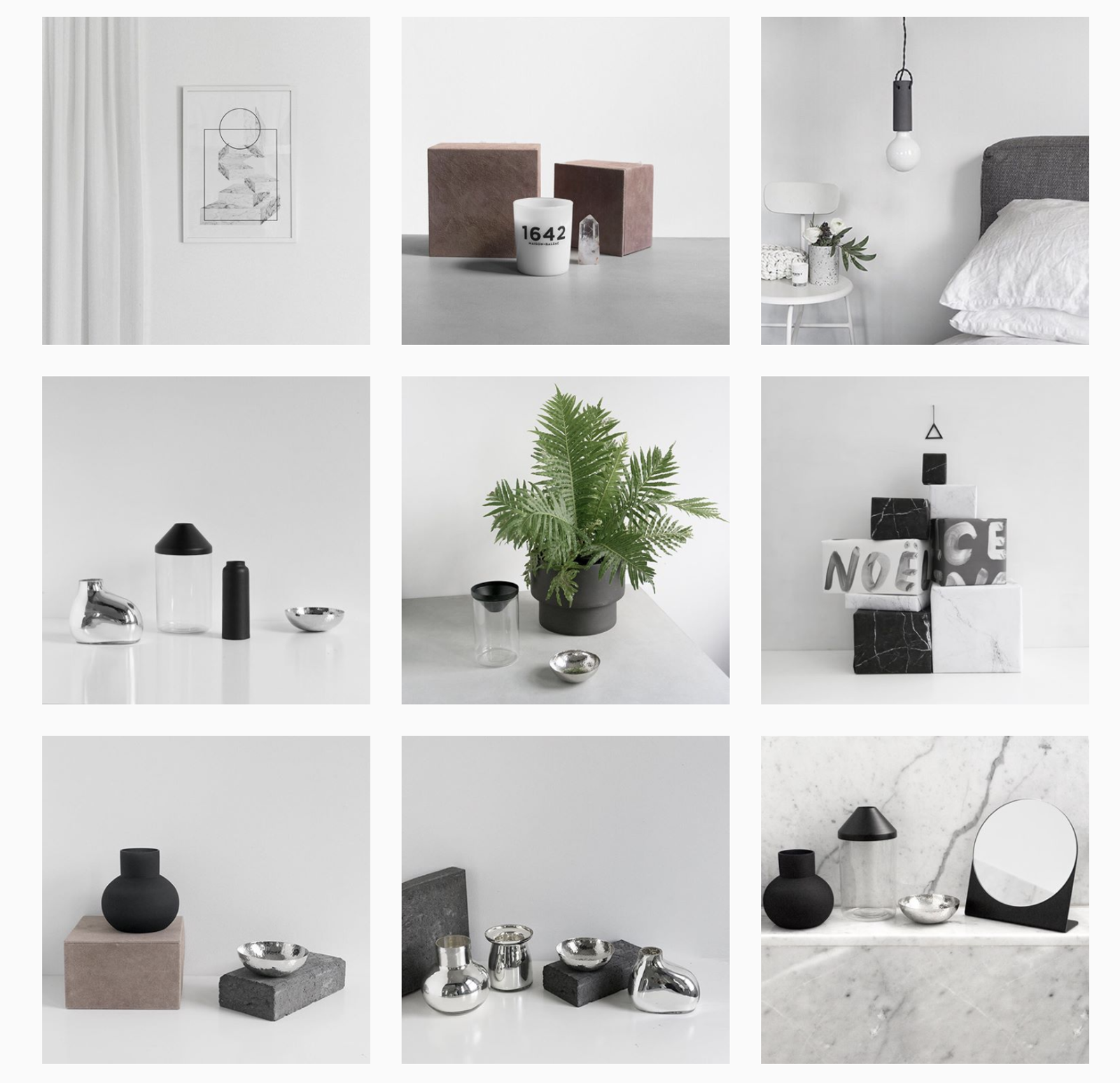
Minimalist
Minimalism is one of the most popular Instagram feed ideas in the design world, and it suits product brands. It gives every post a polished, organized frame.
The Minimalist (@minimaliststyle) is a good example. Its feed uses clean, crisp photos of its designer pieces, so the product stays the hero of every post.
Bold and vibrant
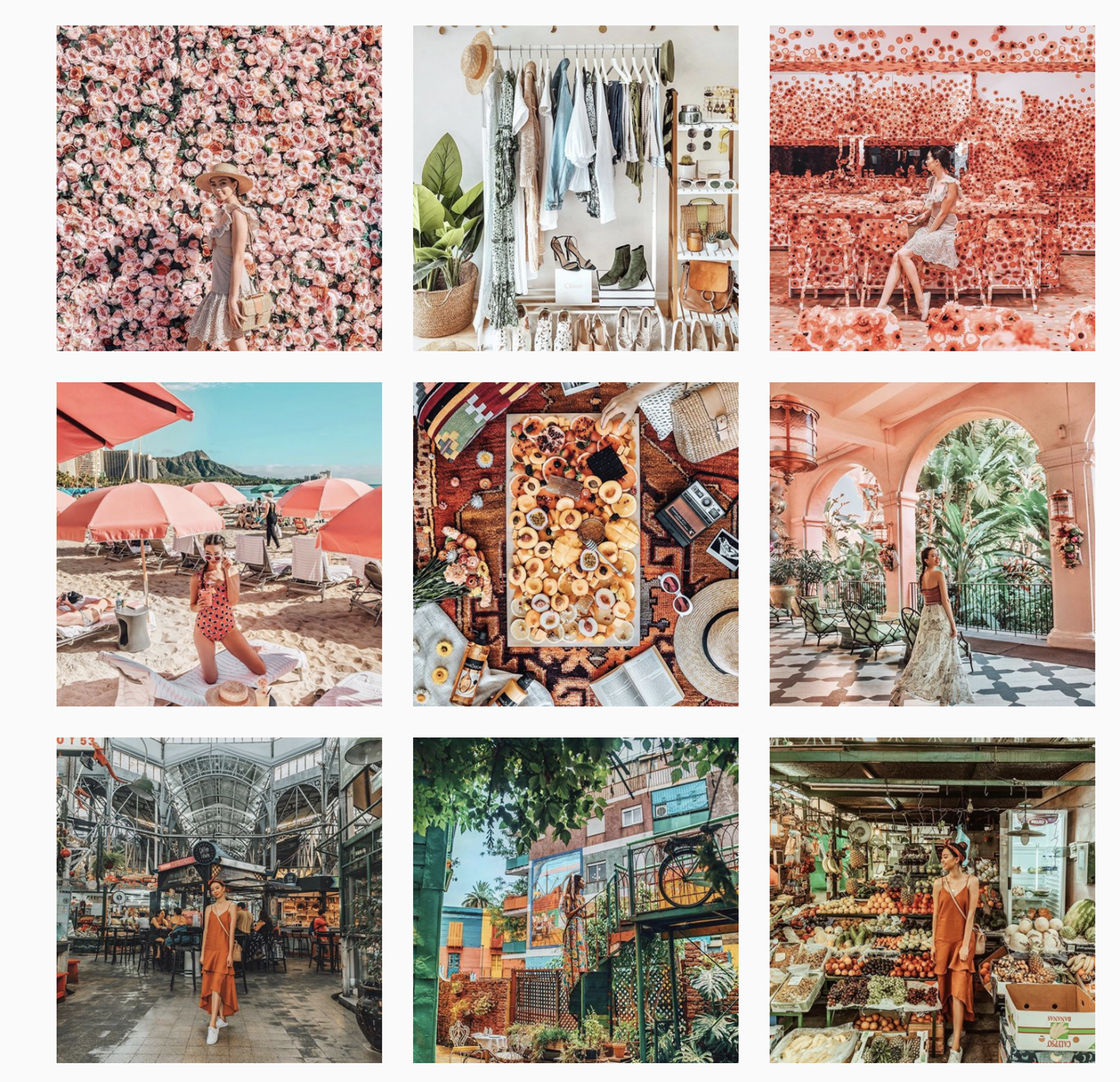
A bold and vibrant feed is one way to get visitors to pay attention.
A bright color scheme gives a fun, cheerful, youthful feel. Travel photographer Tara Whitman (@taramilktea) shows how it works.
Her feed is full of bold, saturated photos from locations around the world. A brand can borrow the same move: one saturation level and a bright palette across every post, whatever the subject.
Monochrome
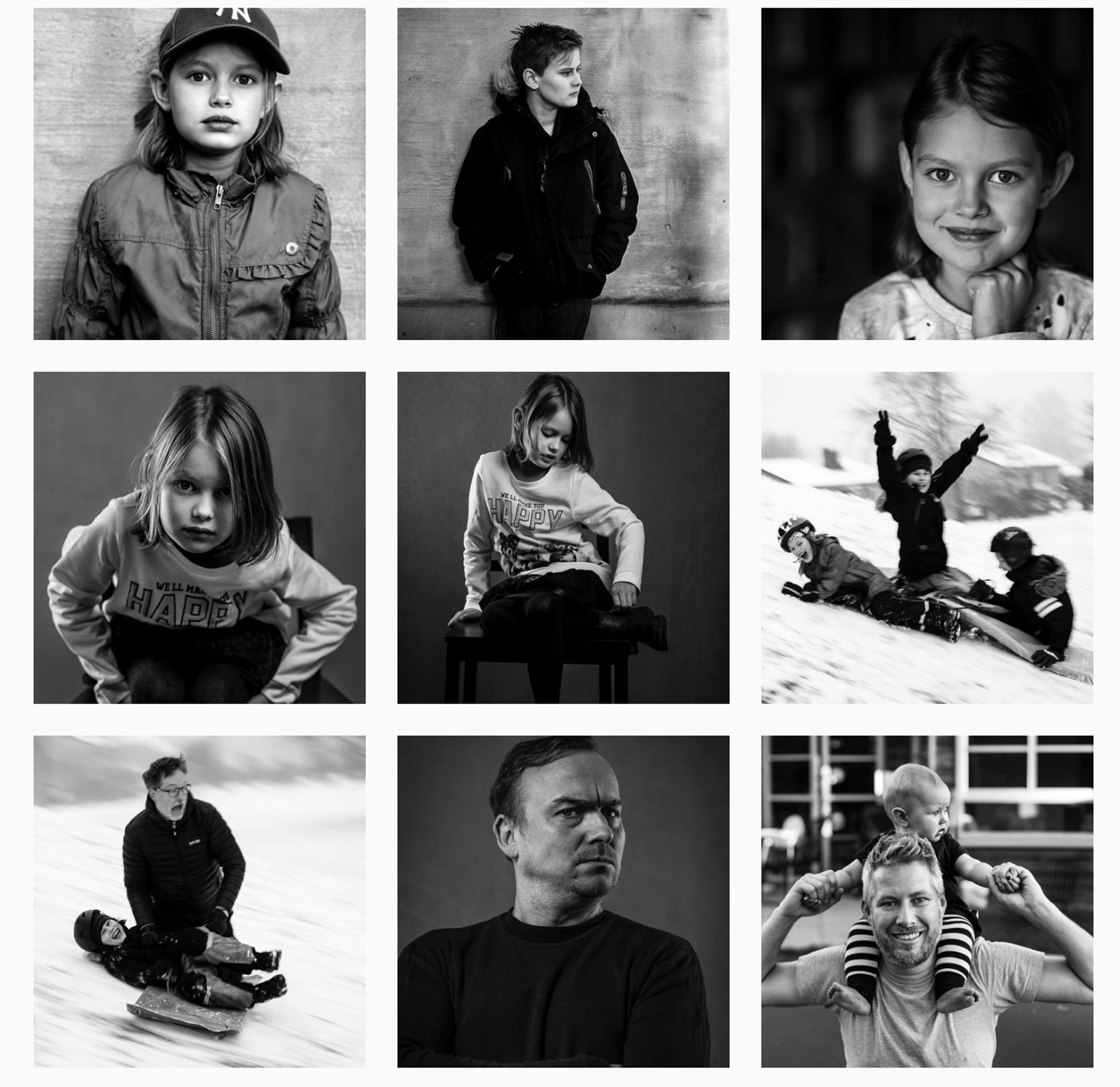
Monochrome feeds are rare on Instagram, so a black-and-white grid stands out. It also doesn't date.
It suits brands with a classic personality, and the contrast can bring out more detail in each photo.
Here's the monochrome theme on 555design's feed (@555design).
Pastel
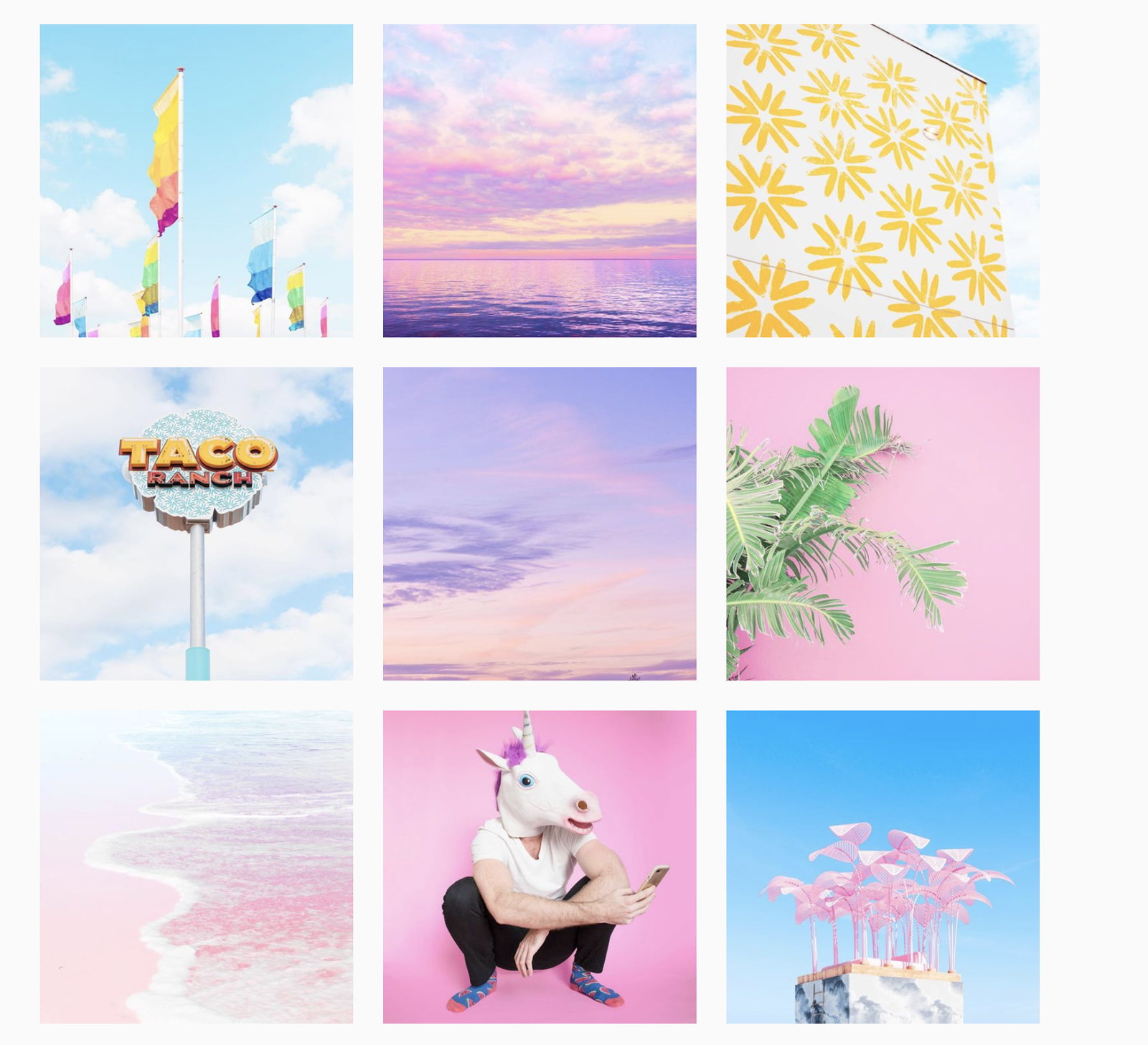
Pastel feeds are a favorite with lifestyle and beauty brands. A pastel palette is soft but still bright, so it keeps attention on the subject of each photo.
Artist Matt Crump (@mattcrump) is known for neon-pastel photos, a style dubbed "candy-colored minimalism." For a brand, the lesson is to pick a palette narrow enough that any single post is recognizable as yours.
Instagram feed idea #2: Choose your brand's core colors
One way your Instagram feed can stand out is by making your brand's core colors prominent.
Every photo should feature one or two of your core colors. That's hard if your products don't carry them, so use props, backgrounds, or a consistent color filter to bring them in.
Packaging and logo placement help too, so the product itself carries the brand's look.
If the products can't carry the colors, color-replace tools can. Apps like PicsArt and VSCO can overlay a color or swap a photo's colors for your brand's.
Related: Your complete guide to apps that will level up your Instagram presence
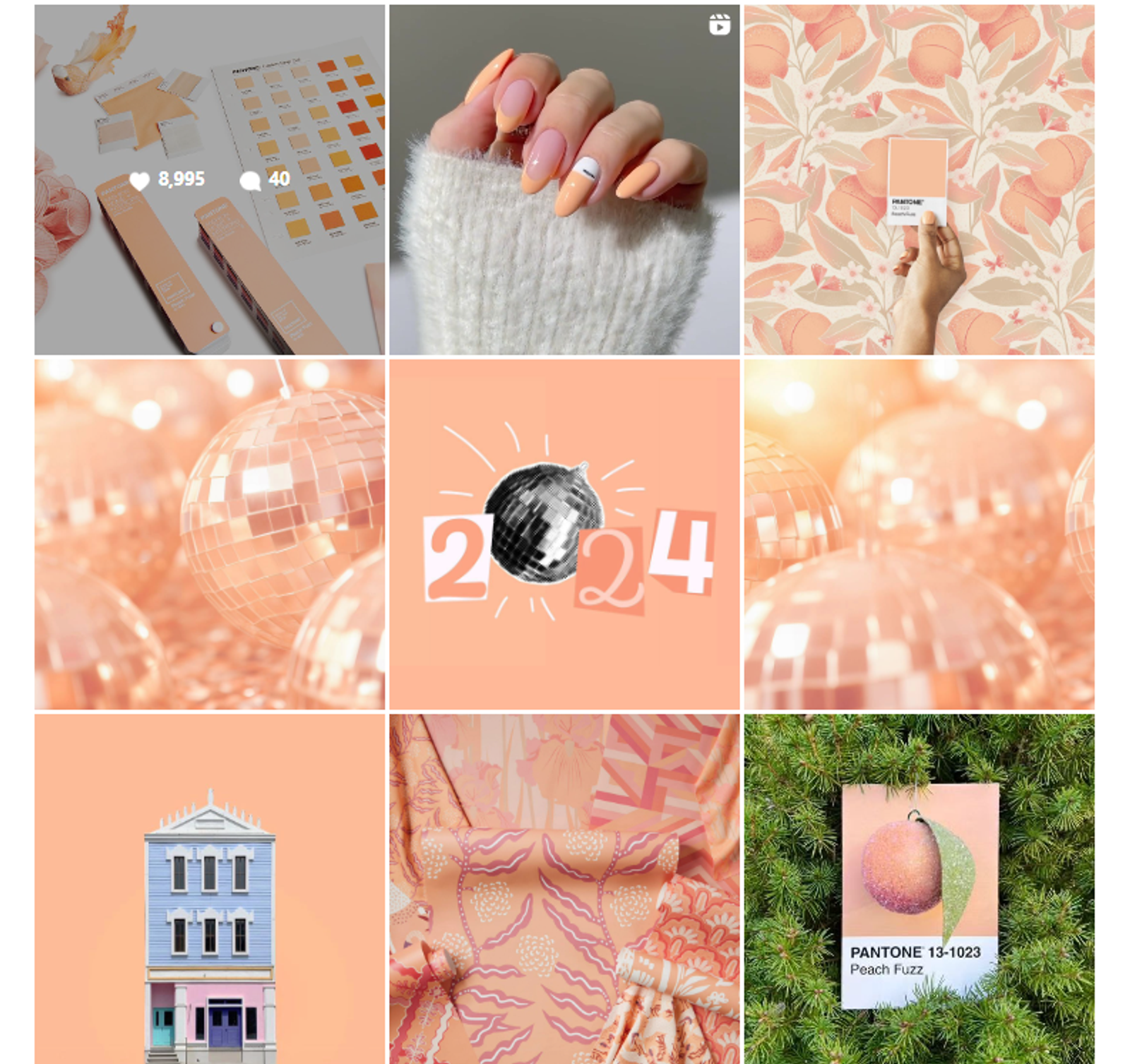
Pantone, the authority on color, is a good account to study.
Its feed picks up the Pantone Color of the Year. When Peach Fuzz was named the 2024 Color of the Year, the grid turned peach to match.
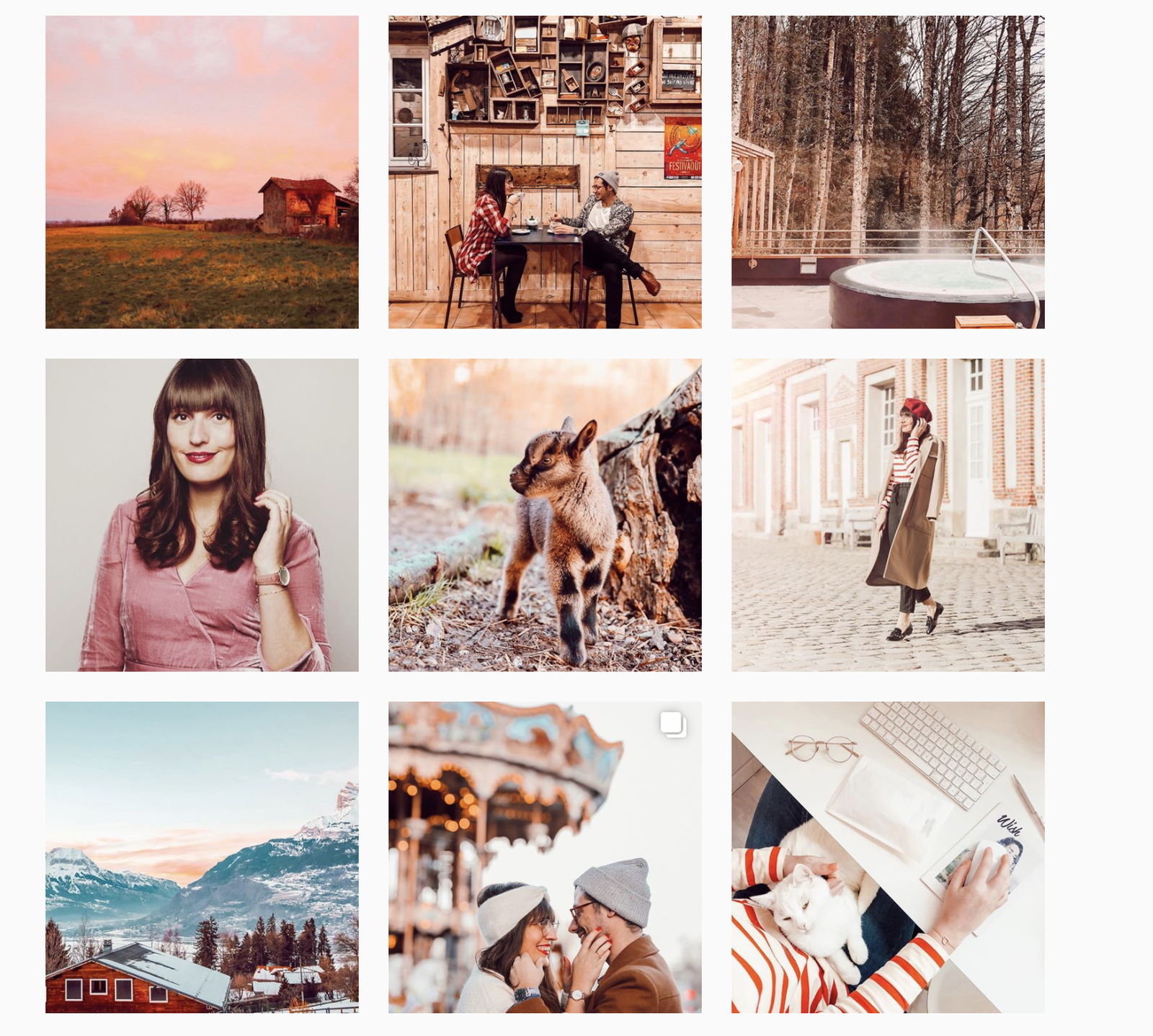
Blogger Coralie Le Breton (@ellesenparlent) posts in shades of orange and pink. It's a simple rule, but it makes each post instantly recognizable. That's the job a brand palette does in a busy home feed.
Instagram feed idea #3: Highlight your brand's identity
Another way to make your feed stand out is to build it around your brand identity.
Write down the qualities that represent your products and services. Define the brand's personality, then create posts that make it obvious.
You can also think of props and objects that can represent your brand.
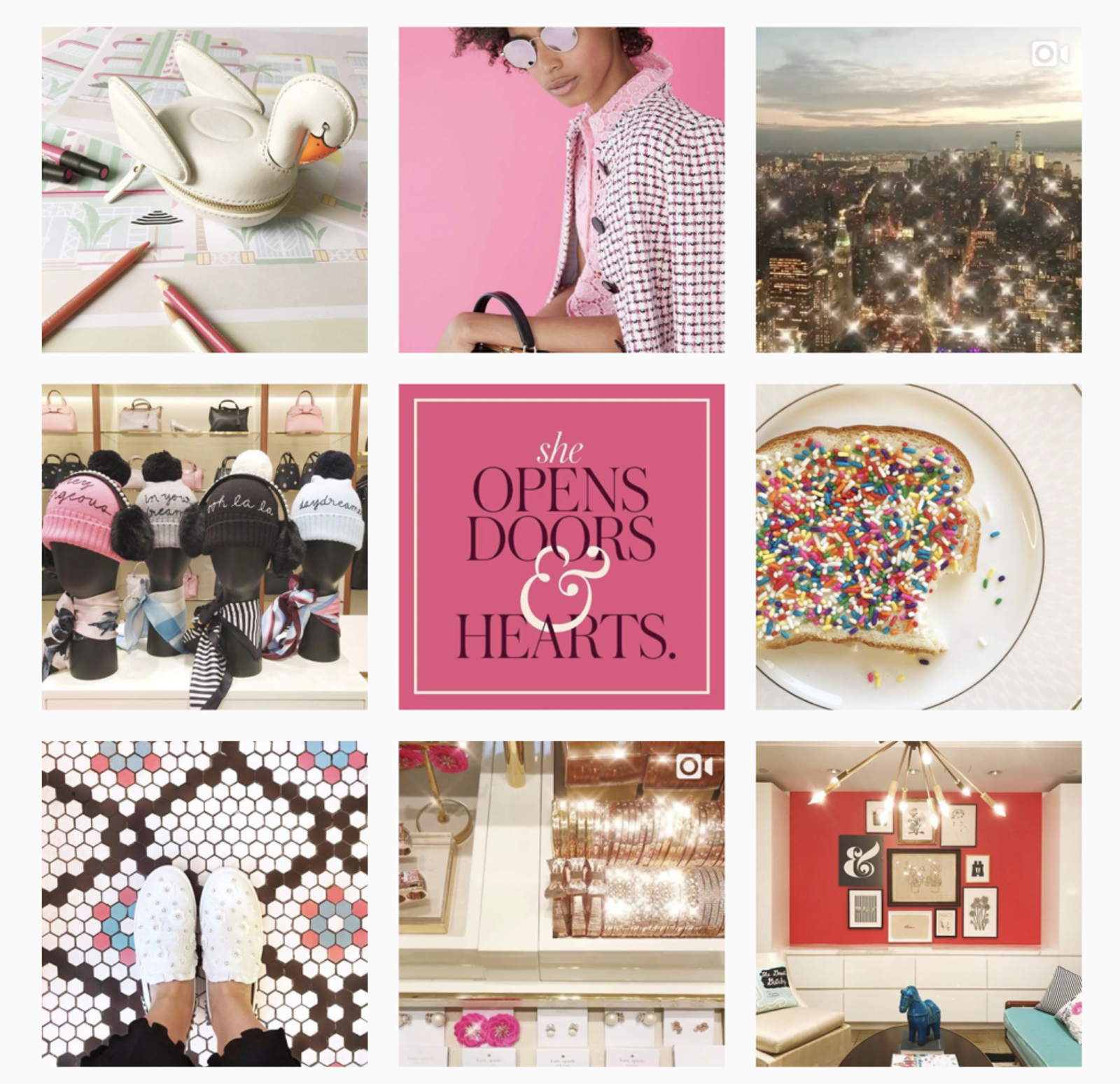
Kate Spade is a classic example. The brand defined the "Kate Spade girl" as quick, curious, playful, and strong: a free-spirited heroine who loves adventure. Everything the brand posted on Instagram matched that personality.
The feed mixed inspirational quotes, fashion, and lifestyle photos, with vibrant prints that mirrored the brand's whimsical style.
So define the personality first, then brainstorm how each post can make it more obvious. For an agency, this is the page of the client brief the whole team writes against.
Instagram feed idea #4: Experiment with cohesive grid layouts
Most accounts ignore the grid layout of Instagram. For a brand, the grid is the shop window. The first few rows are what a new visitor judges you on.
Since January 2025, the profile grid shows posts as vertical rectangles rather than squares, so the grid shows a crop of each post. Keep faces, text, and logos away from the edges. Our Instagram post size guide has the sizes that work in today's grid.
Layout patterns are where a preview earns its keep. Sked Social's Grid Preview shows an Instagram account's current grid with your scheduled posts in the positions they'll take, so you see the pattern before it publishes. More on that below.
Here are Instagram feed ideas for layout patterns that stand out. For more, see our Instagram grid layout ideas.
Puzzle layout
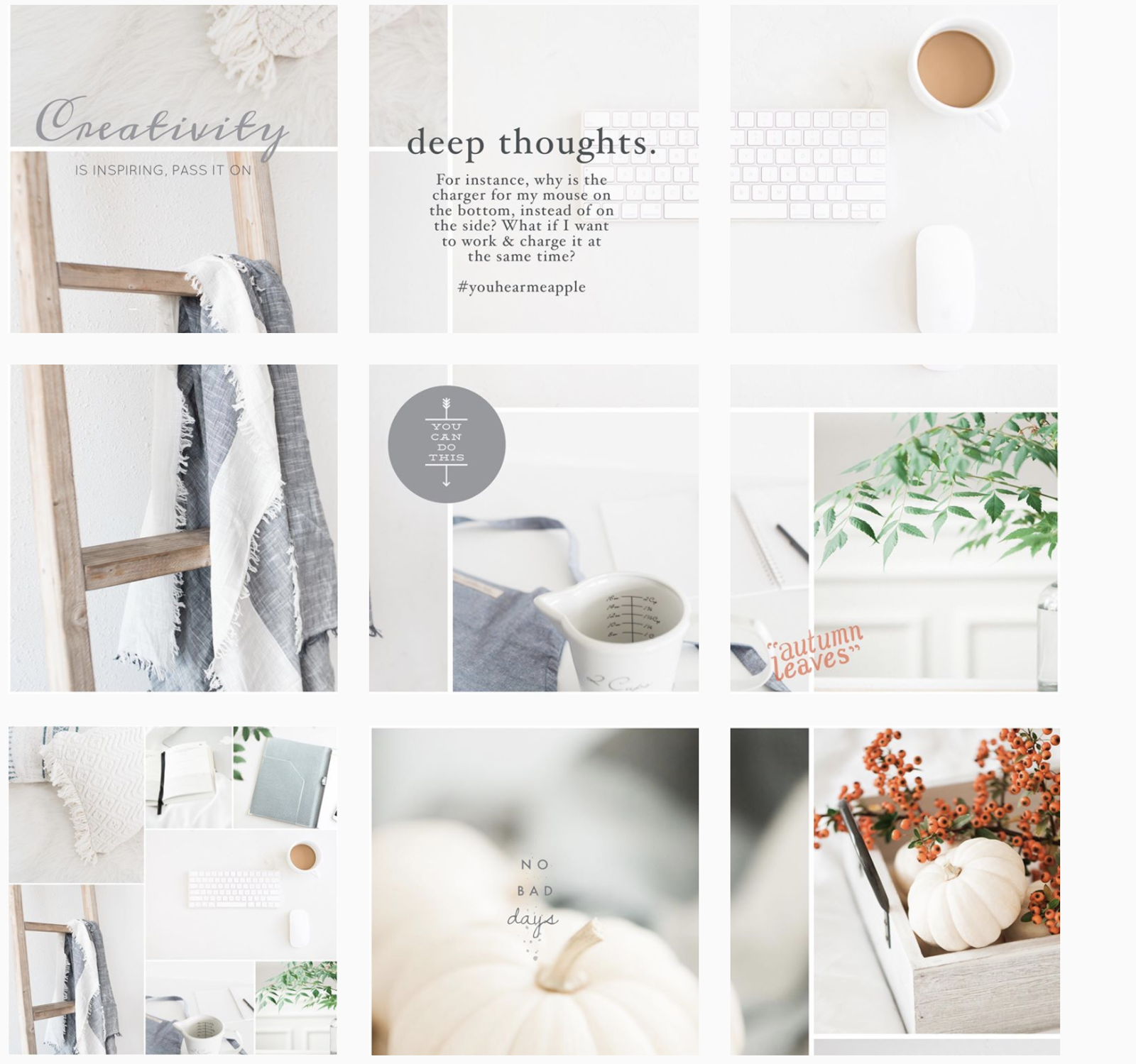
The puzzle layout is one of the hardest Instagram feed ideas to keep up. It splits one image into several posts, which you publish in order so they rebuild the bigger picture on the grid.
Here's a puzzle grid from Jana, who sells warm, inviting stock photos.
Each photo connects to the ones around it, so it's interesting to scroll down and see how they fit together. Planning one for a launch or a rebrand? See how to make a big grid on Instagram for tile sizes and posting order.
Rainbow feed
If you don't want to stick to your core colors, try a rainbow feed. The main color changes as you scroll down.
@thecheerfulchica is a good example. Each block of nine photos shares a main shade. In the image below, red leads, and each block gets lighter to make way for the next color, pink.
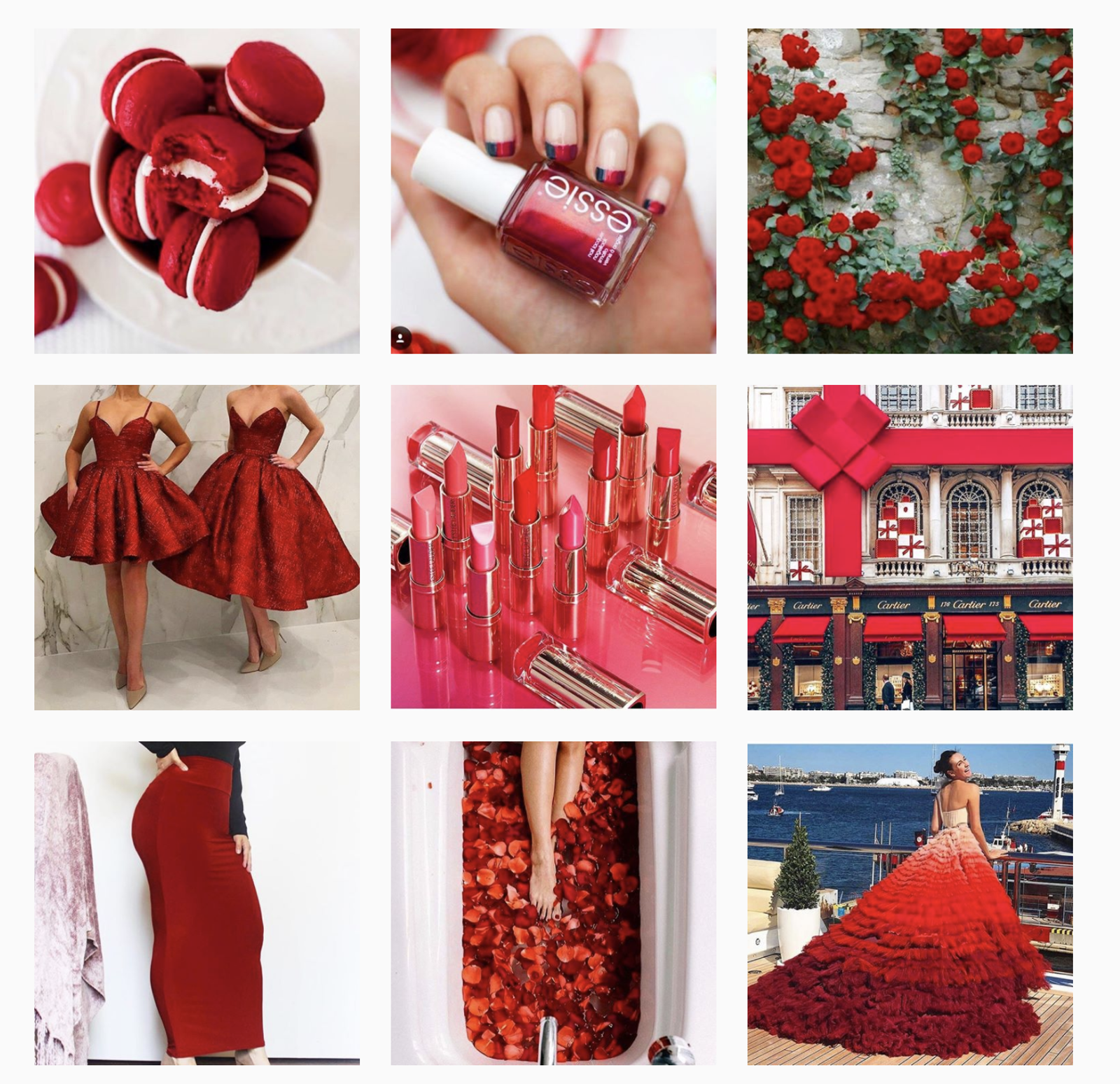
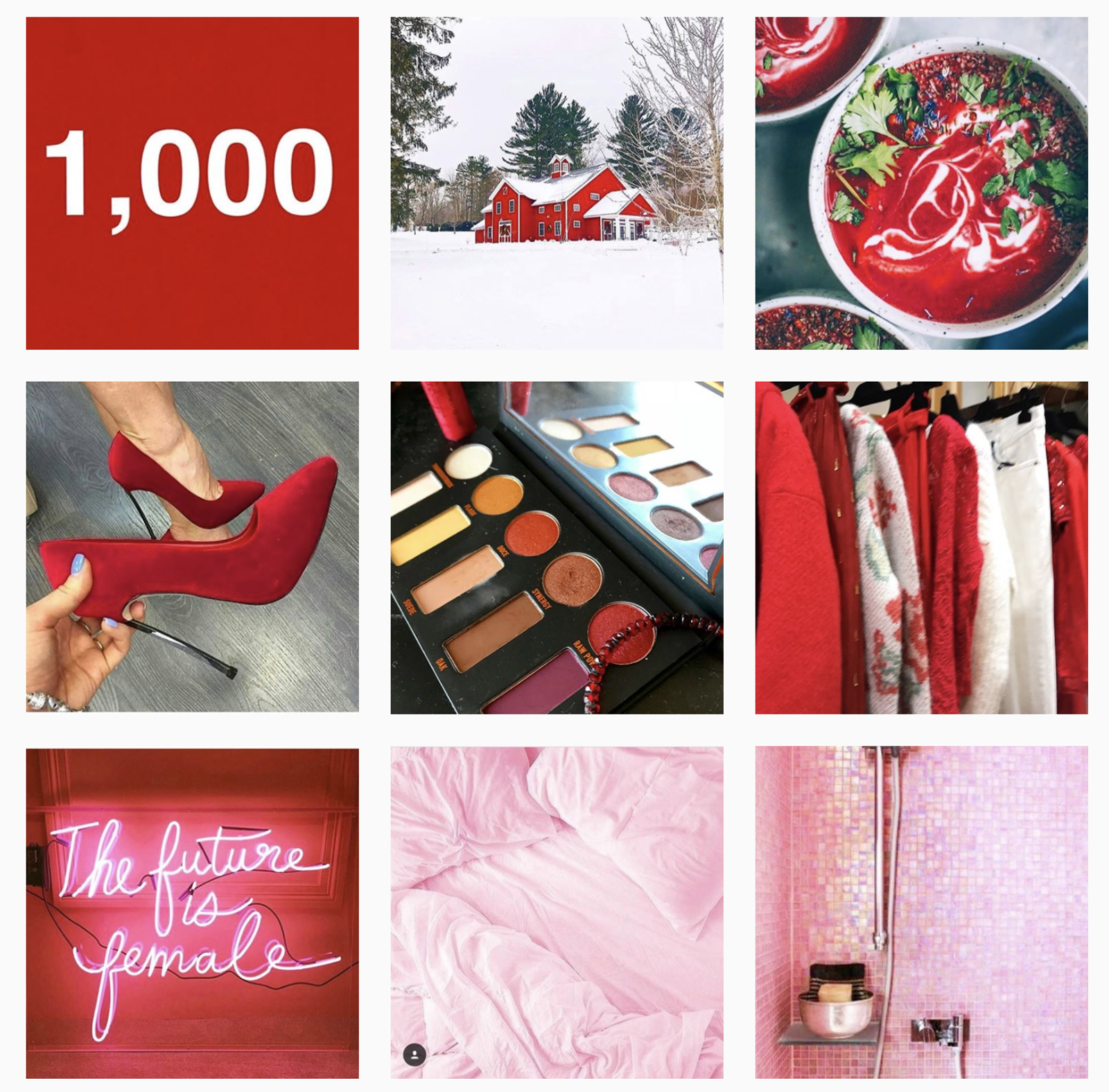
This feed takes real effort. You change color every three, six, or nine posts, so props and filters keep changing, and you have to plan each transition. For a brand, a rainbow feed works best tied to the calendar: one color per season, campaign, or product line.
Checkerboard feed
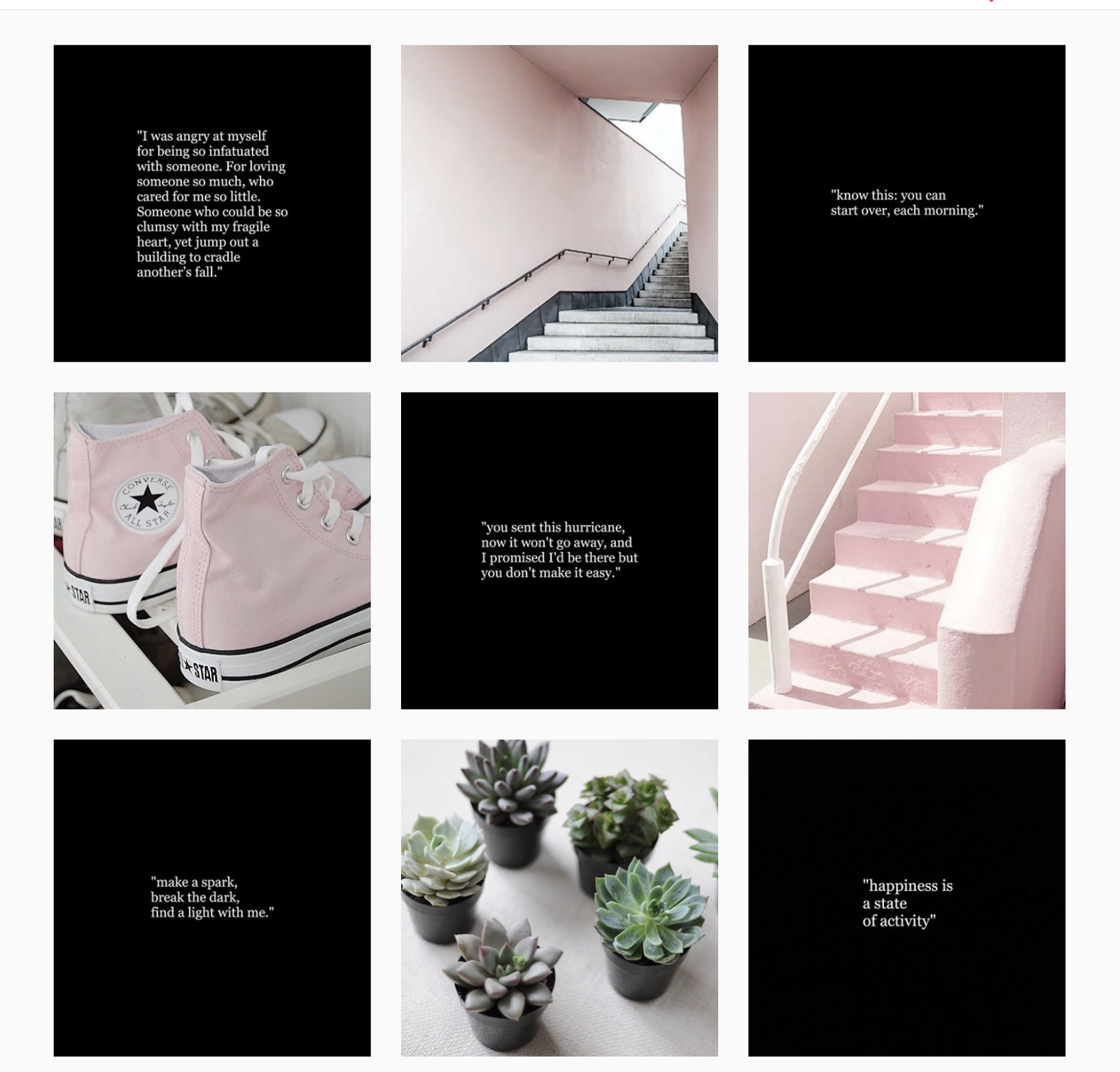
A checkerboard is one of the simplest patterns to keep up.
Every other post shares a background or color scheme. Some feeds alternate light and dark backgrounds. Others alternate photos with quote or text tiles, which suits brands that post tips, offers, or testimonials.
@cerebralmist alternated a quote on a black background with a photo.
Vertical lines feed
The vertical lines theme gives the grid a strong center.
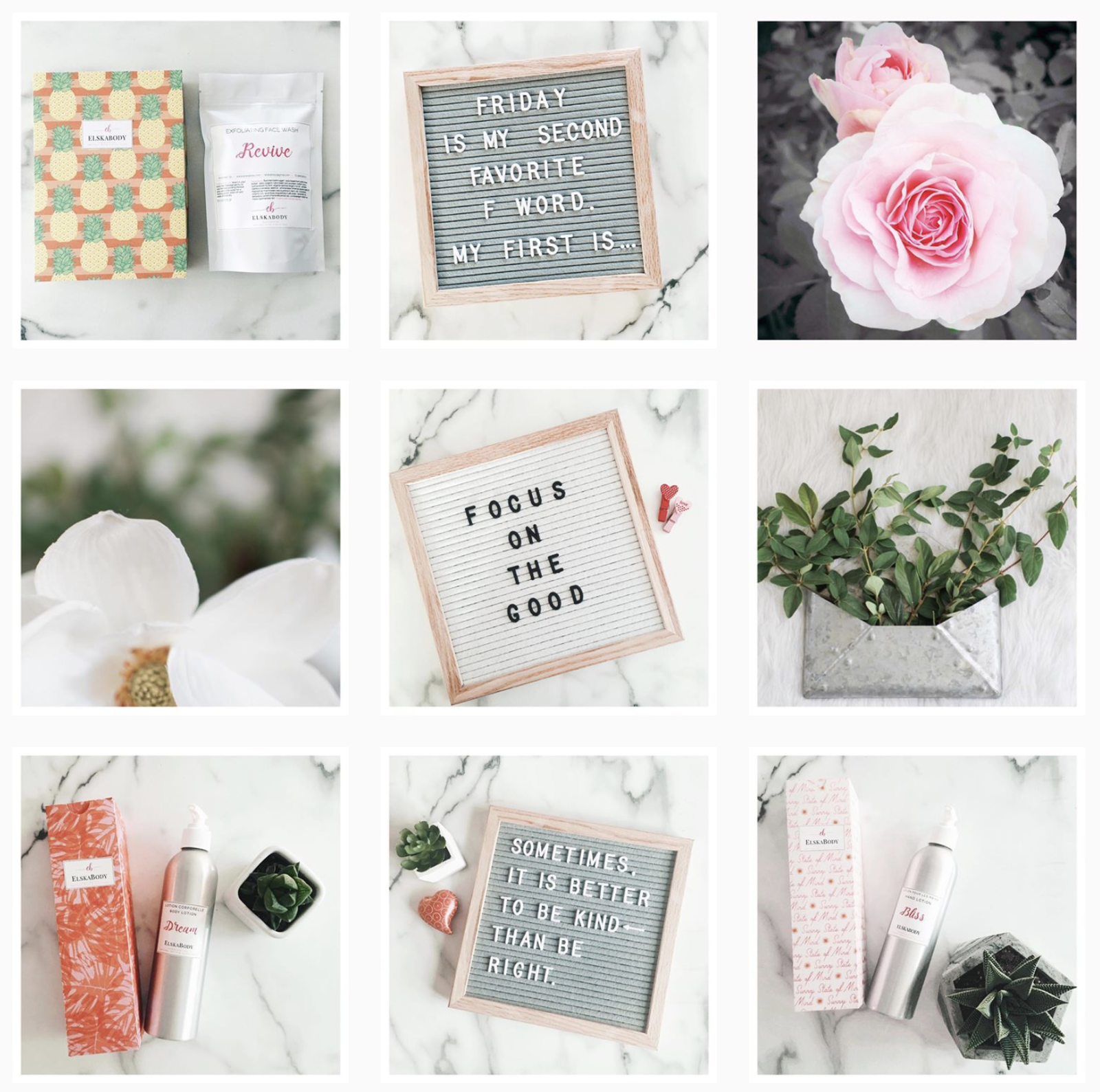
The trick is to make the middle column white, or another distinctive color.
Put quotes or text in the middle column to create a vertical line. Keep the photos on each side related to each other, and to the post in the middle.
The viewer's eye goes to the middle of the feed, and the pattern makes scrolling down more fun.
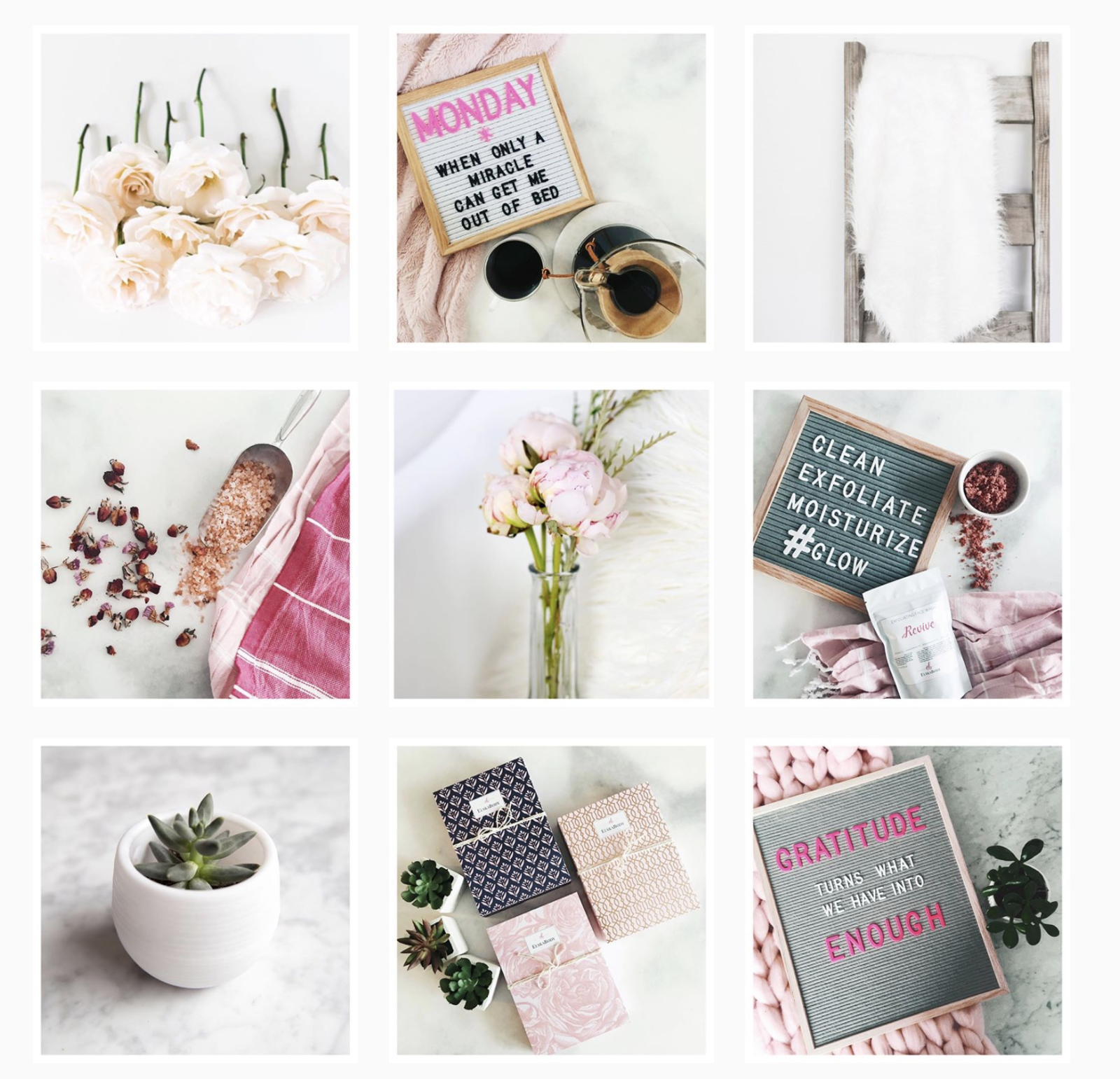
@elskabody, a natural skincare brand, posted quotes down the middle and kept the side photos in a matching style. One catch with any position-based pattern, here or in a checkerboard: a single post out of turn shifts the whole grid.
Instagram feed idea #5: Play with words
Not every brand sells something photogenic. If you're a B2B company, a service business, or a nonprofit, text-led posts can carry the message.
Use text in visuals to get the brand's message across: tips, stats, quotes, and short opinions. For text formats that invite replies, see our Instagram engagement post ideas.
Sked Social's image editor can add text to an image before you schedule it.
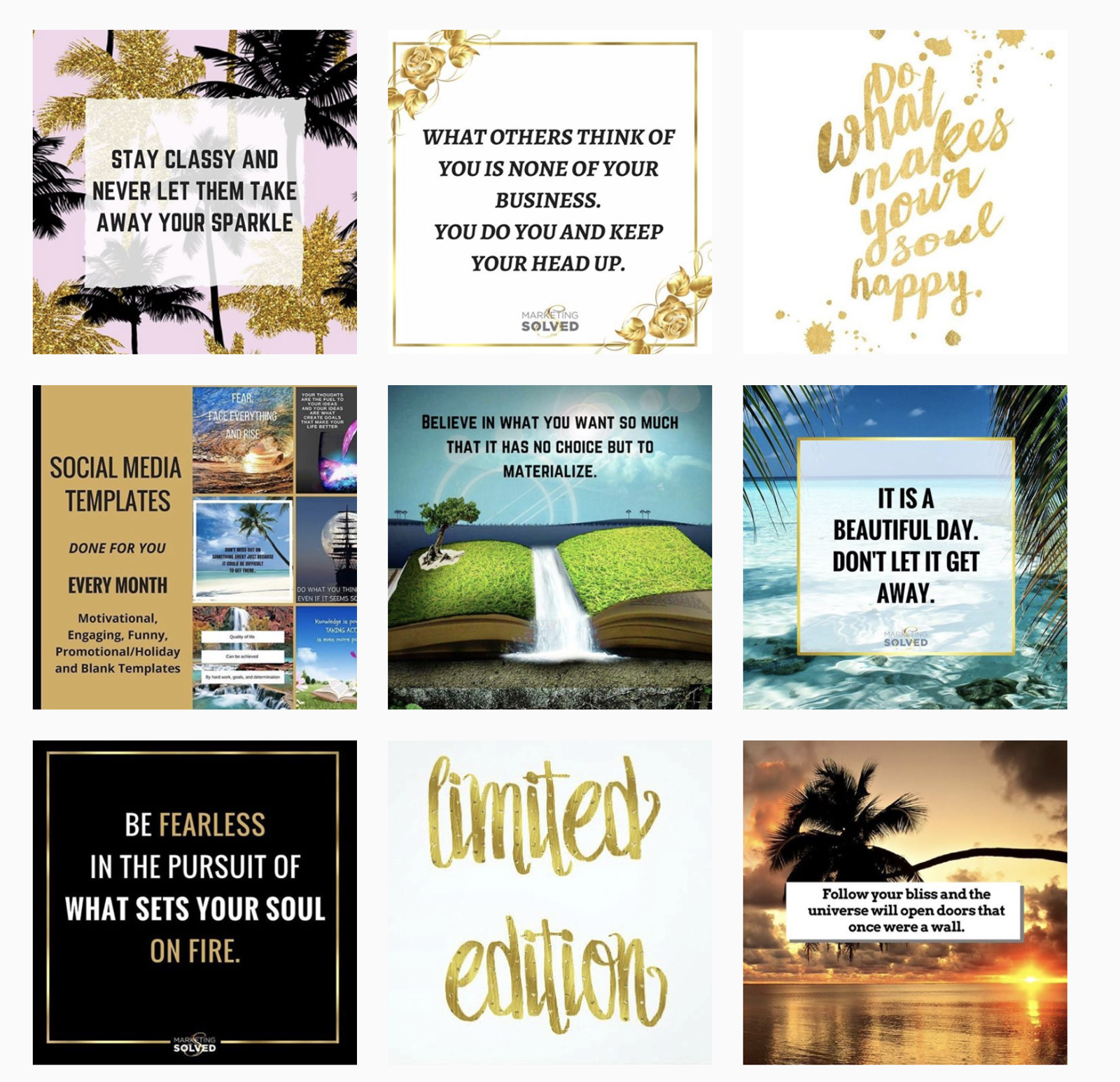
Marketing Solved is a good example. The company shares free marketing strategies, tutorials, and resources, and its feed is full of quotes for marketers and entrepreneurs. It sells less and shares more, and it built a sizable following doing it.
Instagram feed idea #6: Use great fonts and typography
Good fonts matter if you post text often. They matter most for design agencies and creative studios, where the feed doubles as a portfolio. For any brand, pick two typefaces, one for headlines and one for body text, and use them on every text post.
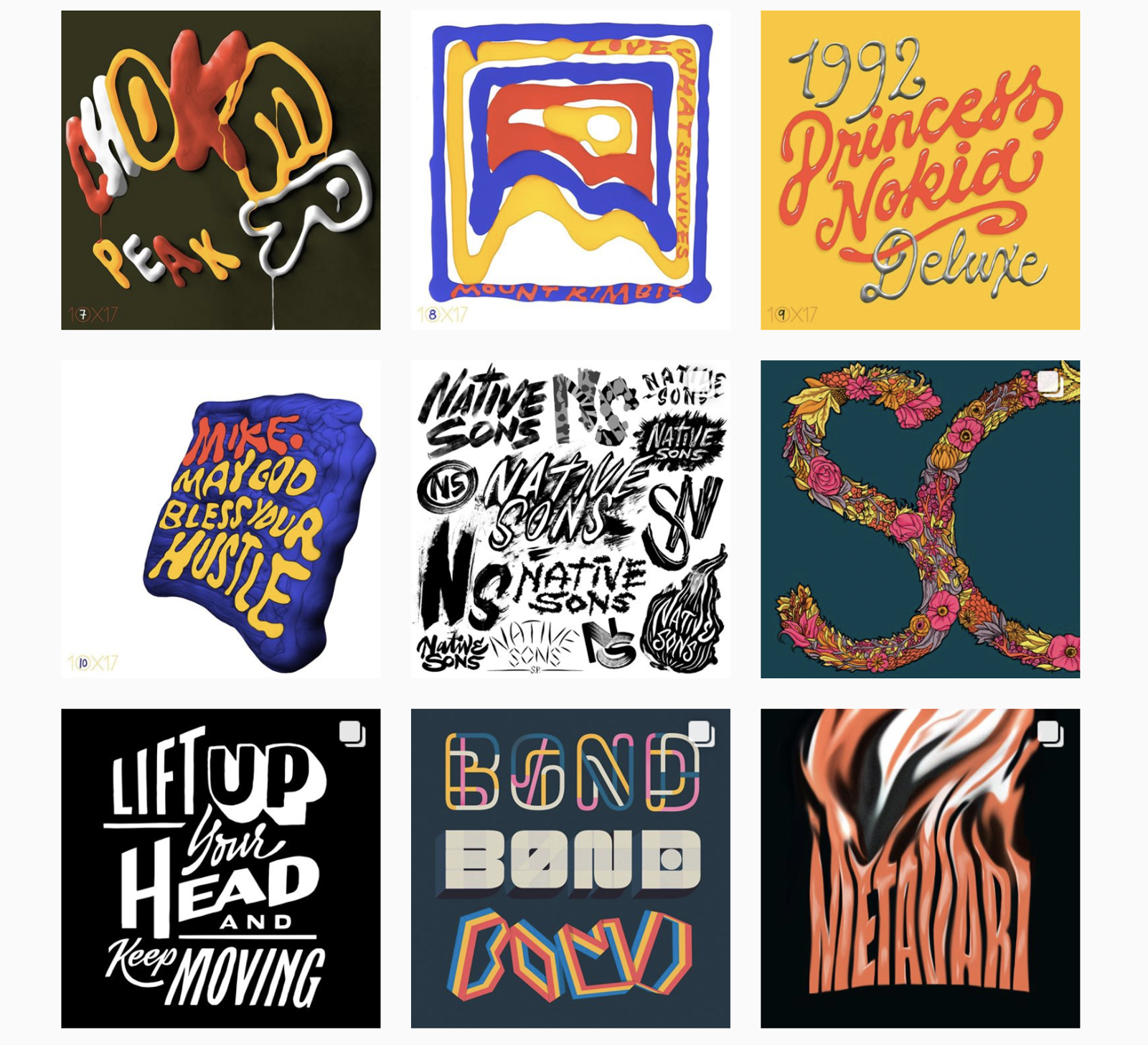
For typography inspiration, look at Erik Marinovich (@erikmarinovich), a designer, lettering artist, and business owner. His feed is full of his own work, and he has worked with brands like Nike, Target, Google, and Facebook.
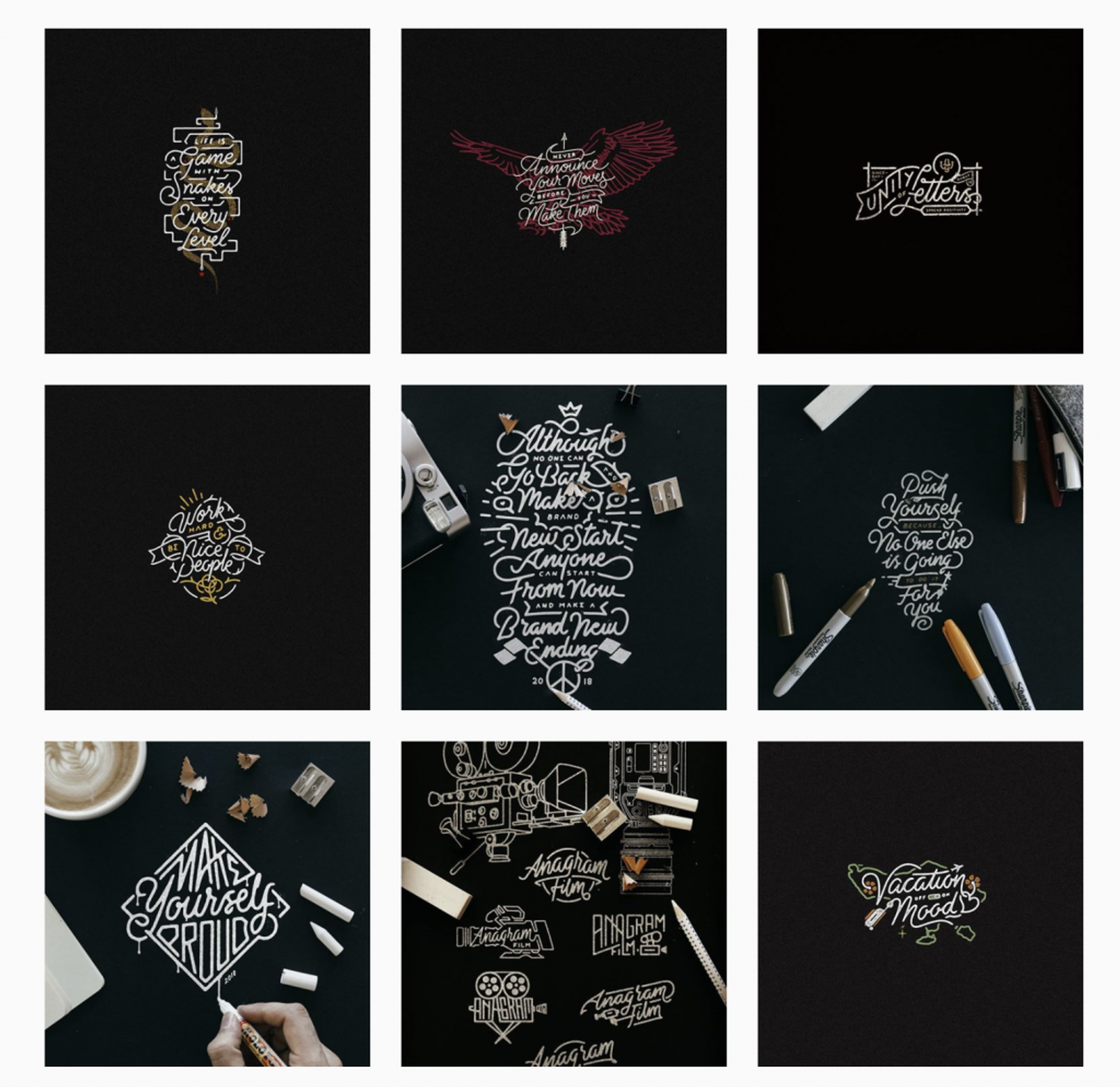
Another example is Ahda (@misterdoodle), who mixes curvy lettering and quotes into his illustrations. His clients include the Sunday Times UK and Citizen Apparel.
Instagram feed idea #7: Use illustrations
Tired of posting the same product photos every week? Say you sell pizza. Try product illustrations with a surprising twist.
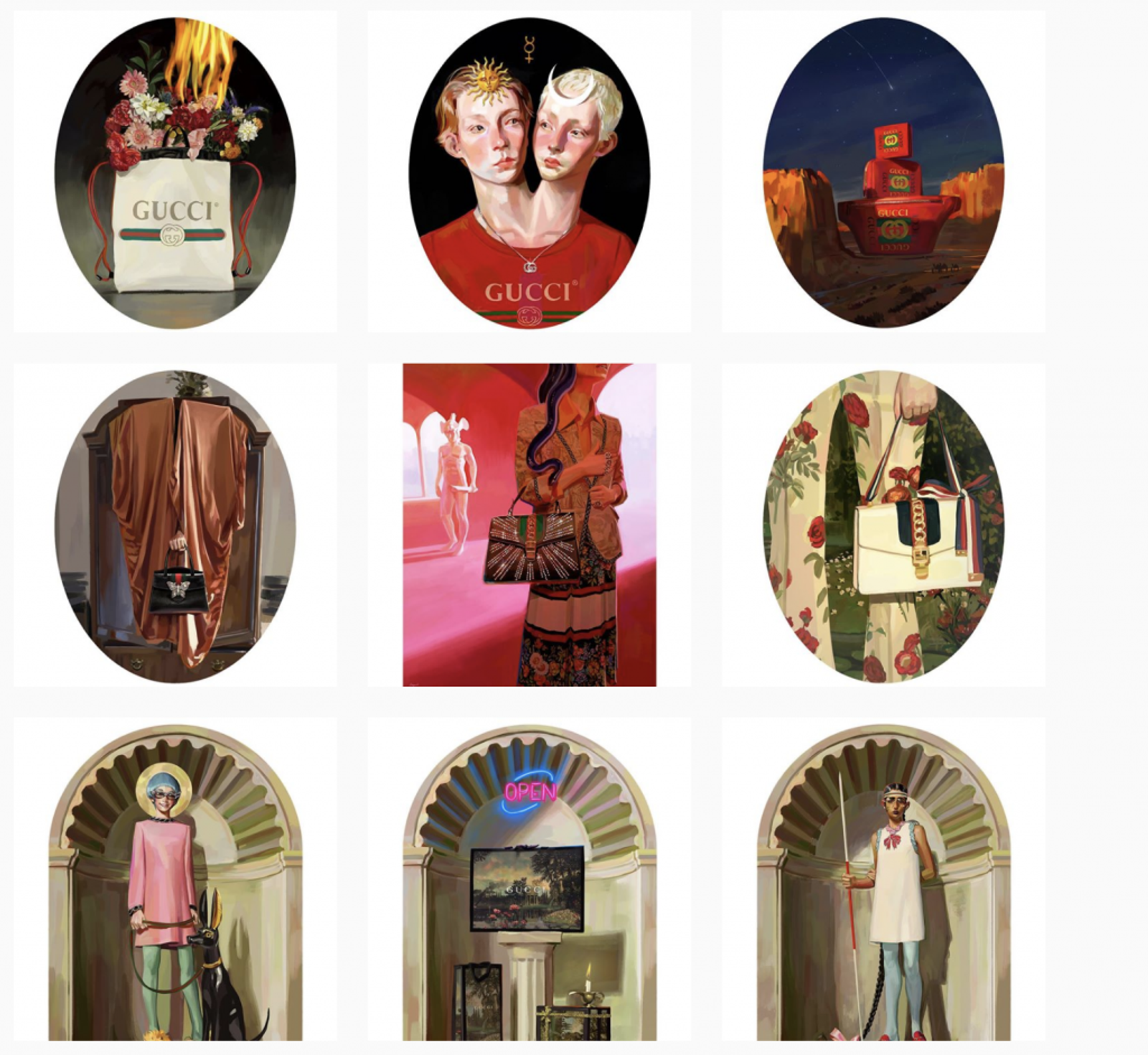
Gucci's #GucciGift campaign with artist Ignasi Monreal is a good example. The illustrations retold Greek and Roman myths, Renaissance paintings, and medieval alchemy, and each one featured Gucci's ready-to-wear and accessories.
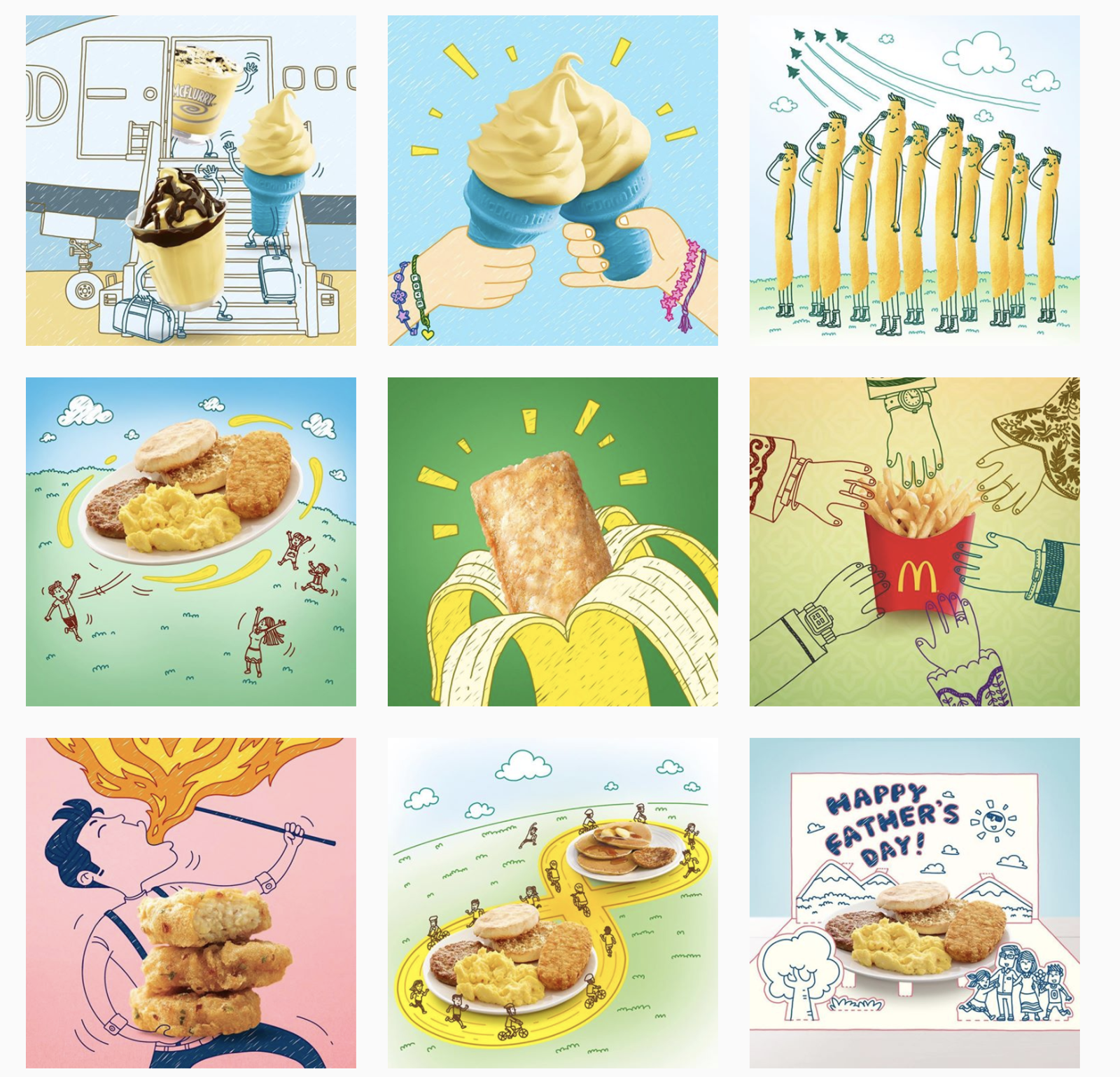
McDonald's Singapore also used illustrations to add a twist to product photos. One post put a jogging track around a breakfast meal to show it kept people on the go. Another set a fire-breathing man behind its Spicy Chicken McNuggets.
Instagram feed idea #8: Create videos that tell stories
Instagram leans hard into video, and short, creative videos stand out in a grid of still photos. Video is how a brand tells a story in a few seconds.
For inspiration, look at Zach King (@zachking).
He's known for short videos with clever visual effects. He shrinks, turns into a statue, and turns laundry into a kitten.
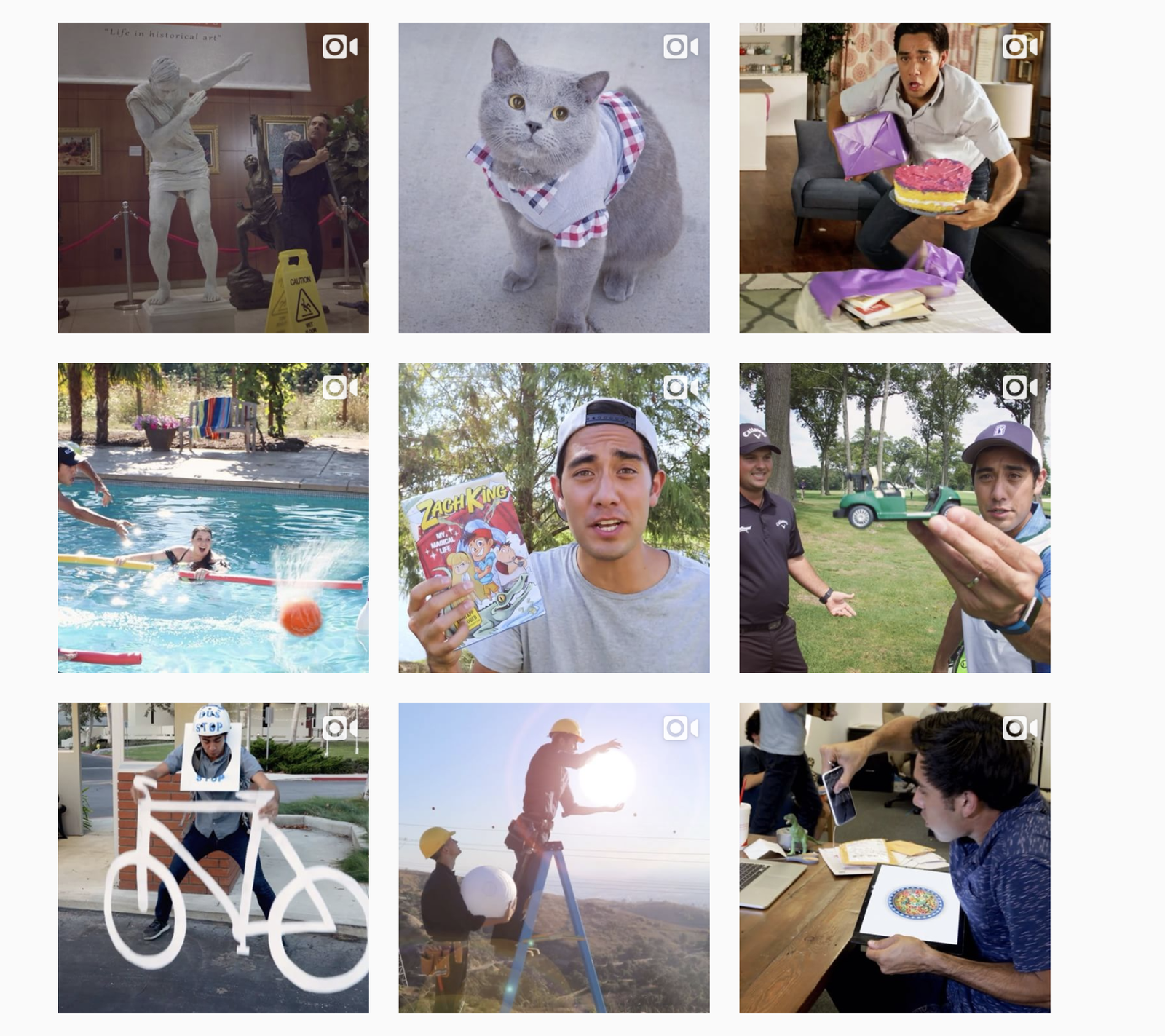
His videos usually star himself and end with an unexpected twist.
What can a brand learn from him? Know your brand's voice and personality, then build short storylines with a twist. And pick covers that match the feed's look, since the cover is what sits in the grid.
Instagram feed idea #9: Choose a border and stick to it
Choosing a border and sticking to it makes a feed look consistent, and it's easy to do.
Here are some of the most common border themes on Instagram:
White borders
A white border keeps a feed of mixed colors looking consistent, and it spaces out the photos evenly. Most image editors can add one. What matters is using the same border width on every post.
White borders are common with body and skincare brands, for a clean, fresh look.
Rectangular borders
Place a landscape or square photo on a taller white canvas, and the white space frames it.
This theme makes a feed look elegant and sophisticated. It keeps the feed clean and can highlight details in a photo.
The white space is easy on the eyes and keeps the grid uncluttered.
Since the profile grid went vertical in January 2025, the grid shows a crop of each post. If you'll schedule the post, size the canvas at 4:5 (1080 x 1350 px), and keep the photo well inside the edges.
Naomi Rahim's feed (@auroradesign) shows the effect.
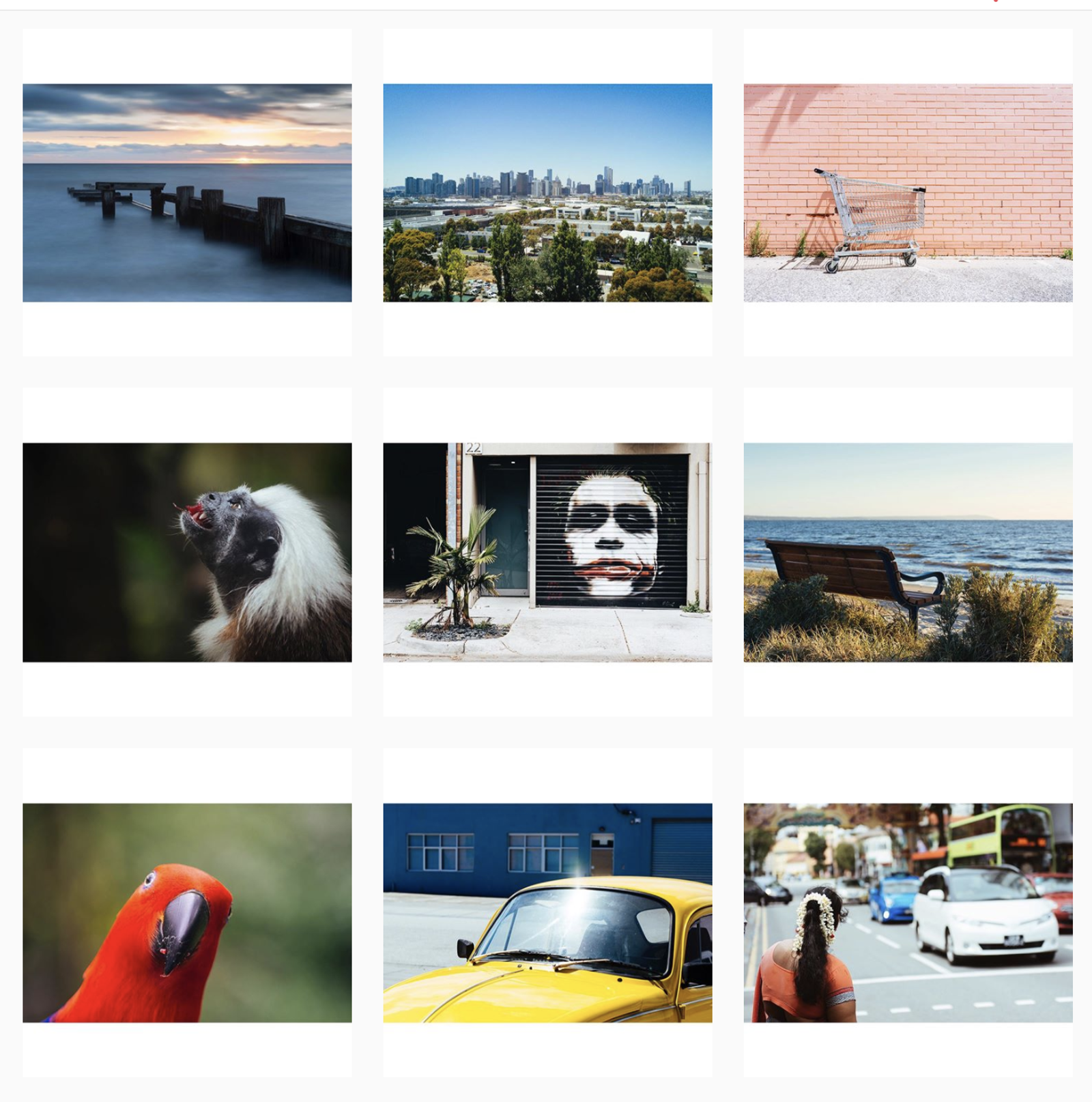
Mixed white borders
Mixed borders are another way to use white space.
Use them for a one-of-a-kind feed that highlights each photo. The white space makes each photo look a different size, so the eye goes to each one in turn.
Running feed ideas for a brand or for clients
A feed idea for one personal account can live in someone's head. For a brand, or for 10 client accounts, it has to survive handovers, new designers, and a busy content calendar. A few habits help:
- Write a one-page feed guide per account. Palette, filter settings, border, layout pattern, and fonts. New team members and freelancers work from the same page.
- Plan in blocks of nine. Build the next three rows together, so the pattern holds when they go live.
- Approve the grid, not just the post. Show the client or stakeholder how the next posts sit next to the existing feed. A post that looks fine alone can break the pattern.
- Place every format on purpose. Reels covers, carousel first slides, and text posts all land in the grid. Decide where each one sits in the pattern.
- Leave room for the unplanned. Position-based patterns like checkerboards break when a reactive post goes up. Pick a pattern that can absorb a surprise, or plan where those posts go.
- Keep one look across locations. A multi-location business can share one palette and layout across every location's account, with each location supplying its own photos.
For example, a café group with six venues might share one warm palette and a checkerboard of food photos and text posts, with each venue shooting its own food.
Preview your feed with Sked Social
Feed ideas fail one post at a time: a clashing photo, a carousel whose first slide breaks the pattern, a puzzle tile out of order. Sked Social's Grid Preview shows an Instagram account's current grid with your scheduled posts in the positions they'll take. Drag posts to change the order, check each carousel's first image, and create new posts straight from the grid. Pick any connected Instagram account to preview, so an agency can check each client's feed in turn.
You can also see the grid from the Content Calendar, though drag-and-drop ordering lives on the Grid Preview page. Grid Preview covers Instagram grids only.
Working feed ideas across a roster of brands? See how agencies work in Sked Social.
Recap: Instagram feed ideas for business
Your feed is the first impression of the brand, so plan how it looks as a whole. Here are the nine ideas:
- Determine your Instagram aesthetic
- Choose your brand's core colors
- Highlight your brand's identity
- Experiment with cohesive grid layouts (visualize your rectangular grid layout)
- Play with words
- Use great fonts and typography
- Use illustrations
- Create videos that tell stories
- Choose a border and stick to it
Planning a feed for a brand or a client? Start your 14-day free trial of Sked Social and preview the grid before the next post goes out. Every feature, no card needed.
Our content is always evolving, just like the world of social media. This post was recently updated to ensure it aligns with today's social media landscape.