On this page
- 1. Executive Summary That Actually Summarizes
- 2. Platform-Specific Performance Breakdowns
- 3. Audience Insights That Go Beyond Demographics
- 4. Content Performance Analysis
- 5. Competitive Intelligence
- 6. ROI and Business Impact Metrics
- 7. Community Growth and Health
- 8. Forward-Looking Recommendations
- 9. Visual Data That Actually Makes Sense
- 10. Strategic Planning for Next Period
- Creating Reports That Actually Drive Results
- Stop Creating Reports That Collect Dust
Let's face it—creating social media reports that actually mean something isn't just about dumping numbers into a pretty template. Your clients need reports that tell a real story about what's working, what's not, and where to go next.
With over 5.2 billion people using social media in 2025, the competition for attention is fierce. That's why you need reporting that goes beyond vanity metrics and delivers genuine insights. Here's what every killer client report should include.
1. Executive Summary That Actually Summarizes
Skip the fluff and get straight to the point. Your executive summary should answer the big question: "Are we winning?" in under 30 seconds. Include:
- Overall performance vs. goals
- Biggest wins and losses
- Top 3 takeaways for next month
- Key metric changes that matter
Think of it as the elevator pitch for your social media work—concise, clear, and compelling.
2. Platform-Specific Performance Breakdowns
Each social platform is its own beast. What crushes on TikTok might flop on LinkedIn. Break down performance by platform because context is everything:
- Instagram engagement rates and Story completion
- Facebook reach and video view duration
- LinkedIn click-through rates and professional engagement
- TikTok video completion rates and shares
Don't lump everything together—your client needs to understand where their content shines and where it needs work.
3. Audience Insights That Go Beyond Demographics
Age and location data? That's table stakes. Dig deeper into:
- When your audience is actually online and engaging
- Which device types drive the most conversions
- Content format preferences (video vs. image vs. text)
- Engagement patterns throughout the week
This intel helps you optimize posting schedules and content types for maximum impact.
4. Content Performance Analysis
Show which content types are absolute gold and which ones are falling flat. Engagement is the clearest indicator of how well your content resonates with your audience, so break down:
- Top-performing posts by engagement rate
- Content themes that consistently perform
- Optimal post lengths and formats
- Hashtag performance and reach amplification
This section should be your content strategy roadmap for the coming month.
5. Competitive Intelligence
Your clients want to know how they stack up. Include competitive benchmarking that shows:
- How your engagement rates compare to industry averages
- Content gaps your competitors are filling
- Trending topics they're capitalizing on
- Opportunities they're missing that you can grab
Social media analytics tools like Sked Social reveal exactly how competitors engage their audiences, including what they post, which formats get the best response, and how those interactions trend over time.
6. ROI and Business Impact Metrics
This is where you prove your worth. Connect social activity to real business outcomes:
- Website traffic driven from social channels
- Lead generation and conversion rates
- Email signups from social campaigns
- Sales attribution where trackable
7. Community Growth and Health
Follower count is nice, but community health tells the real story:
- Quality of new followers (real vs. bot accounts)
- Engagement rate trends over time
- Community sentiment analysis
- User-generated content volume and quality
8. Forward-Looking Recommendations
Don't just report what happened—tell them what to do next. Include:
- Content strategy adjustments based on performance data
- Budget reallocation recommendations
- New platform opportunities worth exploring
- Seasonal content planning suggestions
Make your recommendations specific and actionable, not vague suggestions.
9. Visual Data That Actually Makes Sense
Charts and graphs should tell stories, not confuse people. Use:
- Clear trend lines showing growth or decline
- Color-coded performance indicators
- Easy-to-scan comparison tables
- Screenshot examples of top-performing content
In 2025, top tools auto-generate polished, board-ready reports—complete with insights like "Video content drove 73% of Q3 leads".
10. Strategic Planning for Next Period
End every report looking forward, not backward. Based on your data, outline:
- Next month's content themes and campaigns
- Recommended posting frequency adjustments
- A/B testing opportunities to explore
- Long-term strategic pivots to consider
Creating Reports That Actually Drive Results
The best social media analytics tools and best social media management tools for agencies make this process seamless. When you're comparing social media reporting tools, look for platforms that offer:
Essential Features for Agency Success:
- Multi-platform integration: Connect all your clients' accounts in one place
- Customizable reporting templates: Brand them for each client
- Automated data collection: No more manual number-crunching
- White-label capabilities: Make the reports truly yours
Why Sked Social Wins for Agency Reporting
Sked Social makes creating these comprehensive reports a breeze. With Sked's deep analytics (plus a little AI brainpower) show you what's working and where to double down, you get:
- Custom reporting tailored to each client's needs
- Advanced analytics that go beyond surface-level metrics
- Competition monitoring to see the complete picture your clients see
- AI-powered insights that help turn data into valuable recommendations
Yes! Sked supports custom and white label reporting for agencies! Use our Custom Reports to create one-off or recurring reports tailored to clients or stakeholders, delivered straight to your email. Plus, you get our pro-level AI summaries that you can send as is, or edit to personalize the commentary to your client or stakeholder.
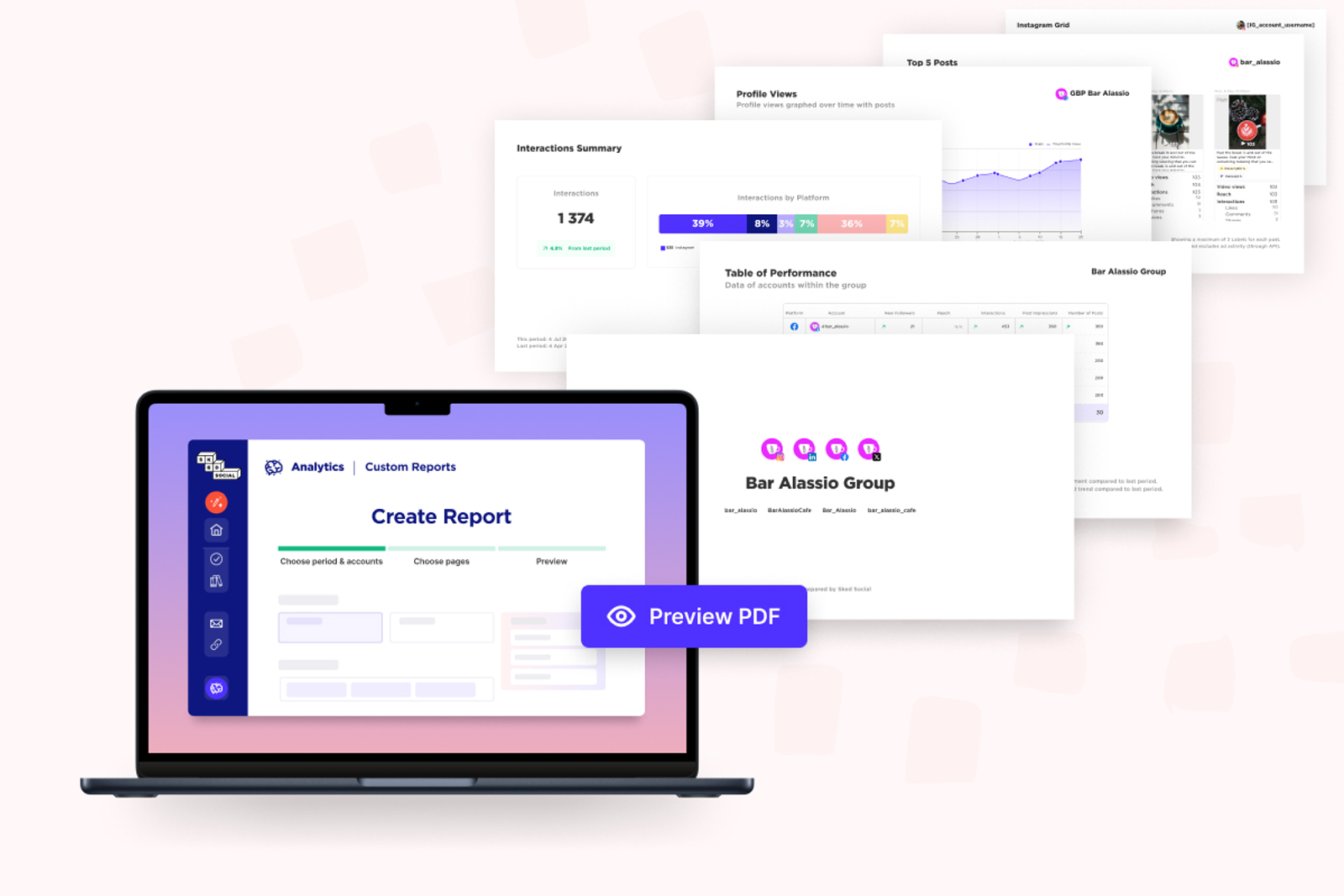
The best social media scheduling tools and social media monitoring tools for agencies integrate seamlessly with reporting, so you're not juggling multiple platforms. Sked Social combines powerful social media planning tools with robust analytics in one affordable package.
Stop Creating Reports That Collect Dust
Your social media reports should spark conversations, drive decisions, and prove ROI. They're not just data dumps—they're strategic documents that guide your client's social media success.
Ready to create reports that actually matter? Start your free 14-day trial with Sked Social and see how easy comprehensive social media reporting can be. With role-based permissions, AI-powered insights, and custom reporting features, you'll spend less time pulling numbers and more time driving client results.