On this page
- Key takeaways
- What is white label social media reporting? A clear 2026 definition
- The levels of report branding: what white label really delivers
- What to include in a client-ready social media report: a proven template
- The metrics that belong in a social media report: outcome over vanity
- How to set up white label social media reports for clients (step-by-step)
- One branded client surface: approvals, calendar, and reporting together
- Expert tips and best practices for 2026
- Top challenges and fixes
- Transform your client reporting with Sked Social
Client reporting is where agencies keep or lose the retainer. This guide covers what white label social media reporting actually means in 2026, the report clients read in under five minutes, the metrics that belong in it, and how to build one branded template you reuse every month.
Key takeaways
- White label social media reporting means presenting social performance under your agency's brand instead of a tool's. It is always reporting done for a client.
- White label is a stack of levels, from a co-branded PDF to a fully vendor-free surface. Be straight with clients about the level you actually deliver.
- The report clients read is outcome-led and takes under five minutes. Lead with results against goals, not a follower count.
- 33% of marketers say measuring marketing ROI is their number one challenge, so a clear report is how you justify the retainer.
- Sked Social's Custom Reports builds co-branded multi-account reports, with recurring delivery and editable AI summaries. Branding and recurring delivery come with the Accelerate plan and above.
Reporting is not admin. It is the monthly moment where a client decides whether your work is worth paying for. Done well, a branded report renews the retainer before anyone brings up the invoice.
What is white label social media reporting? A clear 2026 definition
White label social media reporting is the practice of presenting social media performance data to clients under your own agency brand instead of a tool's brand. In plain terms, it is a branded report an agency, freelancer, or consultant sends on a client's behalf, with your logo, your name, and your framing on the front, not the software vendor's.
White label is not a single switch. It is a stack of levels, and honest agencies know which one they are actually selling:
- Your logo, brand name, and a “prepared by” line on the report.
- A live, view-only report link a client can open with no login.
- A custom domain on the report URL.
- A branded sender email so delivery comes from your address.
- Full removal of the vendor's branding across every surface.
Vendor marketing often blurs a co-branded PDF with a fully vendor-free experience, and clients notice the gap. The rest of this article is straight about which levels each approach truly delivers.
This matters more every year. In the HubSpot 2026 State of Marketing report, a survey of more than 1,500 global marketers, 33% named measuring marketing ROI as their single biggest challenge. Your report is where that measurement lands in front of the person paying for it. One quick note on a common mix-up: white label social media reporting is not white label SEO. The first is branded performance reporting. The second is reselling another provider's search work. Same word, different service. Because platform metrics and APIs shift constantly, treat any reporting advice older than a year with caution, and check that your tooling reflects the 2026 metric changes covered below.
The levels of report branding: what white label really delivers
Here is the honest version many vendor pages skip. There is a real difference between a report that carries your brand and a report that hides the tool completely, and pricing your service on the wrong assumption is how agencies get caught out on a client call.
Level one is what most agencies genuinely need. Sked Social's Custom Reports builder lets you add your agency or client logo and brand name, plus a “prepared by” line with your name, then export the finished report as a PDF or Excel file. Branded reports and exports come with the Accelerate plan and above. Level two needs a distinction that is easy to miss. Sked Social can share a live, view-only Insights link for Instagram, Facebook, and LinkedIn that a client opens without logging in, for 7, 30 or 90 days, which is genuinely useful between reports, but that view carries Sked Social's own interface, not your brand. The branded artifact is the exported file. Call it what it is, a co-branded report plus a no-login live Insights view, and you will not be caught out on a client call.
The reason branding depth matters at all is trust and perception. In the same HubSpot 2026 research, 37.9% of marketers said leadership now views marketing as less important to the business than in past years. When your client's boss opens a report that clearly came from a random tool, it reinforces that perception. When it opens under your agency's brand, tells a clear story, and is easy to read, it does the opposite. Branding is not decoration here. It is the difference between a report that gets skimmed and one that gets forwarded to the person who approves the budget.
What to include in a client-ready social media report: a proven template
A social media report template is not a KPI dump. The best ones are opinionated, outcome-led, and readable in under five minutes. Here is a reusable six-part structure that works across almost any client.
- Branded cover and executive summary. Your logo, the client name, the period, and three to four sentences on what happened and what you did about it.
- Headline KPIs versus goals. The four or five numbers that map to what you agreed at onboarding, each shown against its target and the previous period.
- Per-platform breakdown. A short section per channel, whether that is Instagram, Facebook, TikTok, LinkedIn, or Google Business Profile, so nobody has to guess where results came from.
- Content and top-post performance. The posts, Stories, and Reels that actually moved, with a line on why they worked.
- Traffic and conversions. How social sent people to the site and what they did there, using UTM tagging and GA4 website attribution.
- Recommendations and next priorities. Two or three specific things you will do next month.
Picture a boutique agency reporting on a hospitality client across Instagram and Facebook. The executive summary leads with “bookings-driven traffic from social rose this month,” the KPI row shows engagement rate and click-throughs against goal, and the recommendations section commits to more Reels around the new menu. That is a report a busy owner reads and trusts.
Build this once and reuse it. In Sked Social's Custom Reports, the report builder offers sections that map almost one to one to this template, including Summary, Posts, Stories, Reels, Labels, Social Listening (with competitor and audience views), and Paid Social. Each section has its own account and date-range selector, so a single report can span multiple client accounts, which is what lets one branded template serve your whole book of clients. The underlying data comes from Insights, available on all plans, with a GA4 Website Traffic section for the channel-mix and landing-page part of the story. On the Accelerate plan and above, export the report as a PDF or download an Excel version. Treat the template as a checklist, and reporting stops being a monthly scramble.
The metrics that belong in a social media report: outcome over vanity
The fastest way to lose a client's attention is to lead with vanity. Raw follower counts and bare impressions feel impressive and prove almost nothing. Outcome metrics do the work: engagement rate, reach rate, follower growth, click-through rate, conversions, video and Reels views, and share of voice. Report on what changed for the business, then support it with the raw numbers for anyone who wants to dig.
Define the terms that tools calculate differently, because a junior or a client can be misled by a number they assume they understand. In Sked Social's Insights, a post's engagement rate counts likes, comments, saves, shares, and reposts, divided by the followers the account had when the post went out. Reach rate is each post's reach divided by followers, averaged across the posts in the period. Spelling that out in the report, or at least agreeing it once, stops the awkward “your engagement rate looks different from my other tool” conversation.
One 2026 change matters for anyone comparing numbers over time. Meta is retiring several legacy Reach and Impressions metrics across all Graph API versions in June 2026, so agencies need to update how they pull and label reach-based numbers. Sked Social's Insights already pull the replacement metrics Meta recommends. If your report straddles that date, label clearly which metric applies to which period, because the underlying definitions differ and trends are easy to misread.
Period-over-period comparison is what turns a number into a story. Sked Social compares against the previous period, and on the Accelerate plan and above custom comparison periods add the previous quarter or the previous year, which is far more useful than a single month floating in isolation. Feed the conversions side with Sked Social's automatic UTM tagging and GA4 website attribution, and show paid alongside organic by connecting a Meta Ad account. On what to leave out: drop any metric with no meaning for that client's goals. And when a month is soft, do not bury it. Contextualize it, name the cause, and lead with the fix. A reporting tool comparison can help you pressure-test which metrics your stack actually surfaces cleanly.
How to set up white label social media reports for clients (step-by-step)
Setting up branded, recurring client reports is a five-step job once, then it runs itself. Here is the practical sequence in Sked Social, on the Accelerate plan and above.
- Connect and group accounts by client brand. Use Accounts & Groups to organize each client's social accounts into a named group. Groups scope the report to one client cleanly.
- Choose the metrics and sections for that client. In Custom Reports, add the sections that map to your template and select the accounts and date range for each. Keep only what serves that client's goals.
- Add branding. Upload your agency or client logo, set the brand name, and add the “prepared by” details. This is where the co-branded surface comes together.
- Set the cadence. Choose one-off or recurring. For recurring reports, set the day and time the report generates, using the account timezone, then check the Next runs preview to confirm the schedule before you save. Recurring reports use rolling ranges such as last month or last quarter.
- Deliver with the right permissions. Send as a PDF or Excel file, or schedule recurring email delivery. Control who can build versus who can only send using the Custom Reports team permissions: Full access, Download only, or No access.
Pro tip: set the recurring time to a business hour in the account's timezone, not yours, so a client in another region never receives a report at 3am. Common mistakes to avoid: leaving a vanity section in that you meant to cut, forgetting to reassign a new account into its client group, and setting the schedule in the wrong timezone. Once the template and schedule are right, reports go out automatically each month, and one branded template reused across clients scales your delivery without adding headcount. That automation payoff is real. In the HubSpot 2026 research, 73% of marketers said their budget faces more scrutiny than in the past, which is exactly why on-time, on-brand reporting cannot be the thing that slips.
One branded client surface: approvals, calendar, and reporting together
Here is an angle few tools frame well. Reporting is one half of the client relationship. Approvals are the other, and clients experience both as your brand. When the same client approves content through a branded no-login portal and then receives results in a co-branded report, your agency feels like a finished product rather than a stack of logins.
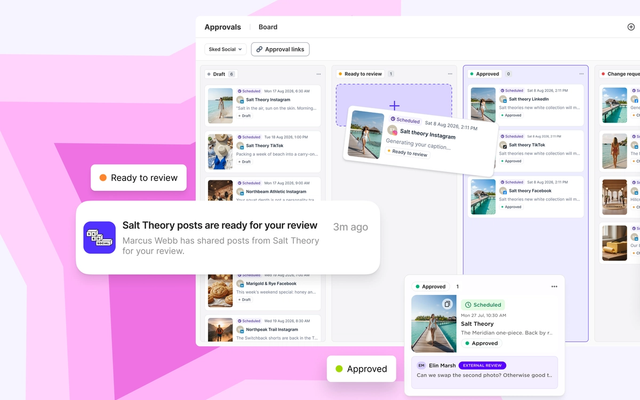
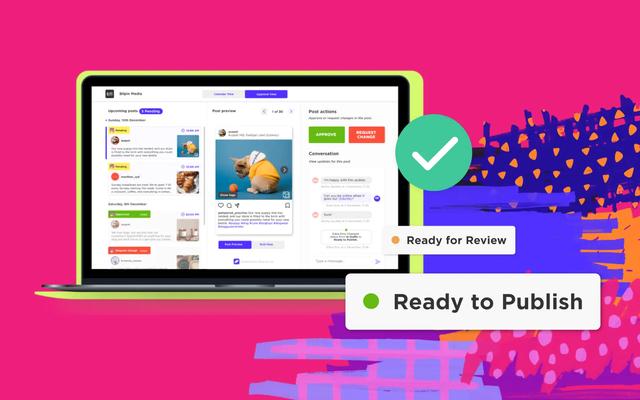
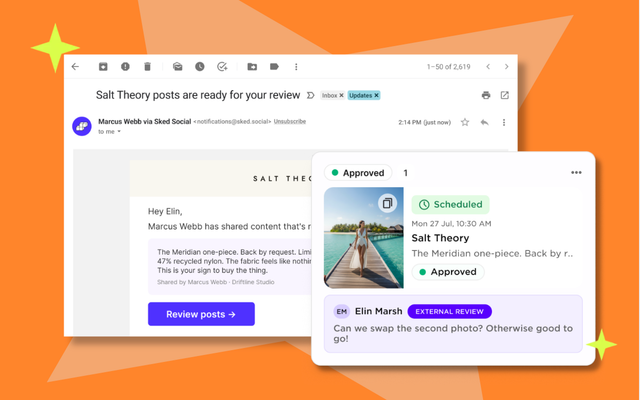
Sked Social's Approvals portal gives external clients a branded, no-login space to review upcoming posts, see a read-only content calendar, and approve, reject, or request changes. The external review portal is included on the Accelerate plan and above. Pair that with a co-branded report, and the client's view of your work, from sign-off to results, carries your brand. That single branded thread from approval to report is genuinely hard to replicate by stitching separate tools together.
AI belongs in this surface too, without the overclaiming that fills the category. In the HubSpot 2026 State of Marketing report, 86.4% of marketing teams said they use AI in at least a few marketing areas. Sked Social's Custom Reports includes editable AI performance summaries in the report preview. You can proof and adjust them, change the length between short, medium, and large, change the level of detail, or switch the language before the report goes out. The key word is editable. The AI drafts the summary, you keep the judgment, and the client gets a clear narrative in your voice rather than a wall of charts.
On pricing fairness, a quick and honest note. Sked Social includes 3 users on the Grow plan and 6 on the Accelerate plan. Check the current Sked Social pricing for exact plan details before you quote a client.
Expert tips and best practices for 2026
Reporting rewards discipline more than effort. A few habits separate the agencies that renew retainers from the ones that scramble every month.
Agree the KPIs at onboarding, in writing. The metrics in month one's report should be the ones you promised on day one. Changing the scorecard mid-engagement, even to look better, quietly erodes trust. Write down two or three outcome metrics per client and hold the line.
Lead every report with a story, not a chart. The executive summary is the only part some stakeholders read. Spend real time on it. Say what happened, why, and what you are doing next, in plain sentences. The charts are evidence for the argument, not the argument itself.
Standardize, then personalize. Build one branded template with the six-part structure, then adjust only the account groups, goals, and commentary per client. Sked Social's per-section account selectors are what make a single template stretch across many clients without a rebuild each time.
Automate the delivery, keep the human touch. Set recurring reports to generate and send on a fixed day, then add a short personal note or a two-minute video walkthrough for your priority clients. The machine handles the logistics. You handle the relationship. If website outcomes are part of your promise, the social-first GA4 guide for agencies is a useful companion for wiring up attribution properly.
Finally, report on a soft month honestly and early. A drop you explain before the client notices is a sign of a partner. A drop they find themselves is a sign of a vendor. Contextualize it, own the fix, and move on.
Top challenges and fixes
Every agency hits the same reporting walls. Here is how to get past the common ones.
The manual-export trap. Rebuilding a deck from five platform dashboards every month burns hours and introduces errors. The fix is a single builder that pulls every connected account and a recurring schedule that generates the report for you. Sked Social's Custom Reports covers both, so the monthly report becomes a review rather than a build.
The branding-promise gap. Selling “fully white label” and then delivering a co-branded PDF damages trust fast. The fix is honesty about levels. Position your service on the co-branded report you can actually deliver, and be upfront that a custom report domain and a branded sender email are outside the documented feature set, and that the report file itself arrives as a download or an email attachment rather than a branded link of its own.
The vanity-metric drift. Reports quietly fill with numbers that flatter but do not inform. The fix is a fixed template tied to agreed goals, plus a ruthless habit of cutting any metric that does not map to a client outcome.
The metric-comparison trap. With Meta retiring several legacy Reach and Impressions metrics across all Graph API versions in June 2026, comparing reach-based numbers across that date naively makes trends look wrong. The fix is to know which metric applies to which period and to compare like with like, which custom comparison periods on the Accelerate plan and above make easy.
The scattered-client-surface problem. Approvals live in one tool, reports in another, and the client juggles logins. The fix is one branded surface for both, so approval and reporting feel like a single service. The best social media approval tools for agencies is worth a read if approvals are your current bottleneck.
Common questions
White label social media reporting questions, answered
What should an agency include in a white label social media report?
A branded cover and executive summary, headline KPIs against goals, a per-platform breakdown, top-post and content performance, traffic and conversions from social, and a short recommendations section. Keep it to what maps to the client's agreed goals so the whole thing reads in under five minutes.
What metrics should a white label social media report track?
Outcome metrics over vanity: engagement rate, reach rate, follower growth, click-through rate, conversions, video and Reels views, and share of voice. Define engagement rate and reach rate in the report so nobody is misled, and note that Meta is retiring several legacy Reach and Impressions metrics across all Graph API versions in June 2026, so update how you pull and label reach-based numbers.
How do you set up white label reports for clients?
Group each client's accounts, choose the sections and metrics for that client, add your logo, brand name, and “prepared by” line, set a recurring schedule with the day and time, then deliver as a PDF or Excel file, or by scheduled email, with the right team permissions.
Can one template cover multiple client accounts?
Yes. Because each report section can target its own account and date range, one branded template can span multiple accounts. Build it once and reuse it every month across your client list.
How much does white label social media reporting cost?
It varies by tool and plan, and branding controls are usually reserved for paid tiers. In Sked Social, the underlying Insights data is available on all plans, and co-branded Custom Reports come with the Accelerate plan and above. Check current Sked Social pricing before quoting a client.
Transform your client reporting with Sked Social
If reporting is eating your month and still not proving your value, the problem is rarely the data. It is the disconnected tools and manual exports between the work and the client. That is the exact gap Sked Social is built to close, from first idea to final report, in one place.
Reporting is only one job in an agency's stack; when you are weighing up the best social media management tools for agencies, how cleanly a tool reports is often the deciding factor. For agencies, that means grouping every client's accounts cleanly, building one co-branded report template you reuse across clients, and letting recurring delivery send it automatically on the day you choose. It means Insights across Instagram, Facebook, TikTok, LinkedIn, YouTube, and Google Business Profile on every plan, GA4 website attribution to connect social to real outcomes, and editable AI summaries that give clients a clear story in your voice. It means approvals live on a branded, no-login surface, while reporting arrives as co-branded reports, so your clients experience a finished agency, not a pile of tools. And it means 3 users included on Grow and 6 on Accelerate.
Great client reporting is not a cosmetic. It is how you keep the retainer and grow the account. Ready to make your monthly report the easiest part of the month? Start your free trial today, no credit card required.