On this page
If your team answers Instagram DMs for one brand, a group of locations, or a roster of clients, you already know most messages ask the same handful of questions. A good set of templates means nobody writes the same reply twice, and every answer sounds like the brand, whoever sends it.
Below are 19 Instagram DM templates and examples, grouped by the jobs support and sales teams actually do, plus how to share them across a team.
Instagram passed 3 billion monthly active users in September 2025. For a business, the DM inbox is where pre-sale questions, order problems, booking requests, and partnership pitches land. Answer them well and quickly, and the inbox becomes a customer service and sales channel in its own right.
What is an Instagram DM?
Instagram direct messages (DMs) are private messages between accounts. They can be one-to-one or in a group, and someone has to start the conversation.
In a DM you can send text, photos, videos, voice notes, and links, share posts and Reels, and start a video call.
For a business, DMs are where people ask about products, prices, opening hours, bookings, deliveries, and returns. They also suit high-touch sales, like luxury goods, appointments, and services, where a personal reply closes the deal.
Any account can send and receive DMs. If your brand still runs a personal account, switch to a professional (business) account. It adds Insights, contact buttons, and saved replies, all of which you'll use alongside the templates below.
As an account grows, so does the inbox. One person can handle a few messages a day from their phone. Once you're running several accounts or getting dozens of messages a day, the replies usually move to a shared team, working from a desktop tool rather than one person's phone.
Why are Instagram direct message templates so useful?
Templates fix three problems every busy brand inbox runs into.
- Speed. The same handful of questions (price, stock, hours, shipping, bookings) make up most of the inbox. A saved answer turns a five-minute reply into a 30-second one, so customers aren't left waiting.
- Consistency. When three people answer DMs, you get three versions of your returns policy. A shared template means everyone gives the same, approved answer in the same voice.
- Handover. New team members, weekend cover, and agency staff can answer in the brand's voice from day one, without learning it by trial and error.
Fast, consistent replies also sell. Someone asking about sizing or availability in a DM is often close to buying. A quick, clear answer with a link is frequently all that stands between that question and an order.
How do Instagram DM templates work?
To send a DM, open your inbox with the Messages icon, tap the compose (pencil) icon, choose a recipient, and write your message. Or go straight to an account's profile and tap Message.
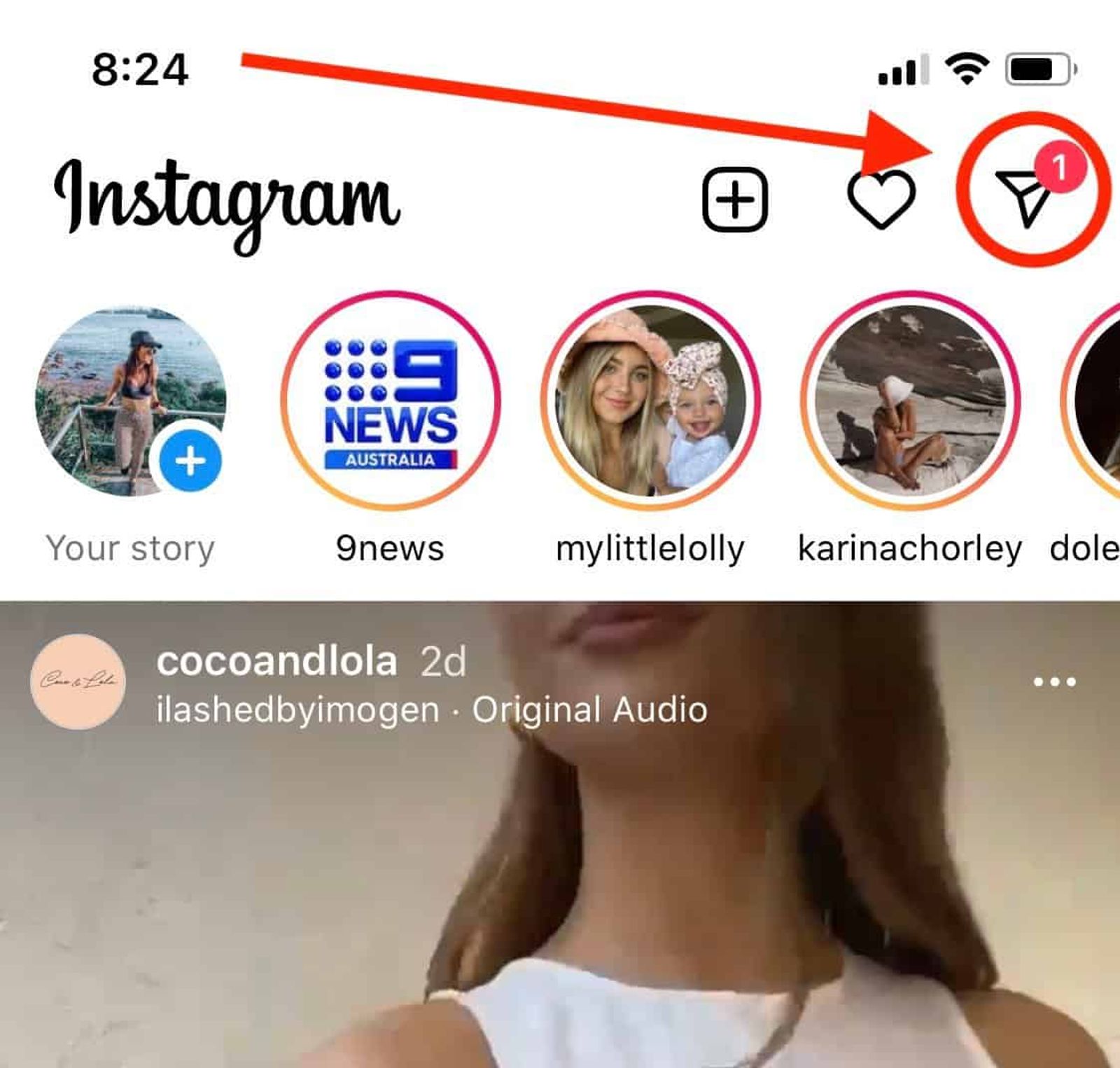
An Instagram DM template is a pre-written message you paste into a conversation and personalize before you send it: the customer's name, the product they asked about, the right link. Treat it as a starting point, not a script.
There are three ways to keep templates handy:
- A shared doc. Free and simple, but slow, and copies drift out of date.
- Instagram's saved replies. Professional accounts can save replies with a shortcut, then type "/" in a chat to insert one. They're tied to one account and one login, so they don't travel well across a team or several brands.
- A social inbox tool. Templates live in one shared place, and the whole team uses them across every account they manage.
A note on automation. Fully automated DMs are allowed when they run through Meta's official Instagram messaging API, which approved tools use. That API comes with rules. The customer has to message you first, and a business generally has 24 hours from the customer's last message to reply. Tools that log in with your password to mass-message people are a different thing, and they put your account at risk.
Even with automation available, a real person replying with a good template usually beats a bot for anything beyond routine questions. You also see first-hand what customers ask, how they talk, and what they want, which feeds straight back into your content.
Before you start direct messaging
Before you send a single DM, check your profile. People click through to it before they reply, and a half-finished profile undoes a good message.
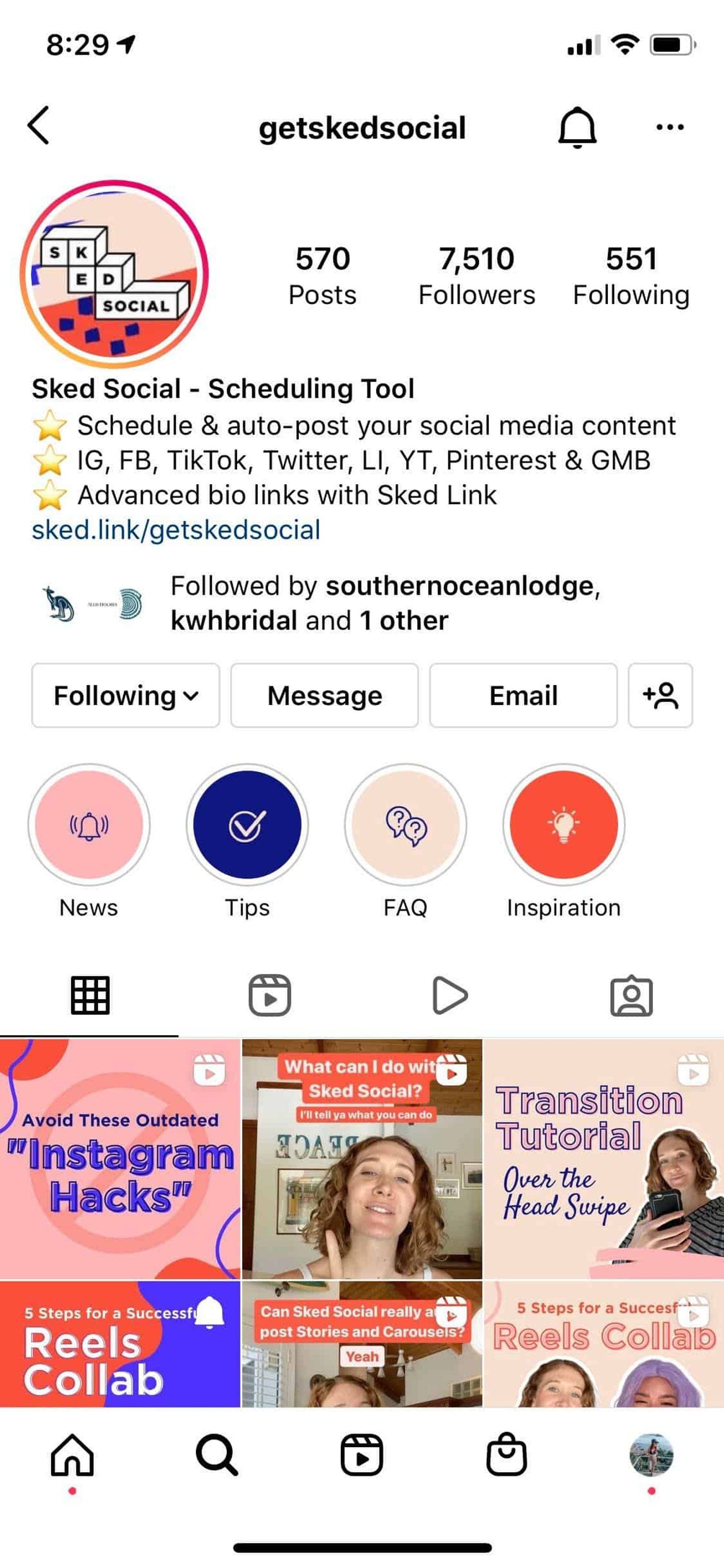
Make sure the account has a clear profile photo, a bio that says what you do, contact options, and a link in bio that takes people where your messages point them. Our guide to the Instagram business bio covers each part, and you can add a Message button and other calls to action to make it easy to start a conversation.
Here's how Sked Social's own Instagram profile looked when this guide was first written: a bio link, a recognizable profile picture, and a bio that says what the business does at a glance.
The best Instagram DM templates for your business
These are templates, so treat them as guidelines. They vary in topic, tone, and formality on purpose.
Your brand has its own tone of voice, shaped by your industry, your audience, and your values. Rewrite each template in that voice before you save it. A template that sounds like a different brand is worse than no template.
Keep messages short. Most of the templates below are under 300 characters, which reads easily on a phone. Use links, images, or videos where they help, but the message still has to give people a reason to tap.
1. Welcome message templates
A welcome message thanks new followers or first-time customers and tells them what to do next. These Instagram welcome message examples suit retail, hospitality, nonprofit, and multi-location brands. If a customer has just bought, you can add a discount code to bring them back.
- Hi [name], welcome to the [Brand] community. We're glad you're here. If you need anything, just reply to this message, or find quick answers here: [Link to FAQs page or blog]
- Hi, thanks for supporting our small business. New customers get 10% off their first order with code [XX] at checkout. It expires soon, so don't leave it too long.
- Hello, thanks for following us. We distribute high-quality [XX], and you can browse the full catalog here: [Link to products]
- Hello, fellow animal lover. Thanks for joining a community that supports animal protection projects around the world. Find out how you can get involved here: [Link to landing page]
- Hi, thanks for following [Brand] [Location]. We're the [suburb or city] team. Opening hours, bookings, and this week's specials are all here: [Link]. Message us anytime with questions.
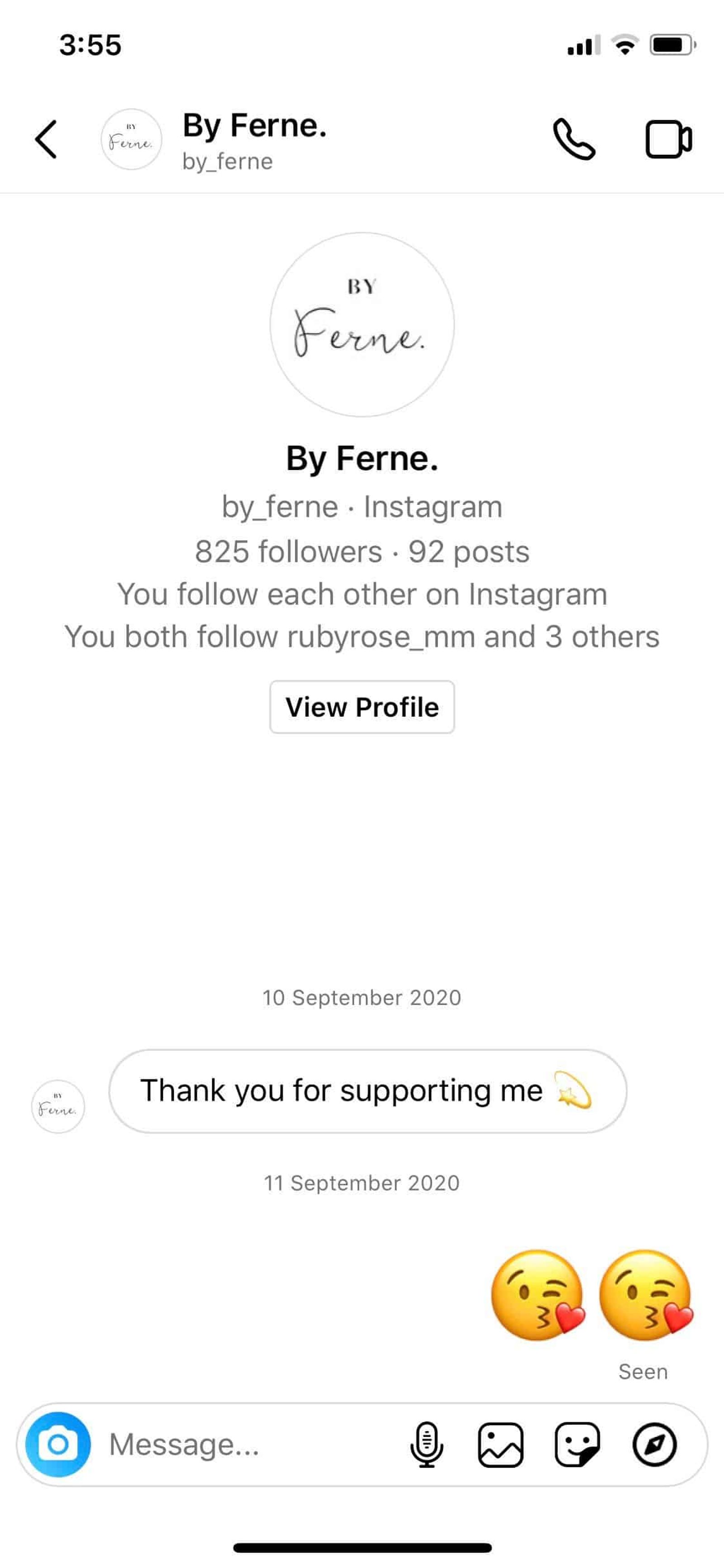
Your welcome message can be even simpler, like this instant thank-you reply that Australian jewelry designer By Ferne sent new followers when this guide was first written.
2. Customer service templates
Instagram DMs are now part of customer service for most brands. Customers expect a quick reply from a real person, and a prompt answer looks professional and moves people closer to buying.
Use DMs to answer questions directly, or to take a conversation from your comments into private, especially if it involves an order number or a complaint.
Here are three Instagram direct message templates to start the conversation:
- Hi there, we saw you had some questions about our products. How can we help? Let us know what you need and we'll get back to you. Thanks, [brand name].
- Hi [name], we're sorry you're having trouble with [product]. We'd like to fix this for you. Could you send us a few details, and your order number if you have it? We'll sort it out as quickly as we can.
- Hi [name], you asked a question in the comments on one of our posts, so we wanted to follow up here. There's more detail on our FAQ page: [Link]. If that doesn't answer it, reply here and we'll help.
3. Discount templates
People who follow you are already interested in what you sell. A well-timed offer can turn that warm audience into customers.
These Instagram DM templates use offers to turn followers into buyers:
- Hi there, thanks for supporting our page. To say thank you, here's $10 off your first purchase. Just enter code 10OFFNEWBIE at checkout. Start shopping here: [Link to products]
- Hi [name], you've been supporting us for a long time, and we'd like to say thank you with XX% off our new range. Shop it here: [Link to products]
- Hi there, we've just released a new range of [product]. To celebrate, existing fans get XX% off. Here's your code: [Add code]. Enjoy.
- Thanks for tagging us in your recent posts. To say thank you, here's XX% off our new range with code [Add code]. We'd love to hear what you think.
- Hi there, this week only, you get a free [XX] when you spend $50 or more. Use code FREEGIFT at checkout: [Link to products]
Test different offers to see what works: a percentage off, a dollar amount, free shipping, a gift with purchase, or different minimum spends. Track each one with its own code so you can see which template actually drives sales.
If you reply through a third-party tool, check Meta's rules first. Its messaging policy doesn't allow promotional content to be sent outside the standard reply window.
4. Influencer or collaborator templates
Once your own content is running smoothly, partnering with creators, bloggers, or other brands extends your reach. Start by looking for creators whose audience matches your customers and whose content already fits your brand. Engagement on their recent posts matters more than follower count.
Use templates for speed, but personalize every message to someone you'd really like to work with. Tell them why they're a fit. Anything that reads like a mass message gets ignored.
Here are three Instagram DM templates for contacting influencers:
- Hi [name], we love your style and we think you'd like our new [product name]. Could we send you a [sample, product, voucher] to try? Send us your postal address and we'll get it out to you. Hope to hear from you, [Brand]
- Hi [name], we've been following your content and we admire how you inspire your followers to [personalization]. We'd love to talk about a collaboration if you're open to it. Let us know and we'll send over the details.
- Hi [name], we've really enjoyed your recent posts on [topic], and we think you'd like [product or service]. We'd love to invite you to our ambassador program, which lets you [earn commission, collect points, get discounts] for mentions and posts. Reply here for more information, or apply directly: [Add link]
If a partnership goes ahead, Instagram's Collab posts let one post appear on both accounts' feeds.
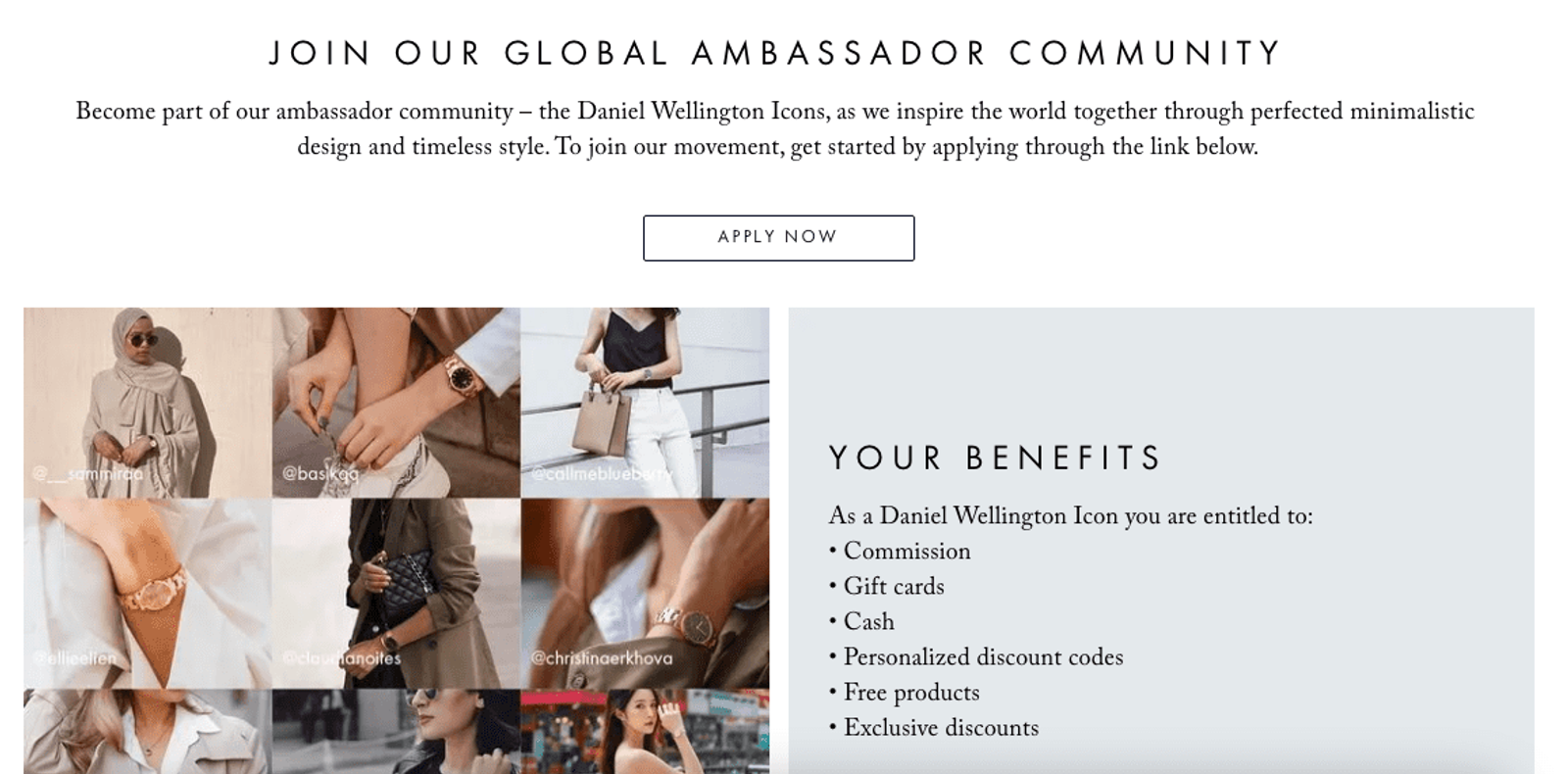
As your partnerships grow, an affiliate or ambassador program makes onboarding new creators faster. Many fashion and accessories brands built theirs this way. Watch brand Daniel Wellington, for example, has long run a coordinated ambassador program with creators around the world. The screenshot below shows it when this guide was first written.
5. UGC templates
Not every brand has an influencer budget. User-generated content (UGC) is a more affordable option to explore.
UGC is content your customers create: a photo on Instagram, a review, or a Story with a testimonial. Some people post it on their own. You can encourage more with giveaways, features, or simply by recognizing the people who tag you.
UGC gives you a steady stream of authentic content to reuse, and it builds goodwill with the customers you feature. Always ask before you repost, and always credit the creator.
When someone tags your brand or posts about it, send one of these:
- Hi, thanks for tagging us in your post. We love seeing how customers use our products. Would you mind if we reposted it? We'd tag you, of course. Let us know.
- Hi there, thanks for the tag. We love your post. To say thank you, here's $10 off your next order with code [Add code here]. Would you mind if we reposted your content? Thanks, [brand].
- Hi [name], thanks for posting about [Brand]. We really appreciate your support. Would you mind if we used your content in an upcoming post? We'd tag your account. Thanks, the [Brand] team.
Running DM templates for a brand or for clients
A list of 19 templates is a start. Making them work across a team, several brands, or a set of locations takes a little structure.
- Keep one shared library. Store templates in one place everyone uses, not in personal notes on five phones. Group them by job: welcome, support, offers, partnerships, UGC.
- Write a version per brand or client. The same "where's my order" reply reads differently for a fashion label and a law firm. Agencies should keep a separate set for each client, written in that client's voice.
- Give each template an owner. Someone updates the returns template when the policy changes, and removes the discount template when the code expires. Out-of-date templates cost more than missing ones.
- Get sensitive replies approved. Complaints, refunds, and anything legal or medical should have a pre-approved answer, and a rule for when a message gets escalated instead.
- Localize for each location. Multi-location brands can keep one central template and swap in local details like address, hours, booking link, and manager's name.
- Set a response-time target. Decide how fast your team replies during business hours, and who covers evenings and weekends.
- Review them every quarter. Check which templates get used, which get rewritten every time, and which questions keep coming in without a template.
Keep your reply templates one click away in Sked Social
Copying templates out of a doc gets old fast. Sked Social's inbox brings Instagram and Facebook DMs, comments, Story replies, and mentions into one place, alongside LinkedIn comments and Google Business reviews, across every account you manage.
Save your go-to replies as templates, organize them in folders, and drop one into any conversation with a click. When a message needs more than a template, Smart Replies draft a reply from the account's Brand Kit, so it sounds like that brand. You review, edit, or send it. Nothing sends on its own.
You can assign a conversation to a teammate and leave an internal note, so nothing gets answered twice or slips through. Agencies can set up a Board for each client, and multi-location brands one for each region. The inbox is included on all Sked Social plans.
Handling messages for several brands? See how agencies work in Sked Social, or start a 14-day free trial. No card needed.