On this page
- Key takeaways
- What is multi-location social media reporting, and why do network totals hide the stores that need help?
- Which social media metrics should a multi-location brand track for each location?
- How do you compare social media performance fairly between stores of different sizes?
- How should you structure reports for head office, regions, and stores?
- How do franchise brands report social media results to head office and franchisees?
- How often should a multi-location brand report on social media performance?
- What are the most common multi-location reporting mistakes, and how do you fix them?
- What are the best practices for multi-location social media reporting in 2026?
- Which tools does a head office need for multi-location reporting, and where does Sked Social fit?
Key takeaways
- Multi-location social media reporting has two jobs: a roll-up that shows whether the brand is growing, and a comparison that shows which stores lead, which lag, and why. Most reports only do the first.
- Track seven metrics per store: engagement rate by reach, follower growth rate, posting completion, engagements per post, link click-through rate, review response rate, and website sessions from social (via a store ID in
utm_content). - Compare rates, not totals. Judge each store against its own rolling three-month baseline and against the median of a peer group of similar stores. Never add engagement rates together; use a weighted average or the median.
- Put review responses in every store report. 89% of US consumers expect business owners to respond to reviews (BrightLocal, 2026).
- Send three reports, not one: head office, region, and store. Each ends with one decision. Report monthly, review quarterly, and re-group stores into peer cohorts once a year.
- Sked Social handles the publishing inputs and per-account reporting, including custom reports sent as scheduled PDF emails on Accelerate and above. The cross-store comparison lives in your spreadsheet or BI tool.
Adding up 40 stores' engagement tells you the brand is busy. It doesn't tell you which store needs help this month. This guide is the reporting method for head office social teams: the metrics, the fair comparison, the report layers, and the monthly close.
What is multi-location social media reporting, and why do network totals hide the stores that need help?
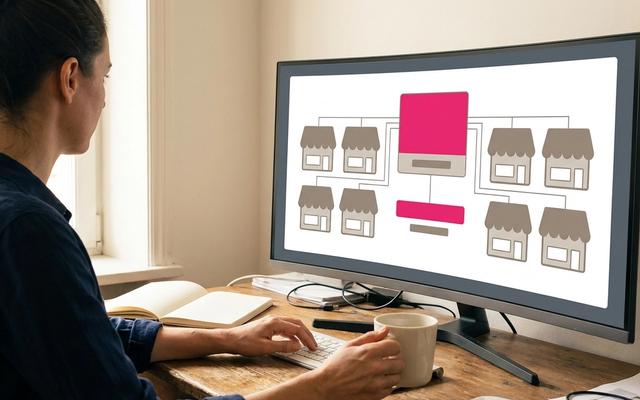
Multi-location social media reporting is measuring every location's social accounts on one shared set of metrics, then comparing each store against its peers and its own baseline. It answers two questions. Is the brand growing across the network? And which stores are leading, which are lagging, and why?
That second question is the one most reports skip.
How is it different from standard social media reporting?
Standard social media reporting assumes one brand, a handful of profiles, and one audience. A multi-location brand breaks all three assumptions.
- Many profiles of uneven size. A flagship with 20,000 followers sits next to a regional store with 1,500.
- Several audiences. Head office wants the brand trend. Regional managers want a coaching list. Store managers want to know what to post next week.
- Local operators post on their own schedule. Some stores follow the national calendar closely. Others go quiet for three weeks, then post six times in a day.
Any one of those makes a single network total misleading. Together, they make it close to useless for running the network.
What are the two jobs of a multi-location report?
Think of the report as two separate jobs.
- The roll-up. Total reach, total clicks, total posts, network follower growth. This tells leadership whether social is moving the brand.
- The comparison. Store against store, store against its own history, store against similar stores. This tells you where to spend your coaching time and which content to copy.
Most guides on social media reporting describe the first job well. They aggregate, then maybe segment. The comparison gets a line at the end, if it gets anything.
That's backwards for a multi-location brand. The roll-up is easy. The comparison is where the decisions live.
Who owns multi-location social media reporting?
The social team owns the reporting and the standards behind it. Social sets the metric dictionary, the store targets, and the cadence. Operations and regional managers are audiences for the report, not its owners. If social doesn't hold the method, every region invents its own version and nothing compares.
This guide covers the reporting method only. For the strategy and governance side of multi-location marketing (account structure, content splits, local voice), start with our multi-location social media playbook. The method here works for franchise head offices, brands that own every store, and agencies running location clients. Each gets its own section further down.
Which social media metrics should a multi-location brand track for each location?
Track seven metrics per location: engagement rate by reach, follower growth rate, posting completion, engagements per post, link click-through rate, review response rate, and website sessions from social. You don't need 25 metrics. You need seven that every store can be judged on, written down once, and never quietly redefined. Here's the set we'd use, with a formula for each.
The seven metrics and their formulas
- Engagement rate by reach = engagements ÷ reach × 100. It measures how well content lands with the people who actually saw it. It's the fairest single number for comparing a big store with a small one.
- Follower growth rate = net new followers ÷ followers at the start of the period × 100. Use the rate, not the raw count. Ten new followers is a lot for a 500-follower store and nothing for a flagship.
- Posting completion = posts published ÷ posts planned × 100. This is the compliance metric. It tells you whether a store is running the calendar at all.
- Engagements per post = total engagements ÷ posts published. It separates "posted a lot" from "posted well."
- Link click-through rate = link clicks ÷ reach × 100. Pick reach or impressions as the denominator, write it in the dictionary, and never switch mid-year.
- Review response rate = reviews replied to ÷ reviews received × 100, usually from Google Business Profile.
- Website sessions from social per store = sessions in GA4 where the UTM
utm_contentvalue equals the store ID. Sked Social can append UTM parameters to links automatically on every plan, and the Google Analytics (GA4) integration covers how the two connect.
Which metrics roll up across stores, and which never sum?
Counts roll up cleanly: reach, impressions, clicks, posts published, reviews received. Add them across stores and you get a real network number.
Rates never sum. Engagement rate, follower growth rate, and click-through rate must be either weighted (total engagements ÷ total reach across the network) or reported as a median. Adding 40 engagement rates together gives you a number that means nothing. Averaging them unweighted lets a tiny store with one lucky post skew the whole network.
Where does each platform's data come from?
Sked Social carries analytics for most of the platforms a location network uses. Snapchat is the exception.
| Platform | Analytics in Sked Social | Where store results come from |
|---|---|---|
| Instagram, Facebook, TikTok, LinkedIn | Yes | Sked Social Insights or native tools |
| YouTube, Pinterest, X, Threads | Yes | Sked Social Insights or native tools |
| Google Business Profile | Yes | Sked Social Insights, plus reviews in the inbox |
| Snapchat | No (scheduling and publishing only) | Snapchat's native tools |
Why do review metrics belong in the store report?
Reviews are often the first public signal of how a store is doing, and customers read the replies. According to BrightLocal's 2026 survey of 1,002 US adults, 89% of consumers expect business owners to respond to reviews. The same survey found that after reading a positive review, 24% of consumers visit the business's social media channels. Reviews and social feed each other. Report them together.
Sked Social brings Google Business Profile reviews into the inbox, with AI reply suggestions on Grow and above. That makes review response rate a number you can actually track per store. See how reputation management in Sked Social keeps review replies in one place.
How do you compare social media performance fairly between stores of different sizes?
Compare rates instead of totals, judge each store against its own rolling three-month baseline, compare it with the median of a peer group of similar stores, and report scale and efficiency separately. This is the hard part, and it's the part head office gets wrong most often.
The four rules of a fair comparison
- Compare rates, not totals. Totals reward size. Rates reward performance.
- Compare each store with its own rolling three-month baseline. Is this store better or worse than it usually is? That's the question a store manager can act on.
- Compare within peer groups. Group stores into cohorts that should perform alike: flagship, metro, and regional is a simple start. Follower band, store format, or market also work.
- Report scale and efficiency separately. A flagship can lead on reach and trail on engagement rate. Both facts matter. Don't blend them into one score that hides either.
If you have the data, you can also scale results by footfall, transactions, or catchment population. This is optional. It only works when the business already owns those numbers and trusts them.
A worked example: flagship vs suburban store
Here's an illustrative example with made-up but realistic numbers.
| Flagship (20,000 followers) | Suburban store (2,000 followers) | |
|---|---|---|
| Engagements | 300 | 90 |
| Reach | 15,000 | 1,800 |
| Engagement rate by reach | 2.0% | 5.0% |
Totals say the flagship wins, 300 engagements to 90. The rate says the suburban store's content is working more than twice as hard. Check the baseline too. If 5.0% is well above that store's usual rate, something in its content is worth copying. Find the posts behind it and share them with the network.
How do you score stores on a simple scorecard?
Score each store from 1 to 3 on four or five metrics against its peer-group median.
- 3 = above the peer median by a clear margin
- 2 = around the median
- 1 = below it
Add the scores. That's it. Avoid weighting schemes nobody can explain at a store meeting. If a regional manager can't tell a store owner why they scored 9 out of 15, the scorecard has failed.
Floors and spotlights
Set a performance floor. For example, posting completion below 75% triggers a coaching conversation that month. Floors keep the report honest about effort before anyone argues about results.
Then spotlight one top store each month. Name the post that worked and why. People copy what gets recognized.
Tag posts so the comparison is possible
None of this works if you can't sort results by store and content pillar. Use labels in Sked Social to tag every post with the store ID and its content pillar. Labels are on every plan, and label performance in Insights is available on Accelerate and above. The cross-store comparison itself is your spreadsheet step: pull each store's numbers, then rank and score them in the sheet.
How should you structure reports for head office, regions, and stores?
Build three report layers from the same data: a head office one-pager, a regional summary, and a one-page store scorecard, each ending with one decision. One report for everyone means everyone skims it.
| Layer | Who reads it | What it shows | The decision it drives |
|---|---|---|---|
| Head office | Marketing lead, executives | Network trend, store league table by peer group, top three and bottom three stores | Where to invest or intervene this quarter |
| Region | Regional or area managers | Stores in the region compared, coaching list for stores below the floor | Which stores get a coaching call |
| Store | Store or franchise manager | Own scorecard vs own baseline and peer median, top posts, what to post more or less of | What to change next month |
Social media reporting examples: two layouts
Here's what the head office one-pager looks like as a spreadsheet or slide. This is a generic layout, not a product screen.
| Section | Contents |
|---|---|
| 1. Executive summary | Three sentences: what moved, why, what we're doing |
| 2. KPIs vs target | Network reach, weighted engagement rate, posting completion, review response rate |
| 3. Location comparison | League table by peer group, scorecard totals, top three and bottom three |
| 4. Content insights | The two pillars that worked, the one that didn't |
| 5. Action | One decision for the quarter |
And a store scorecard:
| Metric | This month | Store baseline | Peer median | Score |
|---|---|---|---|---|
| Engagement rate by reach | 4.1% | 3.6% | 3.8% | 3 |
| Follower growth rate | 1.2% | 1.0% | 1.4% | 2 |
| Posting completion | 70% | 85% | 88% | 1 |
| Review response rate | 92% | 90% | 80% | 3 |
| Top post | Staff pick reel | |||
| Next month | Post the full calendar. Do more staff picks. |
Numbers in both tables are illustrative.
Section order inside each report
Keep the same order at every layer so readers learn where to look.
- Executive summary
- KPIs against target
- Location comparison
- Content insights (which pillars worked)
- Actions
The master sheet behind it
All three layers come from one master spreadsheet with four tabs:
- Store register. Store ID, name, region, peer group, account handles, planned posts per month.
- Monthly metrics. One row per store per month, every metric in the dictionary.
- Post performance. One row per post, with store ID and pillar label.
- Summary. The calculated scorecards, medians, and league tables.
The head office layer can live in that sheet or in a social media reporting dashboard built in a BI tool such as Looker Studio. Either works if the inputs are clean.
For the per-store or per-region report itself, Sked Social custom reports on Accelerate and above can be built for the accounts a store or region runs and sent as scheduled PDF emails. Reports arrive as files and emails, not live links. Advanced user permissions on Accelerate and above mean store and regional staff only see the accounts they run.
How do franchise brands report social media results to head office and franchisees?
Franchise social media reporting gives the franchisor a compliance and network view, and gives each franchisee a one-page scorecard against their own baseline and their peer median. Franchise reporting has one extra tension. The franchisor needs control. The franchisee owns the business. The report has to serve both without turning into surveillance.
What does the franchisor see?
Head office cares about four things.
- Compliance. Posting completion against the brand calendar, and how many posts were caught off-brand at approval.
- Network trend. Reach, weighted engagement rate, and follower growth over time.
- Peer-group league table. Scorecards by cohort, so a regional franchisee isn't judged against a city flagship.
- Campaign adoption. How many franchisees actually ran the national post. If 60 of 80 locations published the launch post, that's an adoption rate of 75%, and it's a number worth tracking every campaign.
What does each franchisee see?
Franchisees want something they can use on Monday morning.
- Their own scorecard against their own baseline.
- The peer median for stores like theirs.
- The two or three posts from top stores worth copying.
- Reviews waiting for a reply.
Keep it to one page. A franchisee who has to dig for their number won't.
Tie the report to the policy
What you measure should be what your policy asks for. If your franchisee social media policy sets a posting cadence, a review response time, and approved assets, those three things belong in the scorecard. If the policy doesn't ask for it, think twice before you grade a franchisee on it.
Sharing etiquette
Show franchisees peer medians and anonymized ranks ("you're 4th of 12 in your group"), not named league tables. Naming every store works in some networks and causes real damage in others. Agree it with your franchise advisory council first.
Make compliance measurable
You can only measure compliance if the checkpoints exist. In Sked Social, approvals before publishing, internal and external, are on Accelerate and Custom. Log each approval decision in the franchisor report. Brand Kit and the content library give franchisees approved assets to post from, which makes campaign adoption easy to count. Bulk Create Posts, on every plan, lets head office load a month of national posts at once. Our guide to bulk scheduling social media posts for multiple locations walks through the set-up.
Agencies running location clients
The same structure works for agencies. Give the client a summary layer and a page per location. The client sees the network. Each location sees itself. For the content model behind franchise reporting, our 80/20 franchise social media guide covers the HQ-to-local split.
How often should a multi-location brand report on social media performance?
The right cadence for multi-location social media reporting is weekly checks for store community management, monthly scorecards for stores and regions, a quarterly executive review with target resets, and an annual re-cohorting of peer groups. Monthly is the heartbeat. Weekly is operations, not reporting.
Cadence by audience
| Cadence | Audience | What happens |
|---|---|---|
| Weekly | Store and community managers | Replies, reviews, posts due. Operational, not a report. |
| Monthly | Stores and regions | Store scorecards and regional summaries |
| Quarterly | Executives | Network review, target resets, investment decisions |
| Annual | Social team | Re-cohort peer groups as stores open, close, or grow |
The monthly close, step by step
- Days 1–3: export. Pull last month's results for every account and paste them into the master sheet's monthly metrics tab.
- Days 4–5: calculate. Compute rates, rolling three-month baselines, and peer-group medians. Score each store.
- Week 2: send. Store scorecards go to store managers. Regional summaries go to regional managers. The head office one-pager goes to leadership.
- Week 3: coach. Call every store below the floor. Share the spotlight store's best post with the network.
Sked Social's custom reports, on Accelerate and above, can handle the recurring send. Set the frequency, the day of the month, and the time. Date ranges roll automatically (last month, last quarter), so the report that lands on the 3rd always covers the month just gone.
Set-up checklist before month one
- One store ID per location. Use it in profile naming, labels, and
utm_content. Same ID, everywhere. - One metric dictionary. Every formula written down, including the denominator for click-through rate.
- Agreed planned-post counts per store. Without them, posting completion can't be measured.
- A peer group for every store. Assigned once, reviewed annually.
Data-quality checks every month
- Missing accounts. A store with zero results usually means a disconnected account, not a silent store.
- Reconnections. Note the dates so a gap doesn't read as a slump.
- Platform metric changes. Platforms rename and redefine metrics. Meta has been moving its reporting toward views. Log every change and its date so year-on-year comparisons stay honest.
- Boosted posts. Paid spend inflates reach and engagement. Report boosted results separately from organic, or your best-funded store will always look like your best store. Our guide to franchise social media advertising covers how paid and organic work together across locations.
What are the most common multi-location reporting mistakes, and how do you fix them?
The most common mistakes are method problems, not data problems: ranking stores by follower count, summing engagement rates, changing metrics mid-year, and sending every store the network report. These eight show up again and again.
1. Ranking stores by follower count
Follower count measures history and store size. It says very little about this month's content. Fix: rank on rates within peer groups.
2. Summing engagement rates across stores
This produces numbers like "network engagement rate: 143%." It happens more than you'd think. Fix: use a weighted average (total engagements ÷ total reach) or the median.
3. Changing the metric set mid-year
A new head of marketing arrives, adds three metrics, and drops two. Suddenly nothing compares with last year. Fix: a frozen metric dictionary, versioned. Changes take effect at the start of a quarter, with the old version kept alongside.
4. No planned-post baseline
If nobody agreed how many posts a store should publish, posting completion can't be measured. Consistency becomes a feeling. Fix: set planned posts per store in the store register before month one.
5. Mixing boosted and organic results
One store boosts a post with a $200 budget. It tops the league table. Every other store learns nothing useful. Fix: report boosted and organic separately, every month.
6. Sending every store the network report
A store manager doesn't need to read about 39 other stores to find their own number. Fix: three layers, each with its own audience and its own decision.
7. No action line
A report without a decision is a newsletter. Fix: every report ends with one decision per audience. Leadership gets an investment call. Regions get a coaching list. Stores get one thing to change.
8. Ignoring review responses on Google Business Profile
This is the mistake customers notice. BrightLocal's 2026 survey found that 42% of US consumers are unlikely to use a business that never replies to reviews. Fix: put review response rate in every store scorecard. Sked Social brings Google Business Profile reviews into the inbox, with AI reply suggestions on Grow and above, so the store can clear its queue in one place. Use labels to keep store and pillar tagging consistent, so mistake number one never comes back.
What are the best practices for multi-location social media reporting in 2026?
- Write the metric dictionary before you build a single chart. The dictionary is the product. The chart is packaging.
- Use the store ID everywhere. Profile names, labels, UTM
utm_content, and the store register. When the ID matches across every system, joining data takes minutes. - Re-cohort once a year, not every month. Moving stores between peer groups constantly makes trends impossible to read.
- Lead with the baseline in store reports. "You're up 14% on your usual" lands better than "you're 9th of 12."
- Keep boosted spend visible. A column for paid spend per store stops arguments before they start.
- Spotlight content, not just stores. The post that worked is more useful to the network than the store that posted it.
Common questions
Multi-location social media reporting questions and answers
What KPIs should you use in social media reporting for multiple locations?
Use seven: engagement rate by reach, follower growth rate, posting completion, engagements per post, link click-through rate, review response rate, and website sessions from social per store via UTM tags. Each one works as a rate or a per-store count, so you can compare stores of different sizes fairly.
How do you compare social media performance across locations of different sizes?
Compare rates, not totals. Judge each store against its own rolling three-month baseline and against the median of a peer group of similar stores (for example flagship, metro, and regional). Report scale (reach) and efficiency (engagement rate) separately so neither hides the other.
How often should multi-location brands report on social media?
Monthly for store and regional scorecards, quarterly for executive review and target resets, and annually for re-grouping stores into peer cohorts. Weekly checks on replies and reviews are operational work, not reporting.
How should a 40-store brand set up monthly social media reporting so every store is comparable?
Before month one, give each store one ID and use it in profile names, post labels, and utm_content. Write a metric dictionary with every formula, agree planned posts per store, and assign each store to a peer group. Then run the same close every month: export on days 1–3, calculate rates, baselines, and peer medians on days 4–5, send three report layers in week 2, and coach stores below the floor in week 3.
What should a franchise social media report include?
For the franchisor: posting completion against the brand calendar, off-brand posts caught at approval, network trend, a peer-group league table, and campaign adoption. For each franchisee: their own scorecard, the peer median, the top posts to copy, and reviews waiting for a reply.
Can you add engagement rates together across locations?
No. Rates never sum. Use a weighted average (total engagements divided by total reach across the network) or report the median store rate.
How do you track website traffic from social for each store?
Add UTM parameters to every link and set utm_content to the store ID. In GA4, filter social sessions by that value to get sessions per store.
What tools does a head office need to schedule and report on social media by location?
Two kinds. A social media management tool handles the inputs: bulk scheduling for every location, approvals, post labels by store, review replies, and per-account reports. A spreadsheet or BI tool such as Looker Studio handles the cross-store comparison, peer medians, and league tables. Sked Social covers the first job; no scheduling tool should be trusted to run the comparison method for you.
Which tools does a head office need for multi-location reporting, and where does Sked Social fit?
Sked Social handles the publishing inputs and the per-account reporting; the cross-store comparison, the peer-group medians, and the league tables live in your spreadsheet or BI tool. That's the honest split. Sked Social reports per account and per account group; it doesn't build peer-group medians, scorecards or league tables for you, and you shouldn't pick any tool on the assumption that it does the method for you. If you're still comparing options, our social media reporting tools comparison sets out what each one reports.
What Sked Social does is make the inputs clean, so the method works.
| Step in the method | How Sked Social helps |
|---|---|
| Plan the calendar so posting completion is measurable | Bulk Create Posts to load a month of national posts at once (all plans) |
| Keep local content on brand | Brand Kit and the content library (all plans) |
| Catch off-brand posts before they go live | Internal and external approvals (Accelerate and Custom) |
| Tag posts by store and pillar | Labels on all plans; label performance in Insights on Accelerate and above |
| Track review responses | Google Business Profile posting and reviews in the inbox, with AI reply suggestions on Grow and above |
| Send each store or region its report | Custom reports as scheduled PDF emails (Accelerate and above) |
| Control who sees which accounts | Advanced user permissions (Accelerate and above) |
Picking a plan for a location network
Plans are sized for the team you have. Grow includes three users and six social accounts. Accelerate includes six users and 10 social accounts, and it's where custom reports and approvals start. Most networks with more than a handful of locations will outgrow those account counts quickly, so larger estates run on Custom, where users and accounts are set by contract. If Google Business Profile is a big part of your store mix, profile bundles are available as add-ons on Accelerate and Custom. See pricing for the current detail.
Why the method matters more than the tool
Multi-location social media reporting fails for method reasons: summed rates, follower-count league tables, a metric set that changes every quarter, reports with no decision at the end. Fix the method first. Then pick tools that keep the inputs consistent and the sends on time.
That's the job Sked Social is built for. One place to plan, approve, publish, and report, with real human support when something looks off. One franchise customer saves 300 hours of manual work every month. If you're running a location network, our multi-location page shows how head office teams set it up.
Ready to put the method to work? Start your free trial today. 14 days. No card needed.