On this page
- Key takeaways
- What does a retail social media strategy for multi-store brands look like in 2026?
- Should each retail store have its own Instagram account, or one brand account?
- Who approves what? A sign-off matrix for head office and stores
- How do you run a product launch across 10 to 200 stores?
- How can multi-store brands use UGC, local creators, and Instagram Collabs?
- What is the right content mix for multi-store brands?
- How do you measure retail social media at store level?
- Expert tips and best practices for 2026
- Top challenges and fixes
- Run your store network from one workspace with Sked Social
A retail social media strategy for multi-store brands in 2026: account structure, a sign-off matrix, launch timelines, UGC, Collabs, and store-level measurement.
Key takeaways
- Run a hub-and-spoke model. Head office owns the brand, the calendar, and the rules. Stores add local proof inside guardrails.
- Decide account structure per banner, not per group. Give a store its own account only when it has a local audience, a named owner, and a weekly post it can actually hit. A store that scores eight or more out of 12 on our six-point rubric earns its own account.
- Social media moves foot traffic, but briefly: one study found a one-standard-deviation rise in Twitter brand mentions lifted next-day foot traffic by 3–4%, and the effect faded within a week. Plan for steady local posting, not one big push.
- Write a sign-off matrix with green, amber, and red tiers so price claims get checked and store posts don't stall. Green posts need no review, amber gets same-day review, and red (prices, offers, recalls) always goes to head office and legal.
- For a store network, swap the 80/20 rule for a 50/30/20 split: 50% national, 30% store-adapted, 20% store-original.
- Sked Social keeps launch posts on brand with Bulk Create Posts on every plan, Instagram product tags kept on scheduled posts (Grow and above, shopping-eligible accounts), and approvals before publishing on Accelerate and Custom.
Most retail groups don't have a content problem. They have a coordination problem. Fifty stores, two banners, one product launch, and a feed that either sounds like a press release or like 50 different brands. This guide shows how a central social team runs retail social media marketing across 10 to 200 stores without losing the brand or the local voice.
What does a retail social media strategy for multi-store brands look like in 2026?
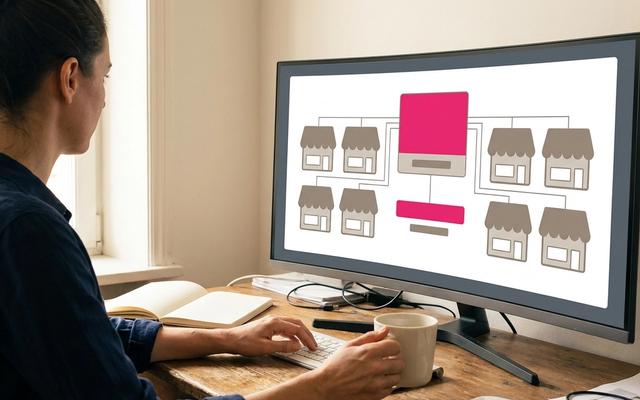
A retail social media strategy for multi-store brands is a hub-and-spoke model. A central social team owns the brand, the content calendar, and the rules for who posts what. Stores add the local proof shoppers trust: what's in stock, who's on the floor, and what's happening this weekend. The center sets guardrails. The stores fill them.
That definition matters because the two common alternatives both fail.
The fully central feed goes generic. Head office posts the same campaign creative everywhere. It looks tidy. It also gives a shopper in Brisbane or Boise no reason to visit their local store this week.
The fully devolved model drifts. Every store manager gets a login and a vague brief. Six months later you have outdated logos, a price claim legal never saw, and a dozen dormant pages. A dormant store account is worse than no account. Shoppers see a last post from 2024 and assume the store has closed.
The hub-and-spoke model sits between them. It also settles an old turf question. Merchandising sets the launch dates. Social owns the calendar. Your team decides what goes out, when, on which account, and in what voice. Merchandising, store operations, and legal feed the calendar. They don't run it.
Which social platforms should retail stores use?
Channel choice for social media marketing for retail stores starts with reach. Pew Research Center's 2026 survey of 5,511 U.S. adults found that 70% use Facebook, about half use Instagram, and 37% use TikTok. For store-level content, that points to a clear order:
- Facebook for local reach, events, and store pages people already search for.
- Instagram for product, new arrivals, creators, and shopping.
- TikTok at brand or banner level first, where one central team can produce video at the pace the platform expects.
- Google Business Profile, one per store, for the shopper who is already deciding where to go. Sked Social's Google Business Profile management lets the central team post updates and answer reviews for every location from one place.
The five-part strategy checklist
Everything else in this guide hangs off five decisions:
- Account structure. Brand account, store accounts, or a hybrid, decided per banner.
- Sign-off. Who drafts, who approves, and how fast, by post type.
- Launch calendar. A T-minus timeline with a named owner on every row.
- UGC and creators. A process for collecting, crediting, and reusing local content.
- Measurement. Store-level tracking you can actually trust.
Sked Social fits into this as the place the central team plans, creates, approves, and reports across every brand and store account. See how that works for multi-location social media management. Its Brand Kit, on every plan, holds your brand description, tone of voice, and content labels, so AI-drafted captions start from your brand rather than from a blank prompt.
Should each retail store have its own Instagram account, or one brand account?
Most multi-store retailers should run a hybrid: one strong brand account per banner, plus store or regional accounts only where a store has a distinct local audience, a named owner, and enough local news to post every week. Every other store lives on the brand account through location tags and a Google Business Profile.
That's the short answer to the question every forum thread on social media for multi location businesses asks: one page per store or one brand page? The honest answer is "it depends on the store", so here is a rubric that makes "it depends" a decision.
The store account rubric
Score each store from zero to two on each row. A store that scores eight or more earns its own account. Five to seven means a regional or flagship account covers it. Under five, it lives on the brand account.
| Criterion | 0 points | 1 point | 2 points |
|---|---|---|---|
| Distinct local audience | Same shoppers as the brand | Some local following | Strong local community or tourist trade |
| Local stock, events, or services | None | Occasional | Weekly (workshops, fittings, events) |
| Named owner at the store | Nobody | Shared between staff | One person, with time in their role |
| Weekly posting minimum | Can't commit | Two posts a month | One or more posts a week |
| Store count in the banner | 100+ stores | 30 to 100 | Under 30 |
| Customer care load | Low | Some DMs and reviews | High volume of local questions |
The three models and what each one needs
Model 1: one brand account plus location tags. Lowest effort, strongest consistency. You need a clean set of Instagram location tags, a store locator in the link in bio, and one Google Business Profile per store. Our guide to Instagram location tags for multi-location brands covers the tagging side.
Model 2: one account per store. Highest local relevance, highest risk. You need a named owner per store, templates, a sign-off matrix, and a monthly audit. It suits small groups with strong community stores. It rarely suits a 150-store chain.
Model 3: hybrid. Brand account per banner, plus flagship or regional accounts where the rubric says so. This is where most 10-to-200-store groups land.
Naming, closing, and merging
Pick one handle pattern and use it everywhere, for example @BrandCity or @Brand_Suburb, with Facebook location pages under the brand's main page. Write a closure rule too. Any store account with no post in 60 days gets a warning. At 90 days, it's merged into the brand account or archived with a pinned post pointing to the store locator.
Run the audit in four steps
- Find every page. Search each platform for the banner name plus every suburb and city. Log active, dormant, duplicate, and unofficial pages in one spreadsheet.
- Score each store against the rubric.
- Consolidate. Request merges or removals for duplicates and unofficial pages, and adopt any good unofficial page by moving admin rights to head office.
- Connect what stays. In Sked Social, accounts connect per social profile. Grow includes three users and six social accounts. Accelerate includes six users and 10 accounts. Custom is sized by contract, which suits groups running dozens of store accounts.
Multi-banner groups: decide per banner, not per group. A value banner and a premium banner rarely share a voice or an audience. Keep the banner as the unit of brand voice, with its own voice notes, its own templates, and its own rubric scores. Our multi-location social media playbook and the guide to Instagram for franchises go deeper on ownership models.
Who approves what? A sign-off matrix for head office and stores
A sign-off matrix tells everyone, for each type of post, who drafts it, who approves it, and how fast. Without one, approvals become a bottleneck or get skipped. Both are expensive. One stalls a time-sensitive restock post. The other publishes a price claim that legal never saw.
The matrix
| Post type | Drafts | Approves | Turnaround target |
|---|---|---|---|
| Store-drafted local post (event, staff spotlight, restock) | Store manager | Regional manager or central social | Same day |
| National campaign post | Central social | Social lead | 48 hours |
| Promotion or price claim | Central social | Social lead plus merchandising plus legal | Three business days |
| Product launch post | Central social | Social lead plus merchandising | Locked by T-7 |
| Creator or Collab post | Central social with the creator | Social lead plus partnerships | Five business days |
| Reply to a complaint or negative review | Store or community manager | Escalate per the rules below | Within four business hours |
Green, amber, and red tiers
Green: pre-approved. Templates the central team has already signed off. A store swaps in a photo and a local detail and posts. No review needed. Most store content should live here.
Amber: review needed. Anything off-template. New local partnerships, event posts with third-party logos, or copy a store wrote from scratch. Regional or central review, same-day turnaround.
Red: head office plus legal or merchandising. Prices, offers, competitions, recalls, health or sustainability claims, and anything about safety. No store posts red content alone. Ever.
Complaint and review escalation
Stores should answer routine questions and reviews themselves. They know the store. Head office takes over when a thread hits any of these:
- Legal threats, injury, or safety concerns.
- Media or influencer involvement.
- Allegations against named staff.
- A complaint that repeats across three or more stores in a week.
Write a do-not-reply list for stores covering legal, safety, and media, and make the handover rule simple: screenshot, tag head office, and step back. Your franchisee social media policy is the right home for these rules if your stores are franchised.
Roles and access
Decide who can publish to which accounts and who can only draft. Most store managers should draft and submit, not publish. Regional managers approve green and amber. The central team holds publishing rights for red content and for the brand account.
In Sked Social, approvals before publishing, internal and external, are included on Accelerate and Custom. That covers customizable post statuses, a no-login review portal for stakeholders in legal or merchandising, shared calendars, and single-post approval. The Approvals Board groups posts by approval status, so the social lead sees what's waiting on whom at a glance. Advanced user permissions, available on Accelerate and above, let you decide exactly who can publish and who can only draft.
The common mistake is routing everything through one person. Fix it with a deep bank of green templates and tiered turnaround times, so the approver only sees what actually needs judgment.
How do you run a product launch across 10 to 200 stores?
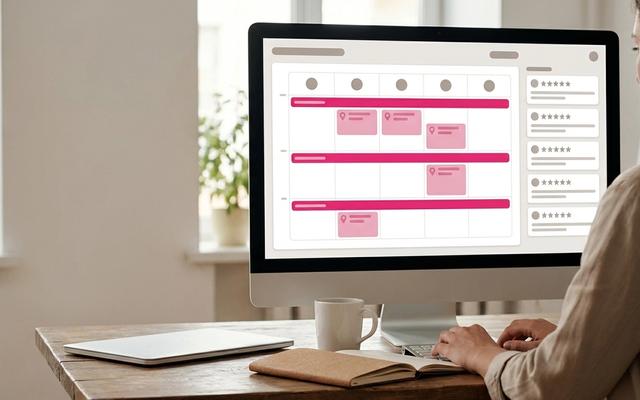
A multi-store product launch works when every task has a date and a named owner, and when stores know exactly what they may change. The timeline below runs from three weeks out to two weeks after launch day. Social owns the calendar. Merchandising owns dates and product data. Store managers own the local adaptation.
The T-minus launch table
| When | Task | Owner |
|---|---|---|
| T-21 | Launch brief and asset kit: hero images, video, product data, offer terms, key messages | Social (with merchandising) |
| T-14 | Creator briefs out; store brief out with the local adaptation window and rules | Social |
| T-10 | All launch posts built, labeled by banner, store, and campaign, and scheduled | Social |
| T-7 | Approvals closed on every post, including price and offer copy | Social lead, merchandising, legal |
| T-2 | Test product tags and Collab invites on a test post; check every link and store locator route | Social |
| T-0 | Central push on brand accounts; store localization window opens | Social, then store managers |
| T+3 to T+14 | Sustain posts: restocks, styling, creator content, local reactions | Social and stores |
Should you launch in every store at once or stagger by region?
Launch everywhere at once when the product is national, the stock is even, and the press moment matters. Stagger by region or time zone when stock arrives in waves or your stores span several time zones. A staggered launch also gives you a second chance: learn from the first region's comments before the next region goes live.
What stores may and may not change
Stores may change: a local stock line ("In store now at Chapel St"), the store hours line written by the store, and the photo, swapped for one taken on their own floor.
Stores may not change: price, offer terms, product claims, or the campaign headline.
Hypothetical example: a 40-store, two-banner apparel group
Picture a group with 28 stores under a mid-market banner and 12 under a premium banner, launching a fall capsule. The central team builds two post sets, one per banner, because the voices differ. Using Bulk Create Posts, they build the full launch set in one batch, with captions, schedules, and targeting set per post. Every post carries labels for banner, region, and campaign, so performance can be compared later.
Premium-banner Reels go out as Instagram Collabs with two local stylists, so each post shows on the brand profile and the creators' profiles. Launch feed posts carry product tags. The link in bio routes to the capsule page, with the store locator one tap away. On launch day, each store gets a two-hour window to post its local version from a green template.
Social commerce on launch day
Social commerce for a store network is about shortening the path from post to product. In Sked Social, Instagram product tags are kept on scheduled posts on Grow and above for shopping-eligible accounts, so tagged launch posts can be built at T-10 and still go out tagged at T-0. Labels work on every plan, and label analytics on Accelerate and above shows how the campaign performed by banner or region. For the scheduling mechanics, see how to bulk schedule social media posts for multiple locations.
How can multi-store brands use UGC, local creators, and Instagram Collabs?
The best store content is already on someone's phone. It's on staff phones, customer phones, and the phones of creators who live five minutes from your stores. The job is a process that collects it, checks it, credits it, and gets it back out on the right accounts.
The curate-centrally, reuse-locally process
- Ask for the tag. Ask customers to tag the brand and the specific store, not just the brand. A post that names the store gives that store local social proof.
- Collect from stores. Give every store one place to send photos and video. No more files lost in email or group chats.
- Curate centrally. The central team picks what's on brand and usable.
- Store in a shared library. Approved assets go into a shared content library, labeled by store, banner, and theme.
- Reuse with credit. Stores and the brand account post approved content with a consistent credit format.
In Sked Social, Instagram UGC curation is available on Grow and above. Tagged posts and UGC saved from the Inbox land in the Library with attribution intact. Content Collect, live on every plan, gives each store, franchisee, creator, or customer a link or QR code to send photos and video with no Sked Social login. Submissions go straight into the Library collection you choose, with who sent each file and what they agreed to shown on the asset. You stay in charge of honoring those terms. Guided mode, with up to 10 prompts per link, is on Accelerate and Custom.
Local creators and Collabs
Recruit two or three micro-creators per store market. Look for people who already shop with you and post about your neighborhood. They don't need big followings. They need local trust.
Then co-author launch content with them using Instagram Collabs, so one post appears on the brand or store profile and the creator's profile. Sked Social supports Instagram Collabs with up to three collaborators on Reels and feed video. Stories aren't supported for Collabs. After the post goes out, Sked Social's Instagram Collaborator Post Insights shows collaborator posts in their own section, separate from your owned posts, so creator results don't blur your account totals.
Rights and disclosure checklist
- Written permission before reuse. A comment saying "yes" is the minimum. A signed agreement is better for anything paid.
- Credit format. One standard, for example "Photo: @handle at [Store name]".
- Usage window. How long you may use it, and where.
- Paid partnership disclosure. Any creator you pay, gift, or discount must disclose it clearly. The FTC's Disclosures 101 for Social Media Influencers is the plain-language US guide to share with creators and store managers. Outside the US, check local rules too, such as the ACCC in Australia and the CMA and ASA in the UK.
The common mistake is reposting a customer photo because it was tagged. A tag is not permission. Ask first, record the answer, and keep it with the asset.
What is the right content mix for multi-store brands?
The right content mix for a store network is a split between three sources: national posts from head office, store-adapted posts built from central templates, and store-original posts made by the store. The exact ratio matters less than having one, writing it down, and checking it monthly.
What is the 80/20 rule, and do other posting ratios work for retail?
- 80/20: 80% value or entertainment, 20% promotion. A sound default for a single brand account.
- 5:3:2: five curated posts, three original, two personal. Designed for a single account, not a store network.
- 70/20/10: 70% proven content, 20% new variations, 10% experiments. Useful for testing.
- 5-5-5: a daily engagement habit of commenting on and liking others' posts. Good for community managers, not a content mix.
- 3-3-3 and 5-3-1: cadence shortcuts that help a small team stay consistent.
None of these were built for a store network, and none come with solid evidence behind the numbers. So here is a framework, not a benchmark.
Our suggested split: 50/30/20
- 50% national. Central campaign posts: launches, brand stories, seasonal moments.
- 30% store-adapted. A central template with a local detail: store name, local stock, the store's own photo.
- 20% store-original. Staff picks, community events, local partnerships, made by the store.
Worked fortnightly schedule for a hypothetical 40-store group. The group runs 10 store accounts (flagships and regional hubs); the other stores live on the brand account. Each store account posts 10 times a fortnight: five national posts shared with a local line, three store-adapted restock or new-arrivals templates, and two store-original posts. That's the 50/30/20 split in practice: 100 store posts a fortnight across the network, with 80% of them starting from a central asset.
Six content pillars tied to the store calendar
- New arrivals and restocks. The single most useful reason to post locally.
- Staff picks and spotlights. People shop with people.
- Events and community. Workshops, launches, school fundraisers, local teams.
- Store experience. Fitting rooms, window displays, the coffee cart out front.
- Reviews and local proof. Real feedback, with permission, named to the store.
- Launch countdowns. Building local anticipation in the T-7 to T-0 window.
Templates and guardrails for stores
Give stores a small set of post frames: opening, restock, event, and staff spotlight. Each one gets a short list of do's (use the store's own photo, name the street, tag the store location) and don'ts (no price changes, no competitor mentions, no customer faces without permission).
Brand control vs local voice for franchised stores
Franchise social media marketing adds one more layer: the franchisee owns the business, but not the brand. Give franchisees more store-original room than company stores, but hold the red tier exactly the same. A franchisee can post their team's Friday breakfast. They can't post their own discount. Our franchisee social media policy guide has a template for writing this down.
Content to avoid
- Price claims or offers that haven't been through sign-off.
- Photos of customers, or their children, without clear permission.
- Personal data in any form: names on receipts, order numbers, or faces in the background.
- Google Business Profile posts with false or misleading descriptions of a product or service, which Google's content policies prohibit.
- Anything about safety incidents or recalls, which belong to head office.
How do you measure retail social media at store level?
Measuring social for a store network means connecting posts to store outcomes: visits, redemptions, and sales. Platform analytics show reach and engagement per account. The store-level picture comes from a few simple tracking habits your team sets up and runs on a fixed cadence.
Does social media drive foot traffic to retail stores?
Social does move people into stores, but the effect is short. In a study of brick-and-mortar retail brands published in the Journal of Marketing Analytics, a one-standard-deviation increase in Twitter mentions of a brand raised next-day foot traffic to that brand's stores by about 3–4%. The effect had fully faded within a week. The data were Twitter mentions, so treat it as a direction, not a forecast for Instagram or TikTok. The lesson still holds: one big launch post won't carry a quarter. Steady local posting will do more.
Four tracking habits that work at store level
- UTM per store. Every store link uses the same campaign tags plus a store code, for example
utm_campaign=fall-capsule&utm_content=store-041. Keep the codes in one master spreadsheet. - Store-specific promo codes or QR codes. A code per store for social-only offers turns redemptions into a store-level signal you can count at the till.
- Google Business Profile per store. Watch direction requests, calls, and website clicks per store before and after a local social push.
- Labels on every post. Tag posts by banner, region, store, and campaign at creation, not after.
Build the store view yourself
Here's the process most central teams run. Export platform results per account each month. Combine them in a spreadsheet or BI tool with store codes, promo redemptions, and Google Business Profile actions. Review it with regional managers on a set cadence, monthly for most groups and weekly during a launch.
In Sked Social, label analytics on Accelerate and above shows which campaigns and content pillars pull their weight, using the labels you set at creation. Custom reports, also on Accelerate and above, can be scheduled to land as PDF emails in stakeholders' inboxes, so the regional manager gets the report without chasing it.
What to report, and to whom
- Store managers: their own posts, engagement, and promo redemptions.
- Regional managers: store comparisons within their region, plus review response times.
- Head office: campaign results by banner, creator content performance, and the share of stores hitting their weekly posting minimum.
The common mistake is reporting reach to store managers. They can't act on reach. Give them redemptions, review times, and their best post of the month instead.
Expert tips and best practices for 2026
- Lock the launch at T-7. Late changes are where wrong prices slip through. After T-7, only red-tier corrections get through.
- Write the voice per banner. Spell out each banner's voice in your Brand Kit instructions, so AI-drafted captions stay in the right register. A premium banner shouldn't sound like a clearance banner.
- Give stores a posting floor, not a ceiling. One post a week is a floor. Good stores will do more.
- Audit dormant accounts every quarter. Use the rubric. Merge or archive anything that has gone quiet.
- Recruit creators before you need them. A creator brief at T-14 only works if the relationship started months earlier.
- Pin the store locator. Every brand and banner profile should be one tap from finding the nearest store.
- Show what good looks like. Share the best store post of the month across the network. It does more than any guideline.
Spavia, a franchise customer, saves 300 hours of manual work every month by running HQ-approved content through Sked Social, which shows what a clear central process is worth at scale.
Top challenges and fixes
Challenge: stores don't post. Store managers are busy, and social is one job among many. Fix: make green templates so easy a post takes five minutes, set a weekly floor, and name the owner in each store's job description.
Challenge: approvals slow everything down. Fix: tier the sign-off. Green needs nobody. Amber gets same-day review. Only red waits for legal.
Challenge: two banners blur together. Fix: treat each banner as its own brand, with its own voice, templates, and accounts.
Challenge: content gets reused without permission. Fix: collect content through one channel that records who sent it and what they agreed to, and make "ask first" a store rule.
Challenge: nobody trusts the numbers. Fix: standardize UTMs and store codes before the next launch, not after it.
Challenge: negative reviews pile up at one store. Fix: set a response-time target, a do-not-reply list, and a clear handover to head office when a review mentions safety, legal issues, or media.
Common questions
Retail social media questions, answered
What is the best social media strategy for a multi-store retailer?
A hub-and-spoke model. Head office owns the brand, the calendar, and the sign-off rules. Stores add local content inside those guardrails: stock, staff, events, and community. Decide account structure per banner, use pre-approved templates for store posts, and measure at store level with UTMs and store codes.
Should each retail store have its own social media account?
Only when the store has a distinct local audience, a named owner, and enough local news to post every week. Otherwise, keep it on the brand account with location tags and a Google Business Profile. Most groups with 10 to 200 stores run a hybrid of brand accounts plus selected flagship or regional accounts.
How do you keep franchise or store content on brand?
Give stores a bank of pre-approved templates, a short list of do's and don'ts, and a sign-off matrix that says which posts need review. Hold prices, offers, and claims centrally. Review store posts monthly and share the best ones as examples.
How do you manage social media for 50 retail locations without losing brand consistency?
Centralize the three things that carry brand risk: the calendar, the templates, and sign-off for prices and offers. Then let stores fill green templates with local photos and stock lines. At 50 stores, most groups run one account per banner plus a handful of flagship accounts, label every post by store and campaign, and audit dormant accounts every quarter.
What is the 80/20 rule in social media?
The 80/20 rule says 80% of posts should inform, entertain, or help, and 20% should promote. For store networks, a three-way split works better: national, store-adapted, and store-original content.
How should a retail group coordinate a product launch across many store accounts?
Run a T-minus calendar. Send the asset kit at T-21, creator and store briefs at T-14, schedule every post by T-10, and close approvals by T-7. On launch day, the brand accounts post first, then stores get a short window to post a local version from a pre-approved template. Stores may change the stock line and photo, never the price or offer.
How can multi-store retail brands use UGC and Instagram Collabs?
Ask customers to tag the specific store, collect content from stores through one channel, curate it centrally, and reuse it with a standard credit line and written permission. For launches, co-author Reels or feed video with two or three local micro-creators per market using Instagram Collabs, so the post appears on both profiles. Paid or gifted creators must disclose the partnership.
What should retail brands avoid posting on social media?
Unapproved price claims or offers, customer photos without permission, personal data, competitor mentions, and anything about recalls or safety incidents. Those belong to head office and legal.
How do you promote your business locally on social media?
Post about what's local: stock in this store, staff on this floor, events this weekend. Ask customers to tag the specific store, work with local micro-creators, keep each store's Google Business Profile active, and use store-specific promo codes to see what actually brings people in.
How do retailers measure social media's impact on store visits?
With store-level tracking: UTM codes per store, store-specific promo or QR codes, and Google Business Profile actions per location, reviewed on a fixed cadence alongside platform analytics. Expect short effects. A 2024 study of brick-and-mortar retail found that a one-standard-deviation rise in Twitter mentions of a brand lifted next-day foot traffic by about 3–4%, fading within a week.
What should a retail brand with 10 to 200 stores look for in a social media management tool?
Look for six things: one place to connect every brand and store account, bulk post creation for launches, approvals with tiered permissions, a way to collect content from stores without extra logins, Google Business Profile posting and review replies, and reporting by label (store, region, campaign). Check how many users and social accounts each plan includes, since store networks outgrow small plans fast. Our guide to choosing franchise social media tools walks through the questions to ask.
Run your store network from one workspace with Sked Social
Running social for 10 to 200 stores is a hard job. Launches have to land everywhere at once. Store posts need guardrails without a two-day wait. Local content has to come in, get checked, and go back out with credit. And everyone wants to know whether any of it moved people into stores.
Sked Social is the social media workspace for growing teams, from first idea to final report. For a retail group, that means:
- Plan and build launches in batches. Bulk Create Posts on every plan, with Instagram product tags kept on scheduled posts on Grow and above for shopping-eligible accounts.
- Approve before anything goes live. Internal and external approvals, a no-login review portal, and advanced user permissions on Accelerate and above.
- Collect and reuse local content. Content Collect on every plan, Instagram UGC curation on Grow and above, and Instagram Collabs with up to three collaborators on Reels and feed video.
- Keep every banner on voice. Brand Kit and labels on every plan.
- Stay close to each store. Google Business Profile posting, reviews in the Inbox, and AI-drafted review replies.
- Report on a schedule. Custom reports delivered as scheduled PDF emails on Accelerate and above.
Real humans are in your corner, with a 94% CSAT rating.
Ready to bring your stores into one place? Start your free trial today. 14 days, no credit card required.