New in Sked: Edit Videos and Images Without Leaving Sked
November 28, 2025
By
Hugh Stephens
If you work in social media, you know the drill. You’ve got the perfect post idea—but your video needs trimming, your image needs cropping, or someone asks for a last-minute edit. Suddenly you’re bouncing between apps, exporting and re-uploading, just to make a tiny change.
It’s clunky, it’s time-consuming, and it kills your creative flow.
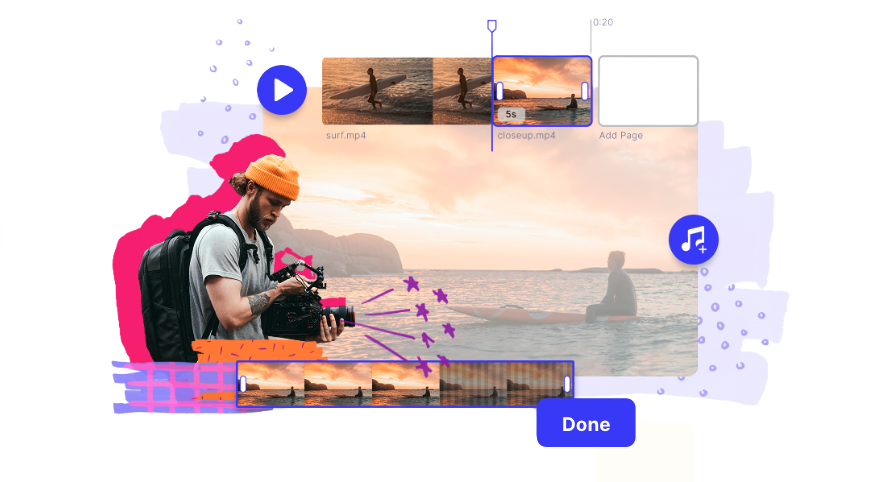
That’s why we’ve upgraded the Sked Media Library with a game-changing new feature: native video and image editing. Now, you can trim, tweak, crop, and create—all inside Sked. No juggling tools. No re-uploads. Just smooth, in-platform editing that keeps your workflow moving.
Why editing in Sked is a big deal
Social media managers aren’t just posting content—they’re designing it, tailoring it, and perfecting it under tight deadlines. That often means:
Switching between editing tools and schedulers
Managing multiple file versions
Scrambling when last-second changes pop up
By bringing editing into Sked, we’re cutting out that friction. Your Library is now a creative hub where you can prepare assets and send them straight to scheduling—all in one flow.
What you can do with Sked’s new editor
We’ve packed in the editing essentials (and then some). With video editing inside Sked, you can:
Trim and cut clips for the perfect length
Combine multiple clips into a single video
Add text overlays, stickers, or graphics to match your brand
Crop, rotate, and resize for different platforms
Tweak brightness, contrast, and color
Apply templates and creative effects for a polished finish
And yes, image editing got an upgrade too. Crop, filter, adjust colors, add overlays, and export straight back into your Library—ready to schedule in seconds.
How it works (in 3 easy steps)
Head to your Library
Hover over any video or image and hit Edit
Make your changes → save → publish
No extra downloads, no lost versions. Just simple, seamless editing.
Create faster, publish smarter
Your time is too valuable to waste on clunky workflows. With video and image editing now built into Sked, you’ll spend less time managing files and more time creating content that makes an impact.
Join social media managers, marketers, creators and in-house teams sharing what works right now: practical advice, honest conversations, and direct access to some of the smartest people in social.
Our blog, Instagram Trends & Memes, is your one-stop shop for all the latest buzz on the platform. Sign up below to receive regular updates straight to your mailbox.
What to read next
Fill your content calendar—and your inspiration board.


.png)