Introducing Sked Ideas, Your Creative Operating System for Social Media
February 19, 2026
By
We are thrilled to announce Sked Ideas: A dedicated, end-to-end creative workspace built directly into your publishing workflow. It is designed to capture ideas from anywhere, give you a safe space to filter and develop rough thoughts, validate direction early before committing creative time, then only move your strongest concepts forward for scheduling.
Whether you're jotting down a quick thought in your Scratchpad or developing fully-formed content briefs in your Workspace, Ideas provides the structure (and the flexibility) you need to maintain a consistent, on-brand social presence.
This is your new Creative Operating System. Let’s take a deep dive into how it works.
The Problem: The Crisis of Infinite Ideas & Tools
Before we explore the Ideas Workflow, we need to acknowledge that the job of a social media manager has fundamentally changed.
Five years ago, the enemy was the "blank page." You stared at the calendar, praying for inspiration. Today, the enemy is the exact opposite: You are drowning in possibility.
Between your own creative brain, team brainstorms, and the explosion of Generative AI, you have access to infinite ideas. You can generate 50 caption variations in seconds. You can list 100 blog topics in a minute.
The bottleneck has shifted. The challenge is no longer generating ideas; the challenge is Strategic Filtration.
Which of those 50 AI captions actually sounds like your brand?
Which of those 100 topics aligns with this quarter’s goals?
Which trend is a distraction, and which is an opportunity?
The "Messy Middle" Choke Point
This creates a new form of anxiety: Strategic Paralysis. When everything feels like a "good idea," nothing gets prioritized. You end up with a backlog of thousands of potential posts, but no clear path to execution.
This is where the current tool stack fails you. It forces you into a binary workflow that can't handle this volume:
The Overflowing Dumping Ground: You shove AI outputs, links, and random thoughts into "storage" apps like Notion, Asana, or Google Sheets. Because these tools are disconnected from your publishing workflow, these lists grow infinitely large and instantly stale. Ideas go here to die.
The High-Stakes Calendar: Alternatively, you try to skip the filtration phase and build posts directly in your scheduler. But the calendar is a "live" environment. It feels risky and final. You can't test 10 different AI angles here because "putting it on the calendar" implies it’s ready to publish.
This leaves you stuck in the Messy Middle—that gap between the spark of inspiration and the final post. For years, social media teams have tried to fill this gap with a patchwork of disconnected tools: Notion for brainstorming, ChatGPT for drafting, Asana for approvals, and spreadsheets for content pillars - losing time in an admin busywork spiral, and paying the ‘copy-paste tax’ when important context falls through the gaps.
Sked Ideas solves this.
It is the missing filtration layer in your social media marketing stack. It gives you a dedicated workspace to capture the flood of inspiration, filter it through your brand strategy, and get early concept validation before developing further into publishable posts
How Sked Ideas Works
Sked Ideas is composed of two primary spaces designed to mimic the natural creative process: the Scratchpad (your safe space to capture every idea) and the Workspace (to filter and create strategic order).
Getting Started: The Setup Wizard
To open Ideas, head to the navigation bar on the left-hand side of your Sked dashboard. You’ll find Ideas sitting proudly at the top of the list, directly below the 'Create Post' button.
When you open Ideas for the first time, you won’t be greeted by a blank screen. You’ll be guided by our setup wizard. This isn't just a "next, next, finish" tour; it’s where you build the brain of your AI assistant.
Note: Ideas works best when these items are completed. You won’t be able to access the workspace without finishing this setup, but don't worry—it only takes about 60 seconds, and it saves you hours later.
The wizard helps you configure three critical components:
Brand Description
Tone of Voice (TOV) Profile
Content Pillars
Let's break down why these matter.
1. The Brand Description
Think of this as the "foundational truth" for your AI. The Brand Description anchors the AI's knowledge base, providing it with essential facts about your products, services, and value proposition.
We recommend keeping this description concise (under 200 words) but specific. Focus on your unique selling points and target audience.
🚀 Pro Tip: Hate writing bios? You can generate this description automatically by entering your website URL. We’ll do the heavy lifting, scraping your homepage to convert the webpage content into a usable summary.
2. Tone of Voice (TOV) Detection
This is where Sked Ideas separates itself from generic AI tools.
Most AI sounds like... AI. It’s robotic, overly enthusiastic, or uses words nobody actually says (looking at you, "delve"). Ideas includes built-in Tone of Voice (TOV) Detection to ensure AI-generated content sounds like you.
By analyzing your website, brand guidelines, or past social media posts, the system builds a unique Voice Profile for your brand. This profile captures your specific nuances:
Regional spelling: (e.g., Color vs. Colour)
Emoji habits: (Do you use ✨ or 💀?)
Sentence structure: (Short and punchy? Or long and educational?)
Banned words: (Ensuring you never use competitor slang).
Formatting: (Even down to your usage of the em-dash).
We then apply this profile to every draft caption or brief you generate within Ideas.
Use Case: You can create multiple TOV profiles. Create a "Professional" voice for your LinkedIn content and a separate "Unhinged Gen-Z" voice for your TikToks. The AI will switch hats instantly.
3. Content Pillar Detection
Finally, the wizard analyzes your past posts to detect the content pillars you are already using. Simply select the accounts you want to analyze, and we’ll do the rest. The AI intelligently handles post duplicates or cross-platform variations to identify your strategic buckets (e.g., "Education," "Social Proof," "Behind the Scenes").
1. The Capture Phase (The Scratchpad)
Great ideas rarely happen when you are sitting at your desk ready to write. They happen when you’re scrolling Instagram at 9 PM, reading a newsletter, or in the middle of a team meeting.
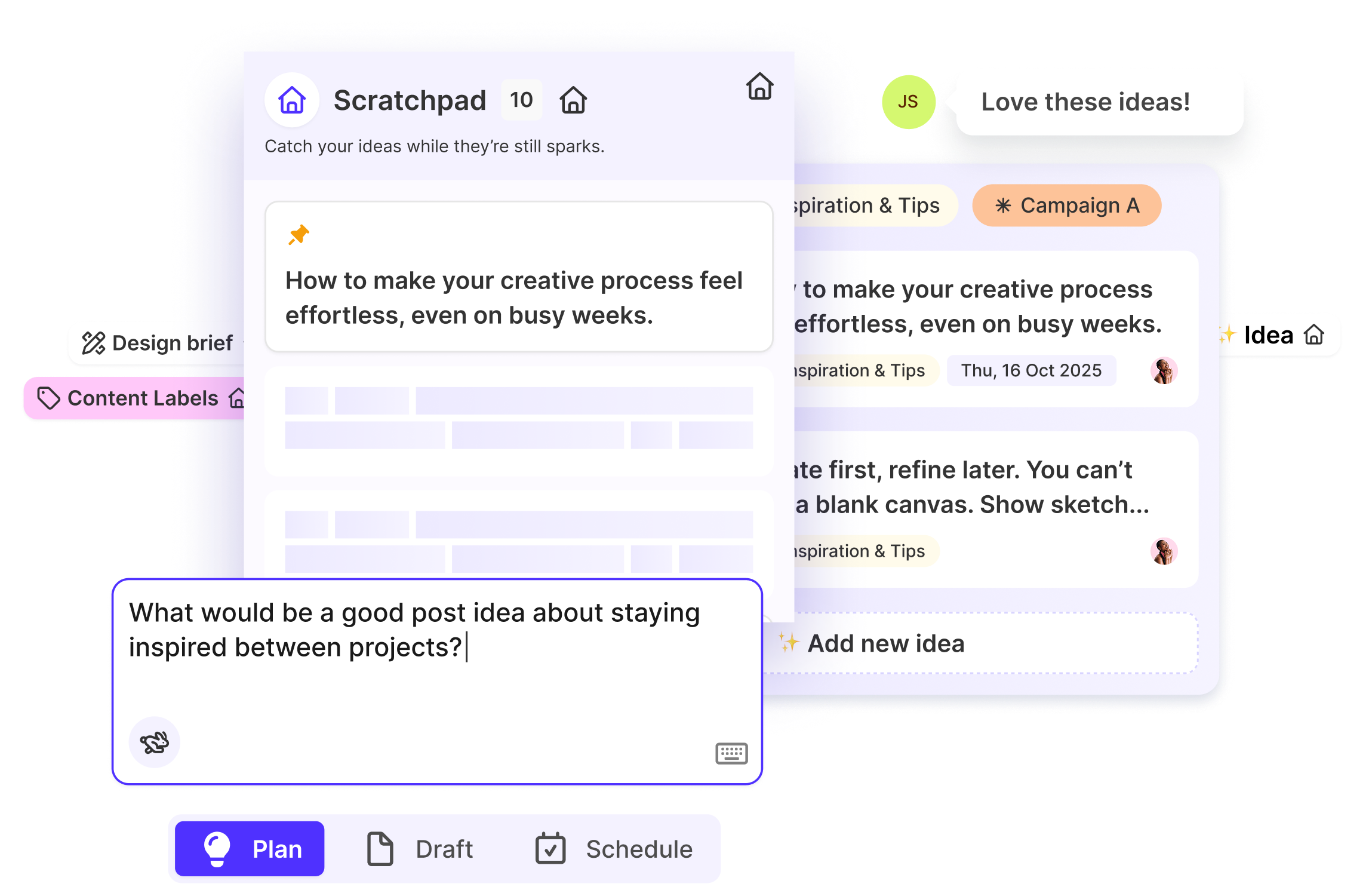
The first component of Sked Ideas is The Scratchpad. Think of this as the inbox for your brain. It is a judgment-free holding zone for everything from fully formed concepts to half-baked thoughts.
Smart Create vs. Quick Create vs. AI Create
We designed the Scratchpad to be the fastest way to get thoughts out of your head and into a system. We’ve introduced two modes of entry:
Quick Create: Perfect for one-liners. Have a thought about "Summer Sale Teasers"? Type it in, hit enter, and it’s a card.
Smart Create: This is for the messy copy-pasters. Let’s say you have a paragraph of notes from a meeting or a rough dump of text from a Slack thread. When you paste that block of text into the Scratchpad, our system analyzes it. It automatically extracts a clean, punchy title for the card and moves the rest of the text into the "Details" field. It organizes your mess for you instantly.
Integrations: No Idea Left Behind
Your ideas don’t just live in Sked; they live in your project management tools and your browser.
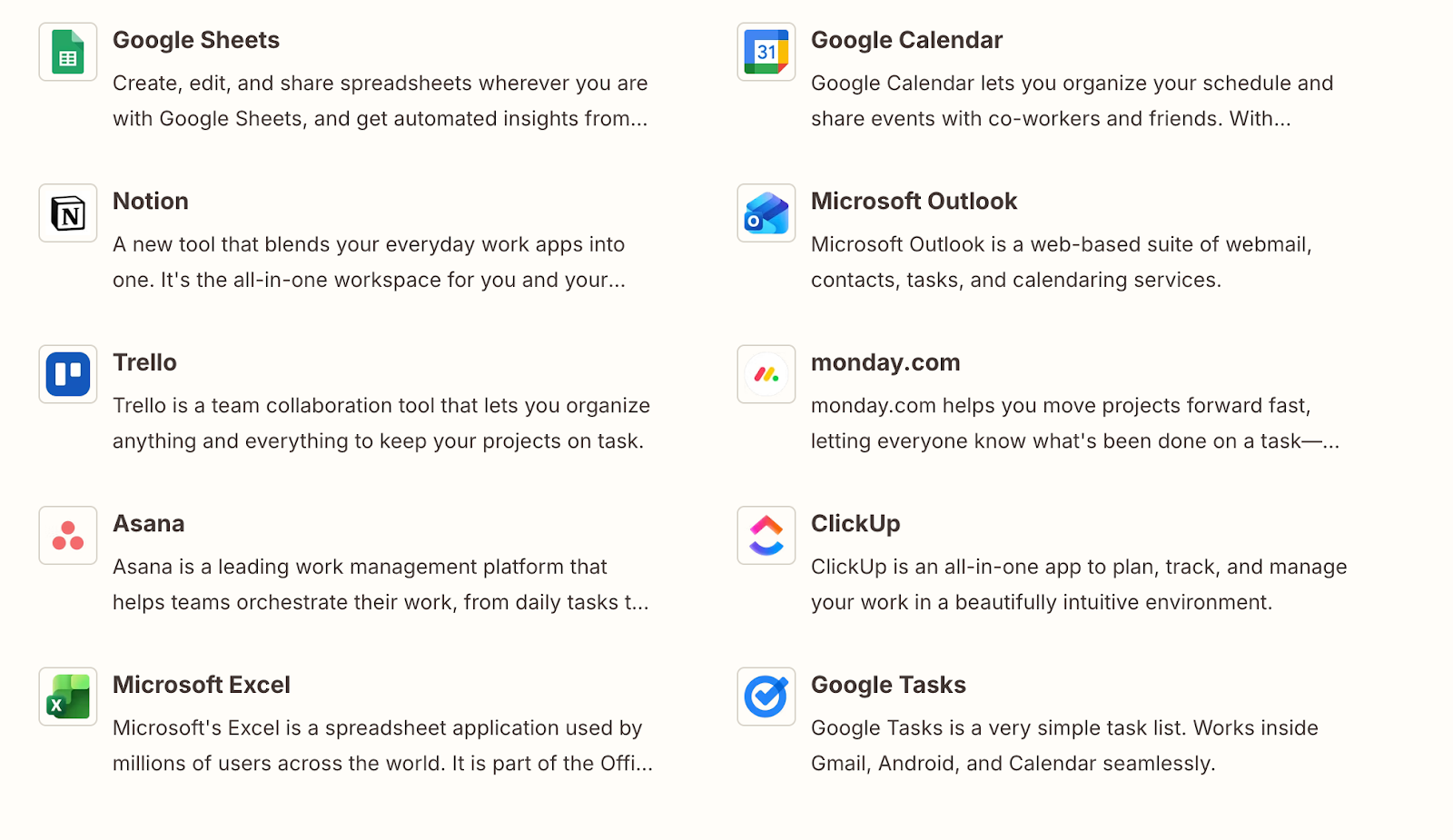
At launch, Sked Ideas includes powerful integration with Zapier. This is a game-changer for agencies and dispersed teams. You can set up workflows that beam ideas directly into your Sked Scratchpad from a wide range of external sources.
From Notion/Asana: When a client adds a request to a Notion database, it can automatically appear as an Idea card in Sked.
From Slack: Star a message in Slack to have it sent to Sked as an Idea.
From the Browser: Use a Zapier Chrome extension to "clip" a URL or a piece of inspiration and send it straight to your Scratchpad.
Sked Mobile App: On socials, find inspo → Create Sked Idea
You find a post on IG, FB, TT, YT
Tap share, tap Sked
Launches Sked
Tap Create Idea
This ensures that the Scratchpad becomes the single source of truth for every potential piece of content, regardless of where it originated.
Pull in Ideas automatically from your favourite planning tool.
Join the #seen Community
Join social media managers, marketers, creators and in-house teams sharing what works right now: practical advice, honest conversations, and direct access to some of the smartest people in social.
Once an idea is captured, it needs to be categorized. This is where most social strategies fall apart. We all say we have "Content Pillars," but usually, those pillars live in a PDF deck that nobody looks at.
Sked Ideas brings your strategy to life with Content Pillar Swimlanes.
Workspace: Visually Filter Ideas Through Swimlanes
When you move an idea from the Scratchpad to the Workspace, you aren’t just moving it to a new list; you are physically placing it into a strategic bucket.
The Workspace is your visual Ideas board where your columns are your Content Pillars.
Drag-and-Drop Strategy: You can drag a card from "Inspiration" to your "Educational" pillar. Or move a card from "Product Launch" to "User Generated Content."
Automatic Labeling: As you drag a card into a swimlane, Sked automatically tags that idea with the corresponding pillar.
Strategic Gaps: This visual layout creates immediate clarity. If your "Educational" column is empty, but your "Promotional" column is overflowing, you can see the imbalance instantly. You no longer have to guess if you’re posting too much sales content—the board tells you.
This feature turns "strategy" from an abstract concept into a physical workflow. It forces every post to earn its place within a pillar before it ever gets scheduled.
3. The Development Phase (Brand-Smart AI)
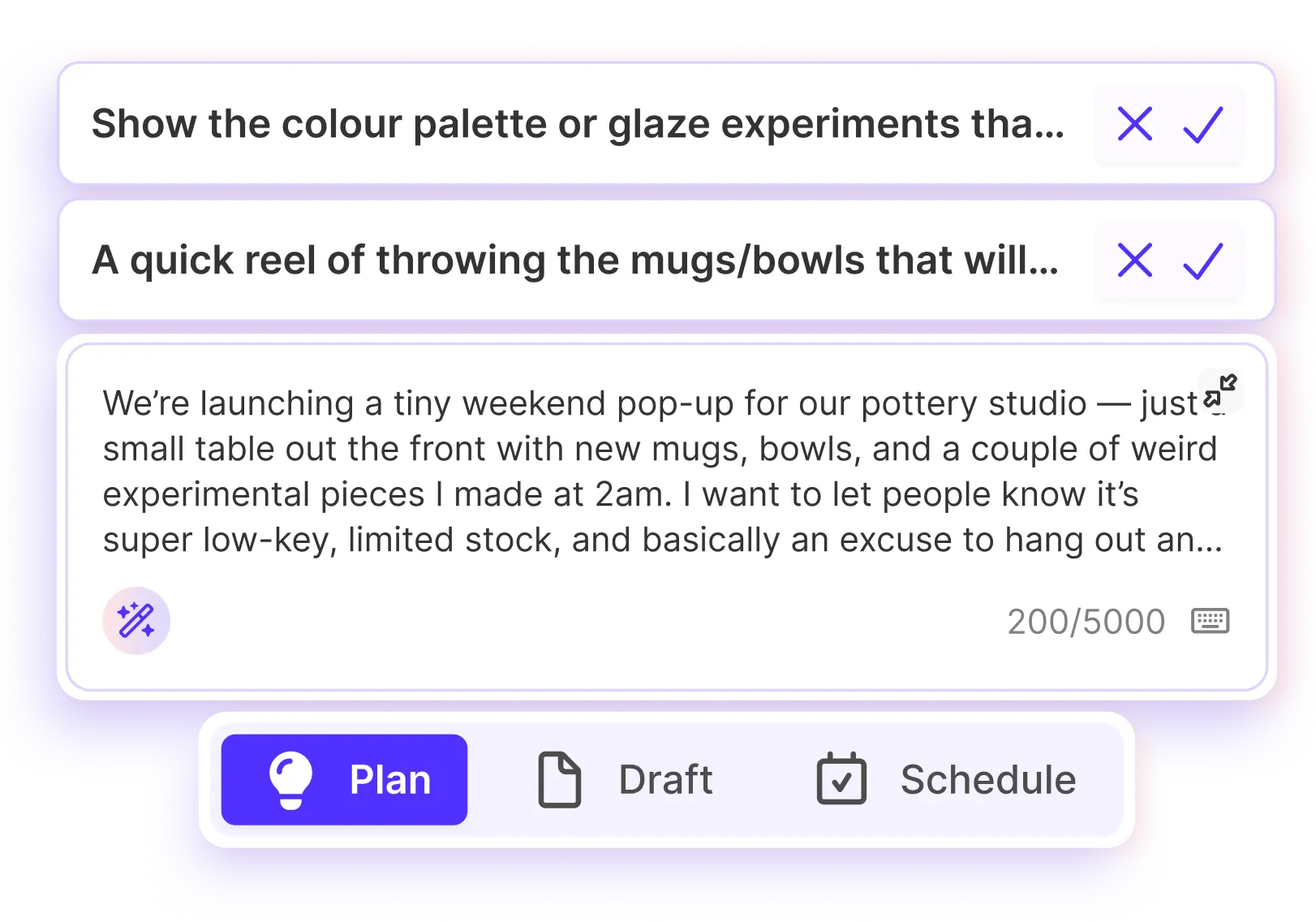
This is the engine room. Once you have filtered your most promising ideas through swimlanes prioritisation, how do you develop a rough-idea into a high-performing content and design brief and draft posts without spending hours copywriting?
We have all tried using generic AI tools. You ask for a caption, and it gives you something robotic, filled with rocket emojis, starting with "Unlock the power of..." It takes longer to edit the AI’s bad writing than to write it yourself.
Sked Ideas introduces Brand-Smart AI. This is not a wrapper for ChatGPT. It is a contextual AI engine that is anchored to your specific Brand Kit.
Context-Aware Generation
Because the AI knows your pillars and your brand description, it acts as a junior strategist, not just a copywriter.
From Prompt to Brief: You can type "3 educational carousel ideas about skincare for winter" into a card. The AI will use your "Educational" pillar context and your "Skincare" brand description to generate three distinct angles, complete with hook, body copy, and visual suggestions.
Transform Context to Concepts: Have a blog post URL? Paste it into a card. The AI can parse that content and generate a Twitter thread, a LinkedIn article summary, and an Instagram caption—all distinct, all on-brand.
4. The Validation Phase (The Vibe Check)
Stakeholder Approvals and Feedback Loops
For social media managers, the most expensive part of the creative process is rejection.
There is nothing worse than spending four hours designing a carousel, editing a Reel, and polishing captions, only to have the client or VP of Marketing say, "Actually, I don't think we should talk about this topic."
You have wasted budget and time on high-fidelity production for an idea that was doomed from the start. Sked Ideas solves this with lightweight early validation signals from stakeholders to prevent hours wasted developing finished ideas that ultimately get rejected.
Directional Approval
Because Ideas exists separately from the calendar, you can use it for lightweight, low-stakes approval.
Thumbs Up/Down: Stakeholders can view the Workspace and give a simple thumbs up or down on concepts.
Concept Validation: You can present a raw idea: "Thinking of doing a meme series about X." If the client gives it a thumbs down, you have lost 30 seconds of typing, not 4 hours of production.
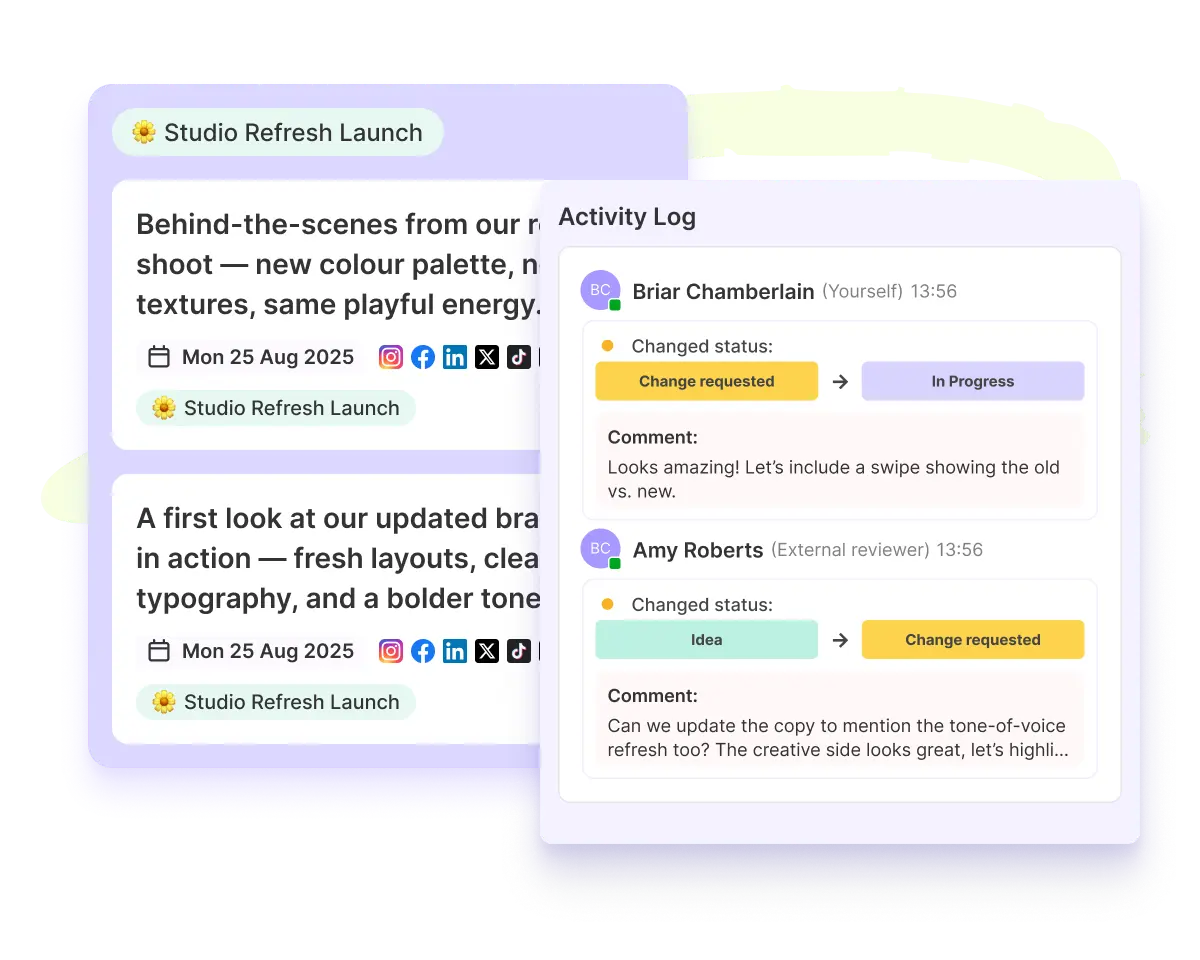
Team Collaboration: This encourages your team to leave comments directly on the idea card, encouraging asynchronous contributions and incremental idea development. You can flood the workspace with your roughest ideas, shape into viable concepts, and trust that only the best ones will survive the filter.
5.The Execution Phase (From Idea to Calendar)
You have captured the idea, organized it into a pillar, fleshed it out with Brand-Smart AI, and validated it with your team. Now, it’s time to go live.
Sked Ideas offers a seamless transition from the Workspace to the Scheduler.
Bulk Create & The Evergreen Engine
You aren’t limited to one post per idea. A single successful idea should spawn multiple assets.
Multi-Channel Deployment: Right-click an idea and select "Create Post." You are taken to the Bulk Create screen where you can map that single concept to Instagram, LinkedIn, TikTok, and X simultaneously.
Asset Management: The text from your Idea card pre-fills the caption fields. Any images or assets attached to the idea are automatically carried over.
The Evergreen Library: You can choose to keep the Idea card in your Workspace even after scheduling. This allows you to build a library of "Evergreen" concepts that you can return to next month or next quarter, preventing you from starting from scratch every time.
Strategic Visibility on the Calendar
One of the most powerful features for planning is how Ideas integrate with your main Calendar view.
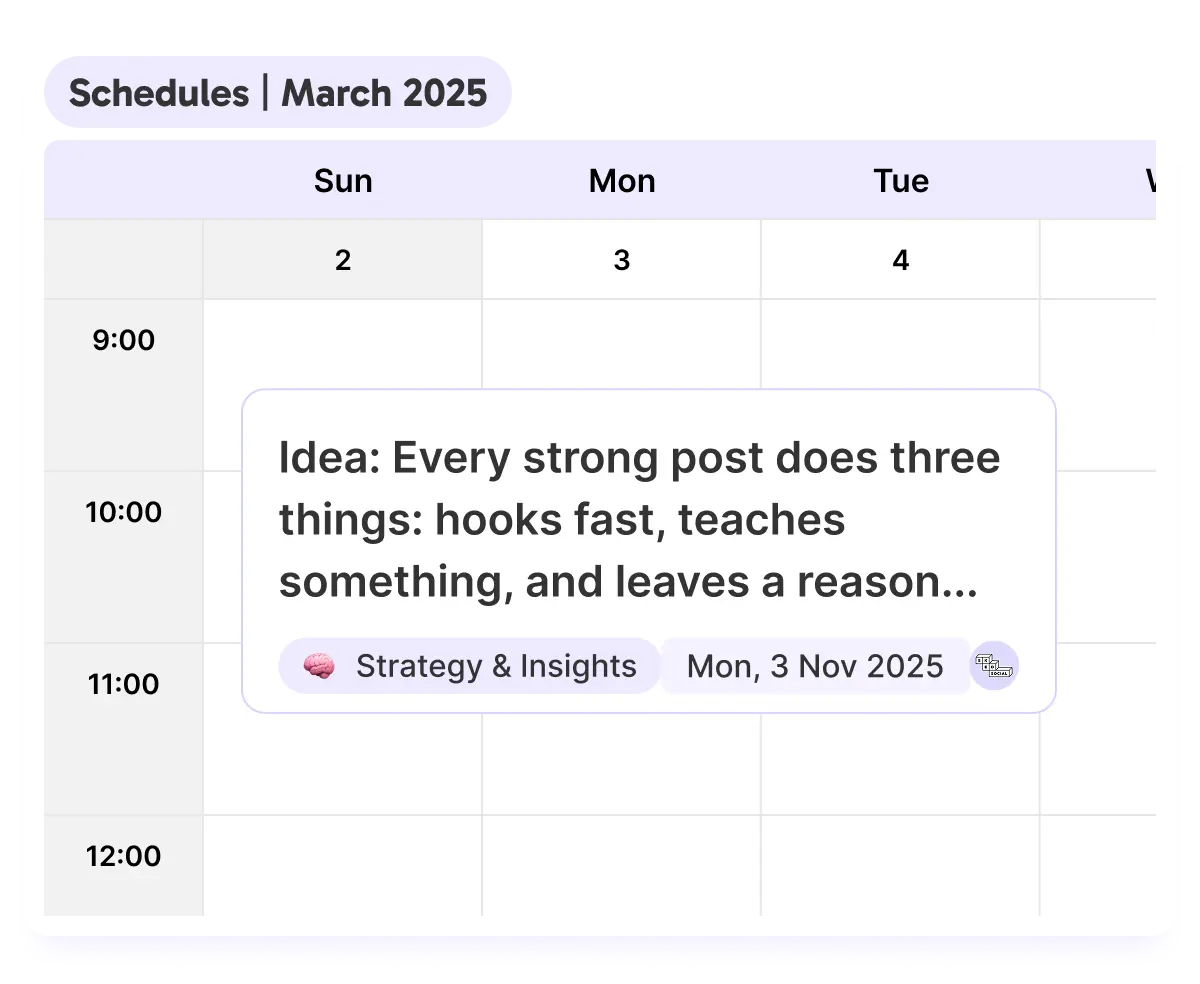
You can assign a "tentative date" to an Idea without actually scheduling it. These appear on your Sked Calendar alongside your scheduled posts.
The Full Picture: You can see your finalized posts (green) next to your potential ideas (yellow).
Spotting the Holes: This helps you plan weeks in advance. You might see that next Tuesday has a scheduled product post, but Thursday is empty. You can drag an Idea from your sidebar directly onto that Thursday slot to begin the production process.
This feature allows you to plan your narrative arc over weeks and months, mixing confirmed content with "in-progress" concepts for a truly holistic view of your timeline.
Your New Creative Flow
Let’s recap how your day looks with Sked Ideas:
Capture: You dump a brainwave into the Scratchpad using the mobile app or desktop.
Organize: You drag that card into the "Education" Pillar Swimlane.
Develop: You use AI Create to generate a first draft based on your "Witty" Tone of Voice.
Collaborate: Your copywriter sees the card, tweaks the caption, and tags the designer to val.
Execute: You click "Create Post," and the card transforms into a draft post for Instagram and LinkedIn with your AI Brand Sidekick (That actually knows you), ready for scheduling.
It’s cleaner. It’s faster. And it stays true to your brand.
Get Started with Ideas
The era of scattered spreadsheets and generic AI is over. It’s time to move your team into a workspace that understands your brand and respects your strategy.
Sked Ideas is rolling out now. Ready to stop the "messy middle" and start building a strategic content engine? Log in to your Sked dashboard today and explore the future of social media creativity.
Try Sked Social free for 14 days!
Sked's tools are designed to streamline your workflow, enhance team collaboration, and deliver exceptional results for you and your team.
Our blog, Instagram Trends & Memes, is your one-stop shop for all the latest buzz on the platform. Sign up below to receive regular updates straight to your mailbox.
What to read next
Fill your content calendar—and your inspiration board.

.png)
.png)