On this page
- Instagram post size 2026: the team spec sheet
- Instagram aspect ratio updates for 2026: what's changed?
- Feed, Stories, and Reels dimensions: the complete breakdown
- Instagram carousel and profile image sizes: consistency is key
- Instagram image and video best practices for 2026
- Instagram image and video sizes for Instagram ads in 2026
- Step-by-step: how to optimize your Instagram posts for 2026
- Sizing Instagram content for a brand or for clients
- Transform your social media management with Sked Social
If you plan a month of Instagram posts for clients or for a brand with several locations, Instagram post size questions land on your desk every week. A designer exports at 3:4, the scheduling tool tops out at 4:5, and a client's logo gets cut off in the grid. This guide is the spec sheet your whole team can work from: every Instagram image and video size for 2026, which ones work when you schedule, and how to keep designers, account managers, and clients on the same numbers.
Key takeaways
- Feed posts: 4:5 (1080 x 1350 px) is the safe default for anything you schedule, because Meta's publishing API accepts feed images from 4:5 to 1.91:1. Posting straight from the app? Instagram now keeps 3:4 photos (1080 x 1440 px) uncropped.
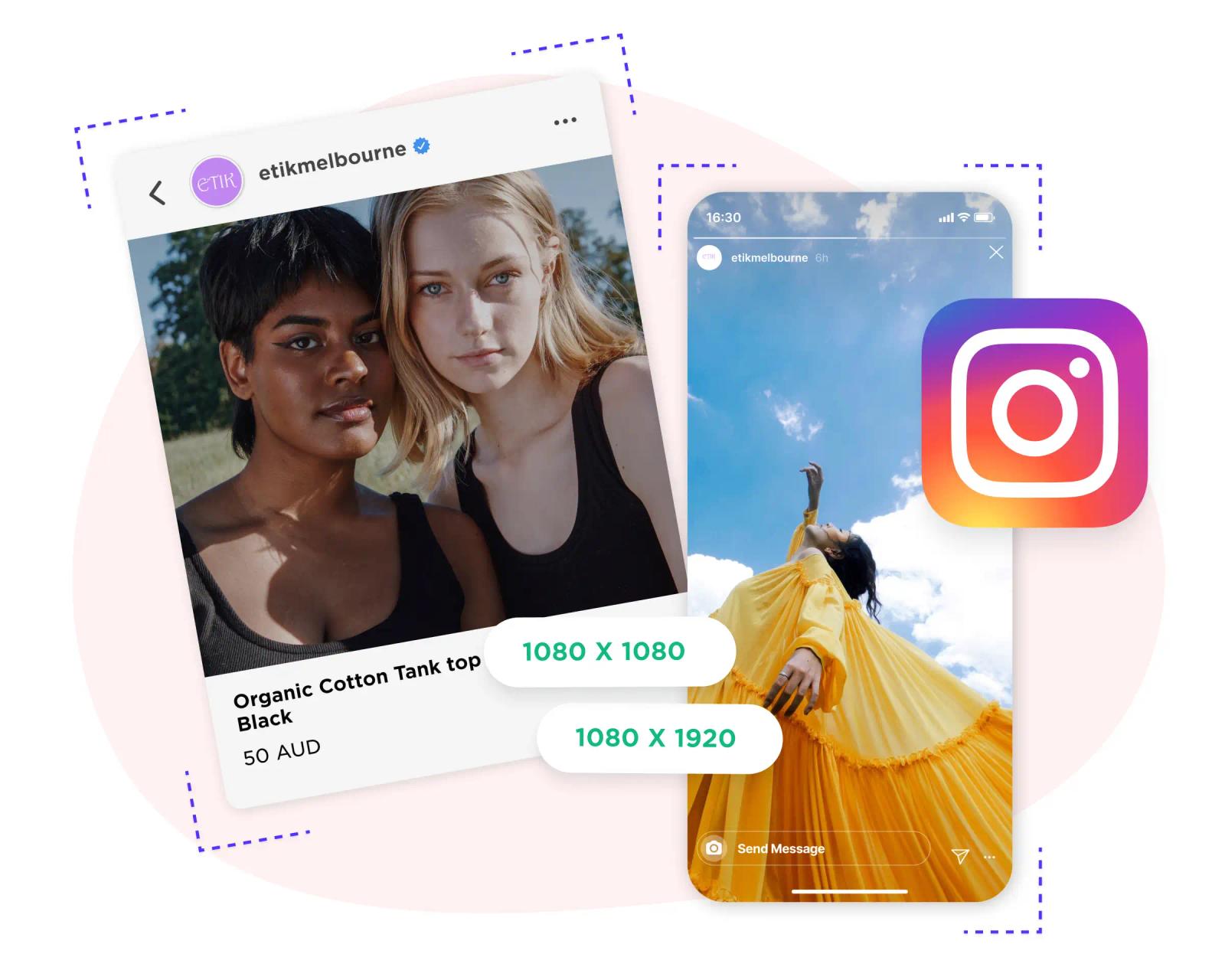
- Other feed sizes: square 1:1 (1080 x 1080 px) and landscape 1.91:1 (1080 x 566 px) are still supported.
- Stories and Reels: 9:16 (1080 x 1920 px). Keep text and logos out of the top 14%, the bottom 35%, and 6% on each side.
- Video: Reels accept any ratio from 1.91:1 to 9:16, so landscape, square, and 4:5 video still work.
- Profile picture: a square image, shown as a small circle. Keep logos and faces centered.
- For teams: work from one shared spec sheet and check each account's grid before anything goes live. Sked Social's Grid Preview shows how queued posts will sit in each Instagram grid.
Specs checked October 9, 2026 against Instagram Help, Meta's developer documentation, and Meta's Ads Guide.
Instagram post size 2026: the team spec sheet
Copy this table into your brand guidelines or client onboarding doc. It's the one place everyone checks before they export.
| Format | Size (px) | Ratio | Works when | Notes |
|---|---|---|---|---|
| Feed post, portrait | 1080 x 1350 | 4:5 | Posted in the app or scheduled | Default for scheduled posts |
| Feed post, tall | 1080 x 1440 | 3:4 | Posted in the Instagram app | Outside the range Meta's publishing API and feed image ads accept |
| Feed post, square | 1080 x 1080 | 1:1 | Posted in the app or scheduled | Whole image shows in the feed |
| Feed post, landscape | 1080 x 566 | 1.91:1 | Posted in the app or scheduled | Widest ratio Instagram keeps |
| Carousel | Same as feed | One ratio per post | App: up to 20 items. API: up to 10 | First slide shows in the grid |
| Story | 1080 x 1920 | 9:16 | Posted in the app or scheduled | Keep 14% top, 35% bottom, 6% sides clear |
| Reel | 1080 x 1920 | 9:16 (1.91:1 to 9:16 accepted) | Posted in the app or scheduled | At least 720 px and 30 fps |
| Reel cover | 420 x 654 | 1:1.55 | Posted in the app | Instagram's recommended cover size |
| Profile photo | 1080 x 1080 (suggested upload) | 1:1 | Set in the app | Advice, not an Instagram spec. Displayed as a small circle |
| Feed image ad | 1440 x 1800 | 4:5 | Ads Manager | 3:4 is not accepted |
| Story or Reels ad | 1440 x 2560 | 9:16 | Ads Manager | Keep 14% top, 35% bottom, 6% sides clear |
Instagram keeps a photo at its original resolution when it's between 320 and 1,080 px wide and between 1.91:1 and 3:4. Narrower photos are enlarged to 320 px wide, wider ones are sized down to 1,080 px, and anything outside that ratio range is cropped to fit. Managing more than Instagram? Our social media image sizes guide for every platform puts every network on one page.
Instagram aspect ratio updates for 2026: what's changed?
Instagram now accepts two tall feed ratios. Which one your team should use depends on how the post gets published.
- Square (1:1, 1080 x 1080 px):
A consistent, uniform look. The whole image is visible without cropping, which makes it a safe choice for product shots and branded templates. - Portrait (4:5, 1080 x 1350 px):
The tallest ratio every route accepts, including tools that auto-publish through Meta's API. It takes up more of the feed than square, so it's the default for anything your team schedules. - Tall (3:4, 1080 x 1440 px):
Since May 2025, Instagram keeps 3:4 photos at their original shape when you post from the app. Meta's publishing API (v25.0) still caps feed images at 4:5, so 3:4 is an in-app format for now. - Landscape (1.91:1, 1080 x 566 px):
Best for wide shots: events, storefronts, and group photos. It uses the least vertical space in the feed.
Is Instagram 4:5 or 3:4 now?
Both. In the app, photos keep their shape anywhere from 1.91:1 to 3:4, so a 1080 x 1440 phone photo posts uncropped. Tools that auto-publish through Meta's API accept 4:5 to 1.91:1. If your team schedules, make 4:5 (1080 x 1350) the default and keep 3:4 for posts someone publishes from a phone. The math: 1080 / 1350 = 0.8, which is 4:5. 1080 / 1440 = 0.75, which is 3:4.
Feed, Stories, and Reels dimensions: the complete breakdown
Feed posts
- 4:5 (1080 x 1350 px): Default for scheduled posts.
- 3:4 (1080 x 1440 px): For posts published from the Instagram app.
- 1:1 (1080 x 1080 px): A classic, uniform grid.
- 1.91:1 (1080 x 566 px): Landscape or horizontal images.
Best practice:
Keep faces, text, and logos centered and away from the edges. Since January 2025 the profile grid shows posts as vertical rectangles rather than squares, so the grid thumbnail is a crop of what people see in the feed. For scheduled feed images, export JPEG under 8 MB.
Instagram Stories and Reels
- 9:16 (1080 x 1920 px): The standard for Stories and Reels.
- Safe zone: Meta's Ads Guide advises leaving roughly 14% of the top, 35% of the bottom, and 6% on each side free of text and logos. On a 1080 x 1920 frame, that's about 269 px at the top, 672 px at the bottom, and 65 px on each side. It's written for ads, but it works as a conservative rule for organic Stories and Reels too.
- Reel cover: Instagram recommends 420 x 654 px (a 1:1.55 ratio).
- Reel length: Up to 20 minutes in the app. Reels over three minutes aren't recommended to new audiences. Through Meta's publishing API, which scheduling tools use, Reels run from 3 seconds to 15 minutes.
Example:
A hospitality group with 15 venues sends each venue one 4:5 master and one 9:16 master for every campaign asset. Local managers schedule the same files, so every venue's feed and Stories match without anyone re-cropping on a phone. Posting Stories from a desk rather than a phone? Here's how to create Instagram Stories on your laptop.
Instagram video sizes: landscape, square, and carousel video
Not every video is 9:16. Instagram accepts Reels anywhere from 1.91:1 (landscape) to 9:16 (vertical), with a minimum resolution of 720 px and a minimum frame rate of 30 fps. The common sizes are:
- Vertical (9:16): 1080 x 1920 px.
- Portrait (4:5): 1080 x 1350 px.
- Square (1:1): 1080 x 1080 px.
- Landscape: 1920 x 1080 px (16:9) or 1080 x 566 px (1.91:1).
Carousel videos follow the carousel's orientation. Instagram applies one orientation (square, portrait, or landscape) to every item in the post, and videos inside a carousel aren't treated as reels. If you schedule video, Meta's publishing API takes Reels from 3 seconds to 15 minutes (up to 300 MB, 23 to 60 fps) and Story videos from 3 to 60 seconds (up to 100 MB). Publishing the same vertical master to TikTok too? Our TikTok video size guide has those specs.
Instagram carousel and profile image sizes: consistency is key
Carousels
- Use the same aspect ratio for every slide. Instagram applies one orientation to the whole post.
- Default: 4:5 (1080 x 1350 px) for carousels you schedule. 3:4 carousels are in-app only.
- Limits: up to 20 photos and videos in the app, and up to 10 through Meta's publishing API.
- The first slide is what shows in your grid, so make it work on its own.
- Panoramic carousels: design one 3240 x 1350 px master and cut it into three 1080 x 1350 slides. For layouts that span several posts, see how to build a big grid on Instagram.
Profile picture
- Upload a square image. 1080 x 1080 px gives you headroom. Instagram displays it small and crops it to a circle.
- Keep logos and faces centered.
- Avoid text. It's rarely legible at that size.
- Running several accounts? Use the same logo lockup on every location or client sub-brand so the circle reads at a glance. To swap it, here's how to change your Instagram profile picture.
Instagram image and video best practices for 2026
- Upload at least 1080 px wide. Instagram sizes feed photos down to 1,080 px wide, so start there or larger.
- Batch resize in your design tool so every asset in a campaign comes out at the same sizes.
- Export settings: JPEG for photos and for anything you schedule (Meta's publishing API takes JPEG feed images up to 8 MB). Keep files in sRGB so colors don't shift.
- Preview before posting. Check how each post sits next to the rest of the grid, not just on its own.
- Keep a consistent look. Color palette, filters, and composition matter more than any single post.
- Plan and approve ahead. Use planning, scheduling, and collaboration tools so nobody resizes an asset the morning it's due.
Instagram image and video sizes for Instagram ads in 2026
Ads follow Meta's Ads Guide, not the organic rules. The sizes are close, with two differences that catch teams out: Meta recommends larger files (1440 px wide), and 3:4 isn't accepted for feed image ads.
Feed ads
- Image ads:
4:5 at 1440 x 1800 px is recommended. The accepted range runs from 4:5 to 1.91:1, so a 3:4 image is out of range. JPG or PNG, up to 30 MB, at least 500 px wide. - Video ads:
Meta now recommends 9:16 at 1080 x 1920 px for Instagram feed video ads, from 1 second to 60 minutes, up to 4 GB.
Stories and Reels ads
- Full-screen vertical:
9:16 at 1440 x 2560 px. Keep at least 14% of the top, 35% of the bottom, and 6% on each side clear of text, logos, and calls to action. Instagram's interface covers those areas. - Length and file size:
Reels ads run from 0 seconds to 15 minutes, up to 4 GB. Stories image ads can be up to 30 MB.
Carousel ads
- Aspect ratio:
4:5 for carousels that contain only images. Carousels that contain video currently support 1:1 only. - Size and cards:
At least 1080 x 1080 px, with 2 to 10 cards. - Tip:
Carousel ads suit product ranges, step-by-step tutorials, or a story told across several frames.
Best practices for Instagram ad creatives
- High resolution only:
Build at the size Meta recommends (1440 px wide for image ads) and never below the minimum width. - Safe zones matter:
Keep key elements centered to avoid cropping or interface overlays. - Preview before launch:
Check every placement in Ads Manager before the campaign goes live. - Test multiple formats:
Run A/B tests with different aspect ratios and creative types to see what your audience responds to.
Step-by-step: how to optimize your Instagram posts for 2026
- Choose the route, then the ratio:
Scheduled feed posts use 4:5 (1080 x 1350 px). Posts published from the app can use 3:4 (1080 x 1440 px). Stories and Reels use 9:16 (1080 x 1920 px). - Design with safe zones:
Keep faces, text, and logos away from the edges. For Stories and Reels, leave about 269 px at the top, 672 px at the bottom, and 65 px on each side. - Batch resize and export:
Resize every asset in one pass. Export JPEG, at least 1080 px wide, and under 8 MB for scheduled feed images. - Preview the grid:
Check how each post sits in the profile grid before it's published. - Schedule and collaborate:
Plan posts in advance, gather feedback, and publish on time with scheduling tools. - Analyze and adjust:
Track what performs for each account in Sked Social's analytics, then adjust next month's plan.
Sizing Instagram content for a brand or for clients
The specs are the easy part. Keeping five people and 30 Instagram accounts on the same specs is the hard part. Here's what works for agencies and multi-location brands.
- One spec sheet, one owner. Pin the table above in your brand guidelines or client onboarding doc. One person updates it when Instagram changes something. Everyone else works from it.
- Decide the route per account. If an account is scheduled, its feed default is 4:5. Flag any account where someone posts 3:4 from a phone, so designers don't build the wrong size.
- Build masters, not one-offs. For each campaign asset, make a 4:5 feed master and a 9:16 master with the safe zones marked. Local teams and clients reuse the files instead of re-cropping.
- Name files by ratio. "summer-launch_4x5.jpg" and "summer-launch_9x16.mp4" stop the wrong file going to the wrong placement.
- Check each grid before approval. Clients judge their profile grid, not just the single post. Review the grid for every account before the approval round, not after publishing.
- Re-check the specs every quarter. In the past two years Instagram changed its photo ratios, its profile grid, and its Reel length. We update this guide and our other platform guides in the resources hub.
How Sked Social helps: Sked Social's Grid Preview shows how upcoming posts will appear in an Instagram account's profile grid before they publish. Drag posts into the order you want, check each carousel's first image, and catch a post that clashes with the rest of the feed before the client does. Pick any connected Instagram account to preview, so an agency can check every client's grid from one place.
Common questions
Instagram post size questions, answered
What is the best Instagram post size in 2026?
For posts your team schedules, 1080 x 1350 px (4:5). It's the tallest ratio Meta's publishing API accepts. For posts published from the Instagram app, 1080 x 1440 px (3:4) also keeps its shape.
What's the ideal size for Instagram Stories and Reels?
1080 x 1920 px (9:16). Keep text and logos out of the top 14%, the bottom 35%, and 6% on each side.
How long can Instagram Reels be?
Up to 20 minutes when you record or upload in the app. Reels over three minutes aren't recommended to new audiences. Through Meta's publishing API, which scheduling tools use, Reels run from 3 seconds to 15 minutes.
How do I avoid my images getting cropped in the grid?
Keep key elements centered, use 4:5 or 3:4 rather than landscape, and preview the grid before you publish. The profile grid shows a vertical crop of each post, so anything near the edges is at risk.
What's the best size for my Instagram profile picture?
A square image, uploaded at 1080 x 1080 px. Instagram shows it as a small circle, so center the logo or face and skip text.
Can I use different aspect ratios in a carousel?
No. Instagram applies one orientation (square, portrait, or landscape) to every photo and video in a carousel. You can add up to 20 items in the app, or 10 through Meta's publishing API.
Transform your social media management with Sked Social
Instagram's formats keep shifting. On a team, every shift turns into cropped images, mismatched grids, and last-minute re-exports. Sked Social keeps the whole Instagram queue in one place.
- Grid Preview: See how upcoming posts will sit in each Instagram grid, and drag them into order.
- Built-in image editor: Crop and resize in the Library before you schedule, and share collections of approved assets with your team.
- Instagram scheduling: Auto-publish feed posts, Reels, carousels, and Stories. Stories with link stickers go out as notification posts: Sked Social reminds you at the scheduled time and you add the sticker in the Instagram app.
- Approvals: Send posts for review before they go live. Which approval options you get depends on your plan.
- Analytics: See what performs for each account.
Hard job. Easy tools. Start your free trial. No card needed.