En esta página
- El problema: la crisis de las ideas y herramientas infinitas
- Cómo funciona Sked Ideas
- Primeros pasos: El asistente de configuración
- 1. La fase de captura (el bloc de notas)
- 2. Filtro (Área de trabajo y carriles)
- 3. La fase de desarrollo (IA orientada a la marca)
- 4. La fase de validación (la comprobación del ambiente)
- 5. La fase de ejecución (de la idea al calendario)
- Tu nuevo flujo creativo
- Empieza con Ideas
Estamos encantados de anunciar Ideas para Sked: Un espacio de trabajo creativo específico e integral integrado directamente en tu flujo de trabajo de Publicación. Está diseñado para que puedas capturar ideas desde cualquier lugar, te ofrece un espacio seguro para filtrar y desarrollar ideas preliminares, validar la dirección a seguir antes de dedicar tiempo a la creación y, finalmente, seleccionar solo los conceptos más sólidos para realizar la Programación.
Tanto si estás anotando una idea rápida en tu «Scratchpad» como si estás elaborando resúmenes de contenido completos en tu «Workspace», «Ideas» te ofrece la estructura (y la flexibilidad) que necesitas para mantener una presencia en redes sociales coherente y acorde con tu marca.
Este es tu nuevo «Sistema Operativo Creativo». Vamos a ver en detalle cómo funciona.
El problema: la crisis de las ideas y herramientas infinitas
Antes de profundizar en el flujo de trabajo de Ideas, tenemos que reconocer que el trabajo de un gestor de redes sociales ha cambiado radicalmente.
Hace cinco años, el enemigo era la «página en blanco». Te quedabas mirando el calendario, rezando para que te llegara la inspiración. Hoy en día, el enemigo es justo lo contrario: Estás desbordado de posibilidades.
Entre tu propia creatividad, las sesiones de brainstorming en equipo y el auge de la IA generativa, tienes acceso a un sinfín de ideas. Puedes generar 50 variaciones de pies de foto en segundos. Puedes hacer una lista de 100 temas para el blog en un minuto.
El cuello de botella ha cambiado de sitio. El reto ya no es generando ideas; el reto es Filtración estratégica.
- ¿Cuál de esas 50 descripciones generadas por IA encaja realmente con tu marca?
- ¿Cuál de esos 100 temas encaja con los objetivos de este trimestre?
- ¿Qué tendencia es una distracción y cuál es una oportunidad?
El cuello de botella del «Messy Middle»
Esto genera un nuevo tipo de ansiedad: Parálisis estratégica. Cuando todo te parece una «buena idea», no se da prioridad a nada. Al final te quedas con una lista de miles de posibles publicaciones pendientes, pero sin un plan claro para llevarlas a cabo.
Aquí es donde las herramientas actuales te fallan. Te obligan a seguir un flujo de trabajo binario que no puede gestionar este volumen:
- El vertedero desbordado: Metes los resultados de la IA, los enlaces y los pensamientos aleatorios en apps de «almacenamiento» como Notion, Asana o Google Sheets. Como estas herramientas no están conectadas con tu flujo de trabajo de publicación, estas listas crecen sin fin y se quedan obsoletas al instante. Las ideas van ahí a morir.
- El calendario de los partidos decisivos: Otra opción es saltarte la fase de filtrado y crear las publicaciones directamente en tu planificador. Pero el calendario es un entorno «en vivo». Da la sensación de ser arriesgado y definitivo. Aquí no puedes probar 10 enfoques diferentes de IA porque «ponerlo en el calendario» implica que ya está listo para la publicación.
Esto hace que te quedes atascado en el La fase complicada—that gap between the spark of inspiration and the final post. For years, social media teams have tried to fill this gap with a patchwork of disconnected tools: Notion for brainstorming, ChatGPT for drafting, Asana for approvals, and spreadsheets for content pillars - losing time in an admin busywork spiral, and paying the ‘copy-paste tax’ when important context falls through the gaps.
Sked Ideas te ayuda a resolverlo.
Es la capa de filtrado que le faltaba a tu estrategia de marketing en redes sociales. Te ofrece un espacio de trabajo específico para capturar ese torrente de ideas, filtrarlas según tu estrategia de marca y validar los conceptos en una fase temprana antes de seguir desarrollándolos hasta convertirlos en publicaciones listas para compartir.
Cómo funciona Sked Ideas
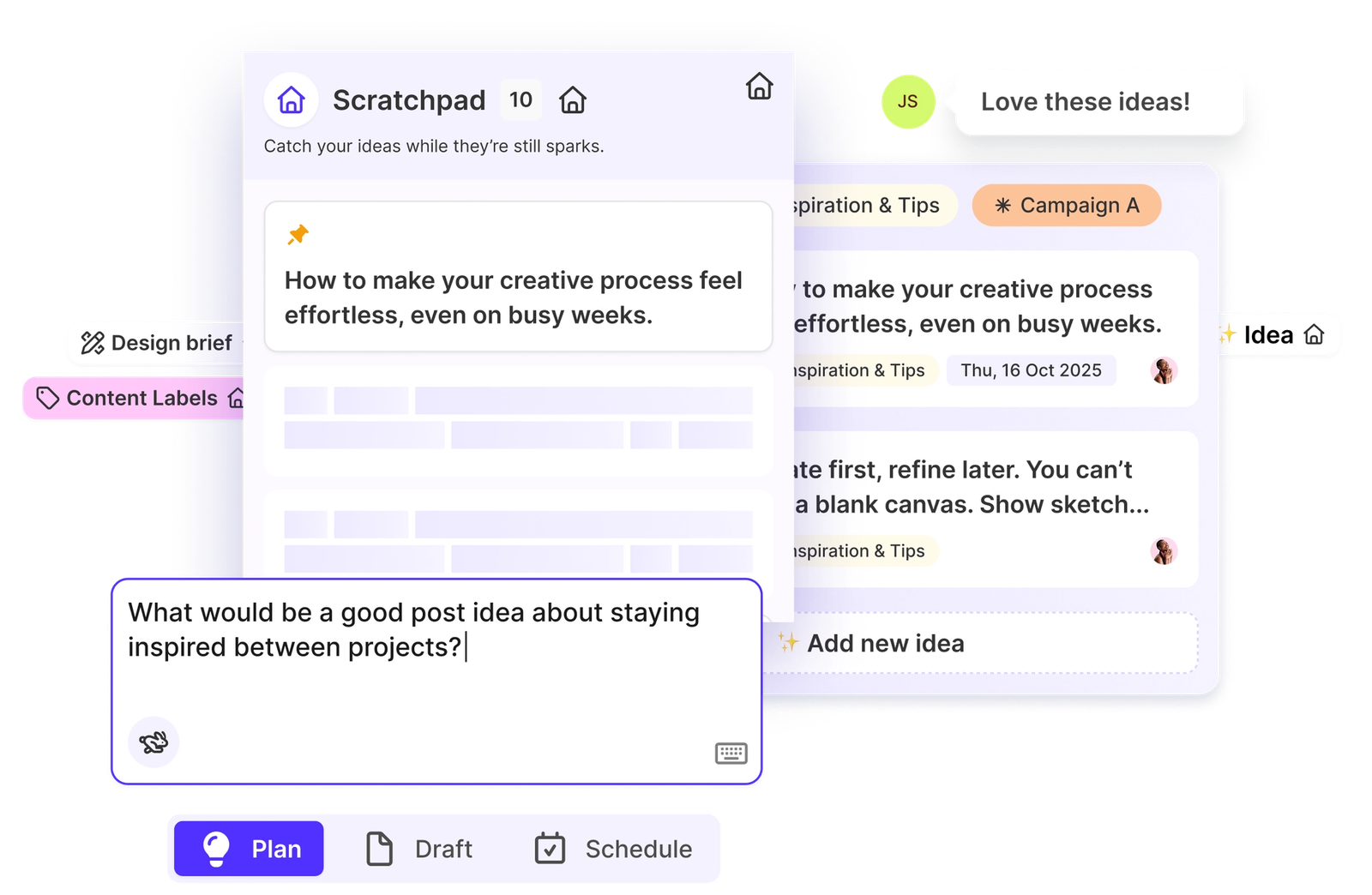
Sked Ideas se compone de dos espacios principales diseñados para imitar el proceso creativo natural: el «Scratchpad» (tu espacio seguro para anotar todas tus ideas) y el «Workspace» (para filtrar y crear un orden estratégico).
Primeros pasos: El asistente de configuración
Para abrir «Ideas», ve a la barra de navegación que hay a la izquierda de tu panel de control de Sked. Encontrarás Ideas aparece bien visible en lo alto de la lista, justo debajo del botón «Crear entrada».
Cuando abras Ideas por primera vez, no te encontrarás con una pantalla en blanco. Te guiará nuestro asistente de configuración. No se trata solo de un recorrido del tipo «siguiente, siguiente, terminar»; es aquí donde creas el cerebro de tu asistente de IA.
Nota: Ideas funciona mejor cuando se han completado estos pasos. No podrás acceder al espacio de trabajo sin terminar esta configuración, pero no te preocupes: solo te llevará unos 60 segundos y te ahorrará horas más adelante.
El asistente te ayuda a configurar tres componentes fundamentales:
- Descripción de la marca
- Perfil del tono de voz (TOV)
- Pilares de contenido
Vamos a ver por qué son importantes.
1. La descripción de la marca
Piensa en esto como la «verdad fundamental» de tu IA. La descripción de la marca constituye la base de la base de conocimientos de la IA, ya que le proporciona datos esenciales sobre tus productos, servicios y propuesta de valor.
Te recomendamos que esta descripción sea concisa (menos de 200 palabras), pero concreta. Céntrate en tus puntos fuertes y en tu público objetivo.
🚀 Consejo de experto: ¿Te da pereza escribir biografías? Puedes generar esta descripción automáticamente introduciendo la URL de tu página web. Nosotros nos encargamos del trabajo pesado: analizaremos tu página de inicio para convertir el contenido de la web en un resumen útil.
2. Detección del tono de voz (TOV)
Aquí es donde Sked Ideas se diferencia de las herramientas genéricas de IA.
La mayoría de las IA suenan a... bueno, a IA. Son robóticas, demasiado entusiastas o usan palabras que nadie dice en la vida real (te estoy mirando a ti, «delve»). Ideas incluye una función integrada Detección del tono de voz (TOV) para que el contenido generado por IA suene como tú.
Al analizar tu página web, las directrices de tu marca o tus publicaciones anteriores en redes sociales, el sistema crea un perfil único Perfil de voz para tu marca. Este perfil refleja tus matices específicos:
- Variantes ortográficas regionales: (p. ej., «Color» frente a «Colour»)
- Hábitos con los emojis: (¿Usas ✨ o 💀?)
- Estructura de la frase: (¿Breve y conciso? ¿O largo y didáctico?)
- Palabras prohibidas: (Asegúrate de no usar nunca la jerga de la competencia).
- Formato: (Incluso en tu forma de usar el guion largo).
A continuación, aplicamos este perfil a cada borrador de pie de foto o resumen que crees en Ideas.
Caso de uso: Puedes crear varios perfiles de TOV. Crea un tono «profesional» para tu contenido de LinkedIn y otro tono «desenfrenado de la Generación Z» para tus vídeos de TikTok. La IA cambiará de registro al instante.
3. Detección de pilares de contenido
Por último, el asistente analiza tus publicaciones anteriores para detectar los pilares de contenido que estás ya Es muy fácil. Solo tienes que seleccionar las cuentas que quieras analizar y nosotros nos encargamos del resto. La IA gestiona de forma inteligente los duplicados de publicaciones o las variaciones entre plataformas para identificar tus categorías estratégicas (por ejemplo, «Educación», «Prueba social», «Entre bastidores»).
1. La fase de captura (el bloc de notas)
Las grandes ideas casi nunca surgen cuando estás sentado en tu escritorio listo para escribir. Surgen cuando estás echando un vistazo a Instagram a las 9 de la noche, leyendo un boletín informativo o en medio de una reunión de equipo.
El primer componente de Sked Ideas es El bloc de notas. Piensa en esto como la bandeja de entrada de tu cerebro. Es un espacio donde guardar sin juzgar nada, desde ideas completamente desarrolladas hasta pensamientos a medio formar.
«Creación inteligente» frente a «Creación rápida» frente a «Creación con IA»
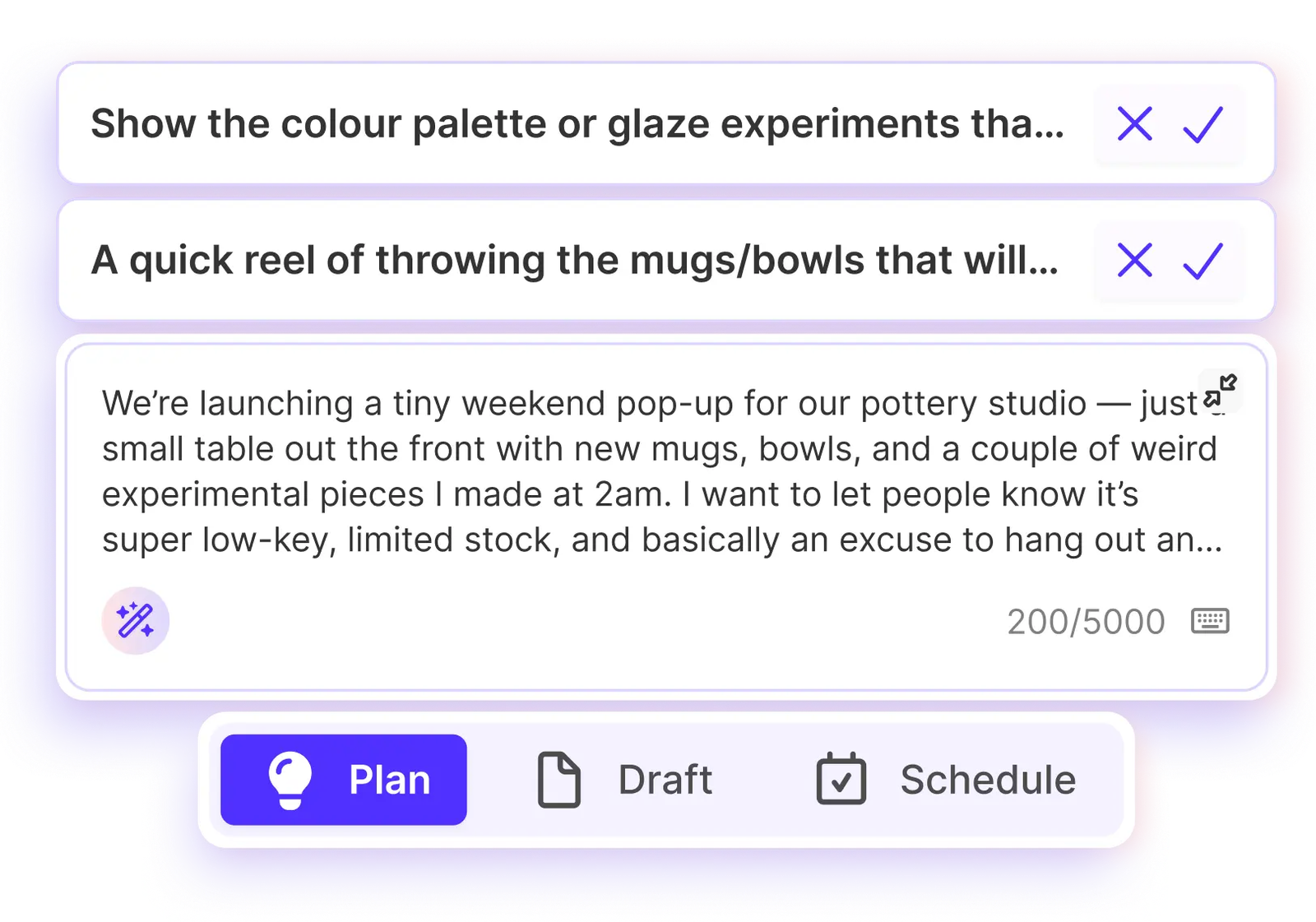
Hemos diseñado el Scratchpad para que sea la forma más rápida de plasmar tus ideas en un sistema. Hemos incorporado dos modos de introducción de datos:
- Creación rápida: Perfecto para frases cortas. ¿Se te ocurre algo sobre «Avances de las rebajas de verano»? Escríbelo, pulsa Intro y ya tienes una tarjeta.
- Creación inteligente: Esto va dirigido a los que copian y pegan sin orden ni concierto. Imagina que tienes un párrafo de notas de una reunión o un montón de texto sin ordenar de un hilo de Slack. Cuando pegas ese bloque de texto en el Scratchpad, nuestro sistema lo analiza. Extrae automáticamente un título claro y conciso para la ficha y traslada el resto del texto al campo «Detalles». Te pone todo en orden al instante.
Integraciones: ninguna idea se queda atrás
Tus ideas no solo están en Sked; también están en tus herramientas de gestión de proyectos y en tu navegador.
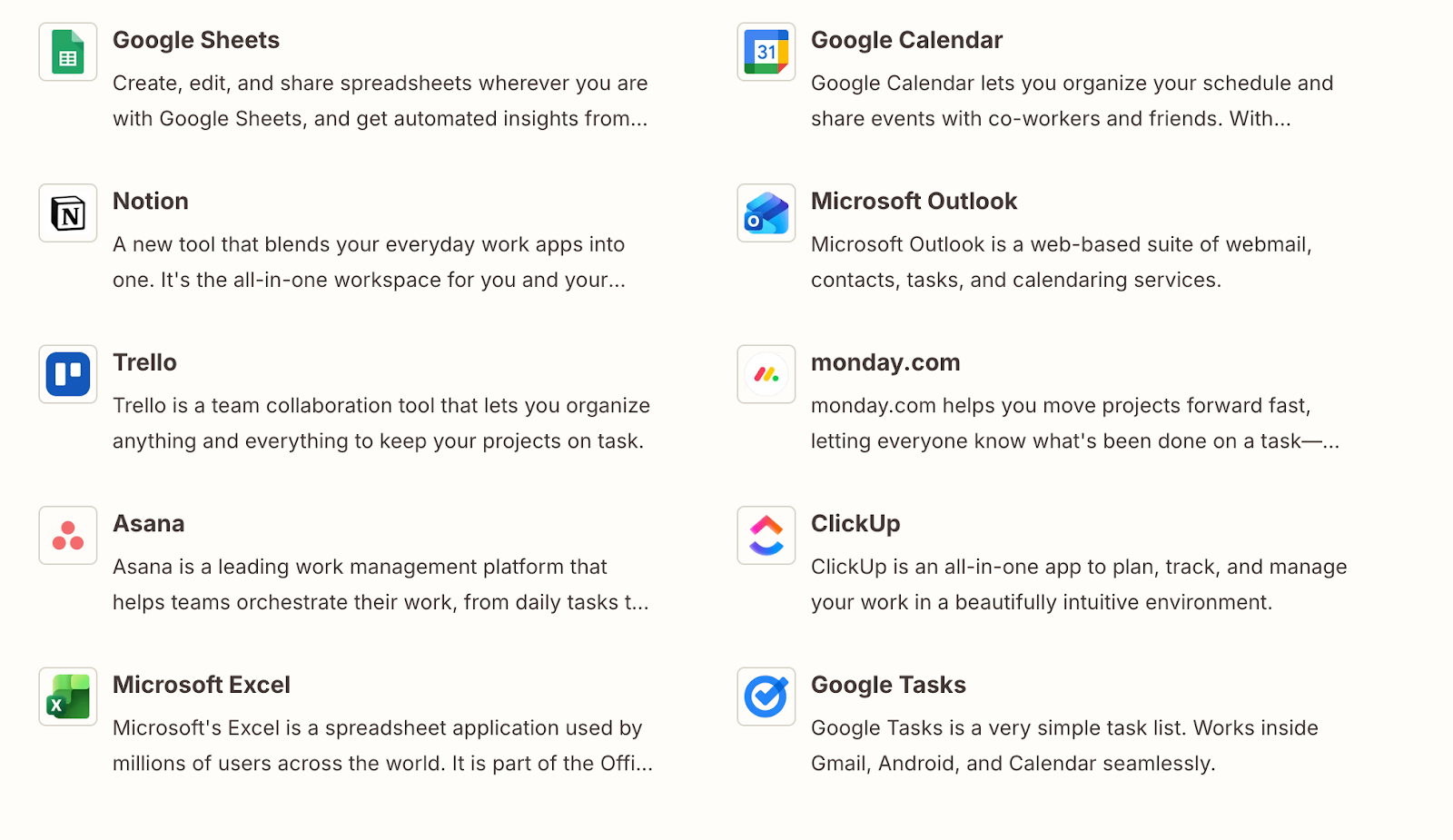
Desde su lanzamiento, Sked Ideas incluye una potente integración con Zapier. Esto supone un cambio radical para las agencias y los equipos dispersos. Puedes configurar flujos de trabajo que envíen ideas directamente a tu Sked Scratchpad desde un una amplia variedad de fuentes externas.
- De Notion/Asana: Cuando un cliente añade una solicitud a una base de datos de Notion, esta puede aparecer automáticamente como una ficha de «Idea» en Sked.
- De Slack: Marca un mensaje con una estrella en Slack para que se envíe a Sked como una idea.
- Desde el navegador: Usa la extensión de Zapier para Chrome para «guardar» una URL o algo que te inspire y enviarlo directamente a tu Scratchpad.
- Aplicación móvil Sked: En las redes sociales, busca inspiración → Crea una idea para tu Sked
- Te encuentras con una publicación en IG, FB, TT o YT
- Pulsa en «Compartir» y luego en «Sked»
- Calendario Sked
- Pulsa en «Crear idea»
Esto garantiza que el Scratchpad se convierta en la única fuente de información fiable para cada elemento de contenido potencial, independientemente de dónde se haya originado.
2. Filtro (Área de trabajo y carriles)
Una vez que tienes una idea, hay que clasificarla. Ahí es donde fallan la mayoría de las estrategias en redes sociales. Todos di Tenemos los «pilares de contenido», pero normalmente esos pilares están en una presentación en PDF que nadie mira.
Sked Ideas da vida a tu estrategia con Pilares de contenido: carriles.
Espacio de trabajo: filtra visualmente las ideas mediante carriles
Cuando pasas una idea del Bloc de notas al Espacio de trabajo, no es solo que lo pases a una nueva lista; es que lo estás colocando físicamente en una categoría estratégica.
El Espacio de trabajo es tu tablero visual de ideas, donde las columnas son tus pilares de contenido.
- Estrategia de «arrastrar y soltar»: Puedes arrastrar una ficha desde «Inspiración» hasta tu pilar «Educativo». O mover una ficha desde «Lanzamiento de producto» a «Contenido generado por los usuarios».
- Etiquetado automático: Cuando arrastras una tarjeta a una columna, Sked etiqueta automáticamente esa idea con el pilar correspondiente.
- Lagunas estratégicas: Esta disposición visual te da una idea clara al instante. Si tu columna «Educativa» está vacía, pero la de «Promocional» está a rebosar, puedes ver el desequilibrio de inmediato. Ya no tienes que adivinar si estás publicando demasiado contenido comercial: el tablero te lo dice.
Esta función convierte la «estrategia» de un concepto abstracto en un flujo de trabajo concreto. Obliga a que cada publicación se gane su lugar dentro de un pilar antes de la Programación.
3. La fase de desarrollo (IA orientada a la marca)
Esta es la sala de máquinas. Una vez que hayas filtrado tus ideas más prometedoras mediante la priorización por carriles, ¿cómo conviertes una idea inicial en un briefing de contenido y diseño de gran calidad y redactas borradores de publicaciones sin tener que pasar horas escribiendo?
Todos hemos probado alguna vez las herramientas de IA genéricas. Le pides un pie de foto y te da algo muy robótico, lleno de emojis de cohetes, que empieza con «Descubre el poder de...». Tardas más en corregir el mal texto de la IA que en escribirlo tú mismo.
Sked Ideas presenta IA orientada a la marca. Esto no es una aplicación que se base en ChatGPT. Es un motor de IA contextual que se adapta a tu Kit de marca.
Generación adaptada al contexto
Como la IA conoce tus pilares y la descripción de tu marca, actúa como un estratega junior, no solo como un redactor publicitario.
- De la consigna al resumen: Puedes escribir «3 ideas educativas en formato carrusel sobre el cuidado de la piel en invierno» en una tarjeta. La IA usará el contexto de tu pilar «Educativo» y la descripción de tu marca «Cuidado de la piel» para generar tres enfoques distintos, con titular, texto principal y sugerencias visuales.
Transforma el contexto en conceptos: ¿Tienes la URL de una entrada de blog? Pégala en una ficha. La IA puede analizar ese contenido y generar un hilo de Twitter, un resumen de artículo para LinkedIn y un pie de foto para Instagram: todos distintos y acordes con la imagen de marca.
4. La fase de validación (la comprobación del ambiente)
Aprobaciones de las partes interesadas y ciclos de retroalimentación
Para los gestores de redes sociales, la parte más cara del proceso creativo es rechazo.
No hay nada peor que pasar cuatro horas diseñando un carrusel, editando un Reel y puliendo los pies de foto, para que al final el cliente o el vicepresidente de marketing te digan: «La verdad es que no creo que debamos hablar de este tema».
Has malgastado presupuesto y tiempo en una producción de alta calidad para una idea que estaba condenada al fracaso desde el principio. Sked Ideas resuelve esto con señales de validación iniciales y sencillas por parte de las partes interesadas, para evitar perder horas desarrollando ideas ya terminadas que, al final, acaban siendo rechazadas.
Aprobación de la dirección
Como «Ideas» funciona al margen del calendario, puedes usarlo para aprobaciones sencillas y sin mucha importancia.
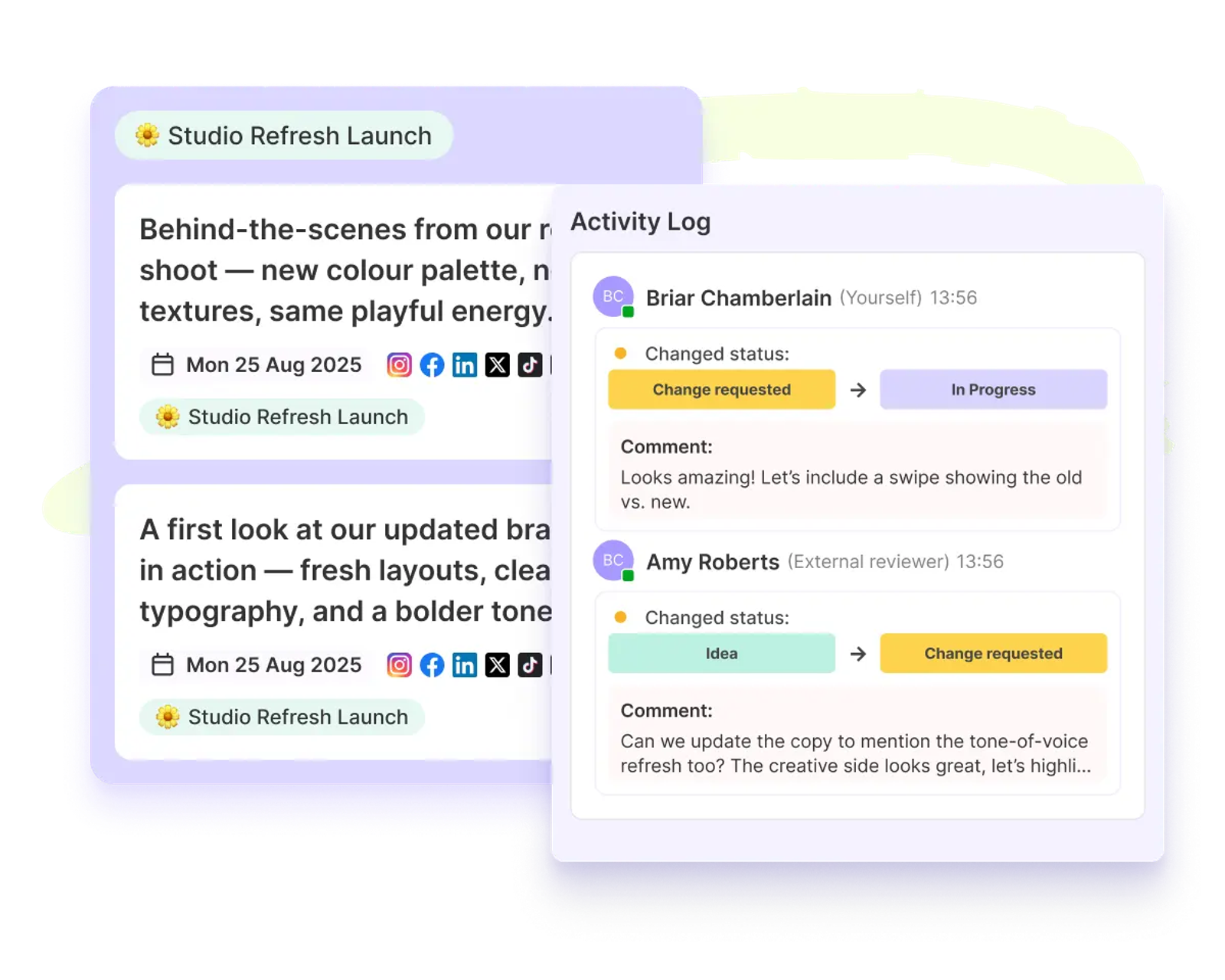
- Me gusta/No me gusta: Los interesados pueden echar un vistazo al espacio de trabajo y dar un simple «me gusta» o «no me gusta» a las ideas.
- Validación del concepto: Puedes presentar una idea sin pulir: «Estoy pensando en hacer una serie de memes sobre X». Si al cliente no le gusta, solo habrás perdido 30 segundos escribiendo, no 4 horas de producción.
Colaboración en equipo: Esto anima a tu equipo a dejar comentarios directamente en la ficha de la idea, lo que fomenta las aportaciones asíncronas y el desarrollo gradual de las ideas. Puedes llenar el espacio de trabajo con tus ideas más rudimentarias, convertirlas en conceptos viables y confiar en que solo las mejores pasarán el filtro.
5. La fase de ejecución (de la idea al calendario)
Ya has captado la idea, la has estructurado en un pilar, la has desarrollado con Brand-Smart AI y la has validado con tu equipo. Ahora es el momento de lanzarla.
Sked Ideas te permite pasar sin problemas del espacio de trabajo al planificador de programación.
Creación masiva y The Evergreen Engine
No tienes por qué limitarte a una sola publicación por idea. Una sola idea que tenga éxito debería dar lugar a varios contenidos.
- Implementación multicanal: Haz clic con el botón derecho en una idea y selecciona «Crear publicación». Se te redirigirá a la pantalla de creación masiva, donde podrás asociar ese concepto concreto a Instagram, LinkedIn, TikTok y X a la vez.
- Gestión de activos: El texto de tu ficha de idea se rellena automáticamente en los campos de pie de foto. Las imágenes o recursos adjuntos a la idea se transfieren automáticamente.
- La biblioteca Evergreen: Puedes optar por mantener la ficha de idea en tu espacio de trabajo incluso después de la Programación. Esto te permite crear una biblioteca de conceptos «atemporales» a los que podrás volver el mes que viene o el próximo trimestre, lo que te evita tener que empezar desde cero cada vez.
Visibilidad estratégica en el calendario
Una de las funciones más útiles para planificar es cómo se integran las Ideas con la vista principal de tu calendario.
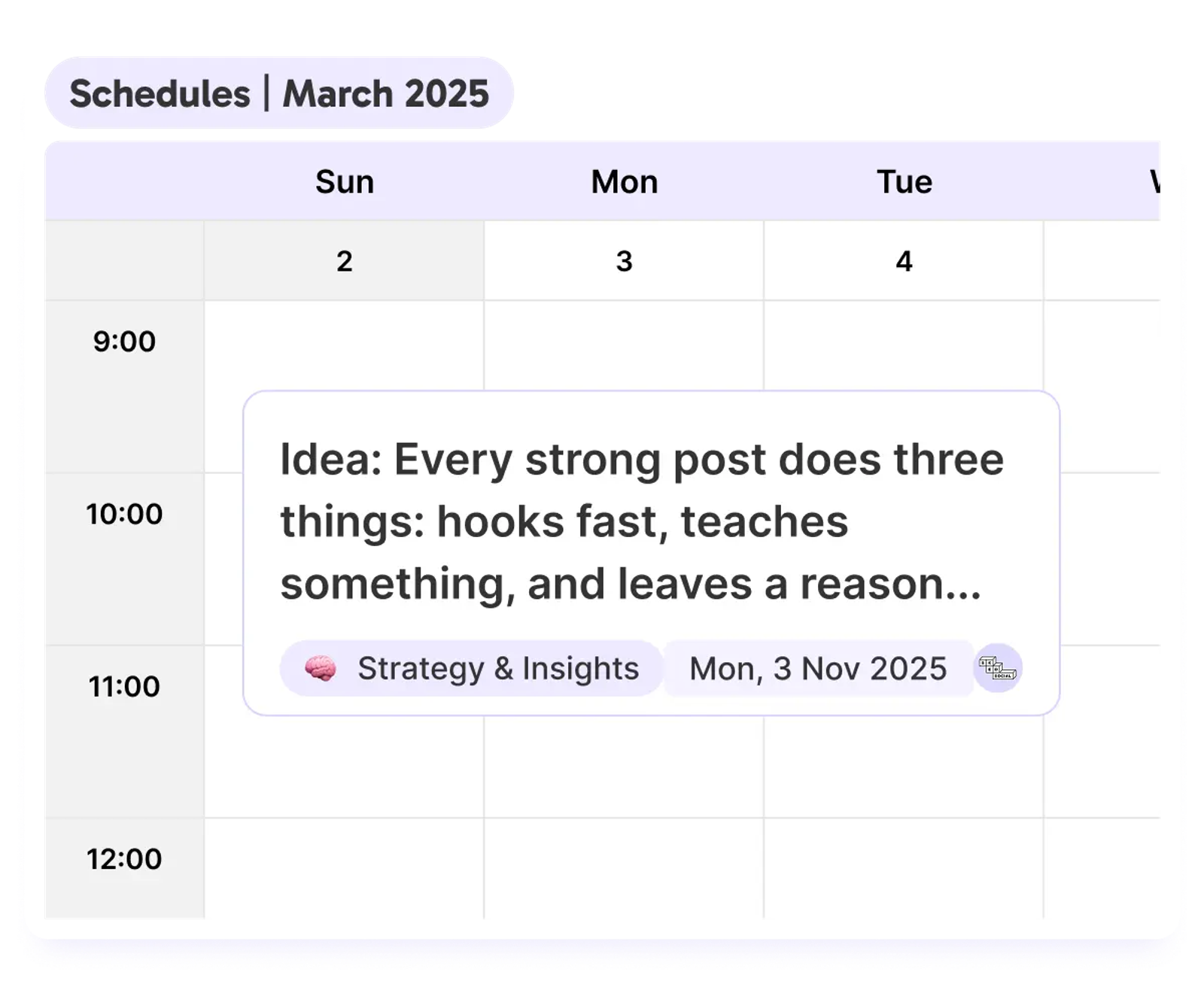
Puedes asignar una «fecha provisional» a una idea sin realizar su programación. Estas aparecen en tu calendario de Sked junto a tus publicaciones programadas.
- El panorama completo: Puedes ver tus publicaciones ya publicadas (en verde) junto a tus ideas potenciales (en amarillo).
- Detectar los fallos: Esto te ayuda a planificar con semanas de antelación. Puede que veas que el próximo martes hay una publicación de producto programada, pero que el jueves está vacío. Puedes arrastrar una idea desde la barra lateral directamente a ese espacio del jueves para iniciar el proceso de producción.
Esta función te permite planificar el arco narrativo a lo largo de semanas y meses, combinando contenido confirmado con ideas «en desarrollo» para tener una visión realmente completa de tu cronología.
Tu nuevo flujo creativo
Vamos a repasar cómo es tu día con Sked Ideas:
- Captura: Vas y sueltas una idea genial en el Bloc de notas a través de la app móvil o desde el ordenador.
- Organizar: Arrastra esa ficha a la sección «Educación» Carril de natación «Pillar».
- Desarrollar: Tú usas Creación con IA para crear un primer borrador basado en tu «Witty» Tono de voz.
- Colabora: Tu redactor ve la tarjeta, retoca el pie de foto y etiqueta al diseñador para que la apruebe.
- Ejecuta: Haces clic en «Crear publicación» y la tarjeta se convierte en un borrador de publicación para Instagram y LinkedIn con tu asistente de marca basado en IA (que de verdad te conoce), listo para la Programación.
Es más sencillo. Es más rápido. Y se mantiene fiel a tu marca.
Empieza con Ideas
La época de las hojas de cálculo dispersas y la IA genérica ha terminado. Es hora de que tu equipo pase a un espacio de trabajo que entienda tu marca y respete tu estrategia.
Ideas para Sked Ya se está poniendo en marcha. ¿Estás listo para acabar con el «caos del medio» y empezar a crear un motor de contenido estratégico? Inicia sesión hoy mismo en tu panel de control de Sked y descubre el futuro de la creatividad en las redes sociales.